






The Players page has a box for a message to everyone and buttons to Lock and Unlock the server. A message to one player is in the menu on that player’s row. The server must be running. These tools talk to the game through BattlEye RCon, which is set up for you.
Message everyone
- Open the server and go to Players.
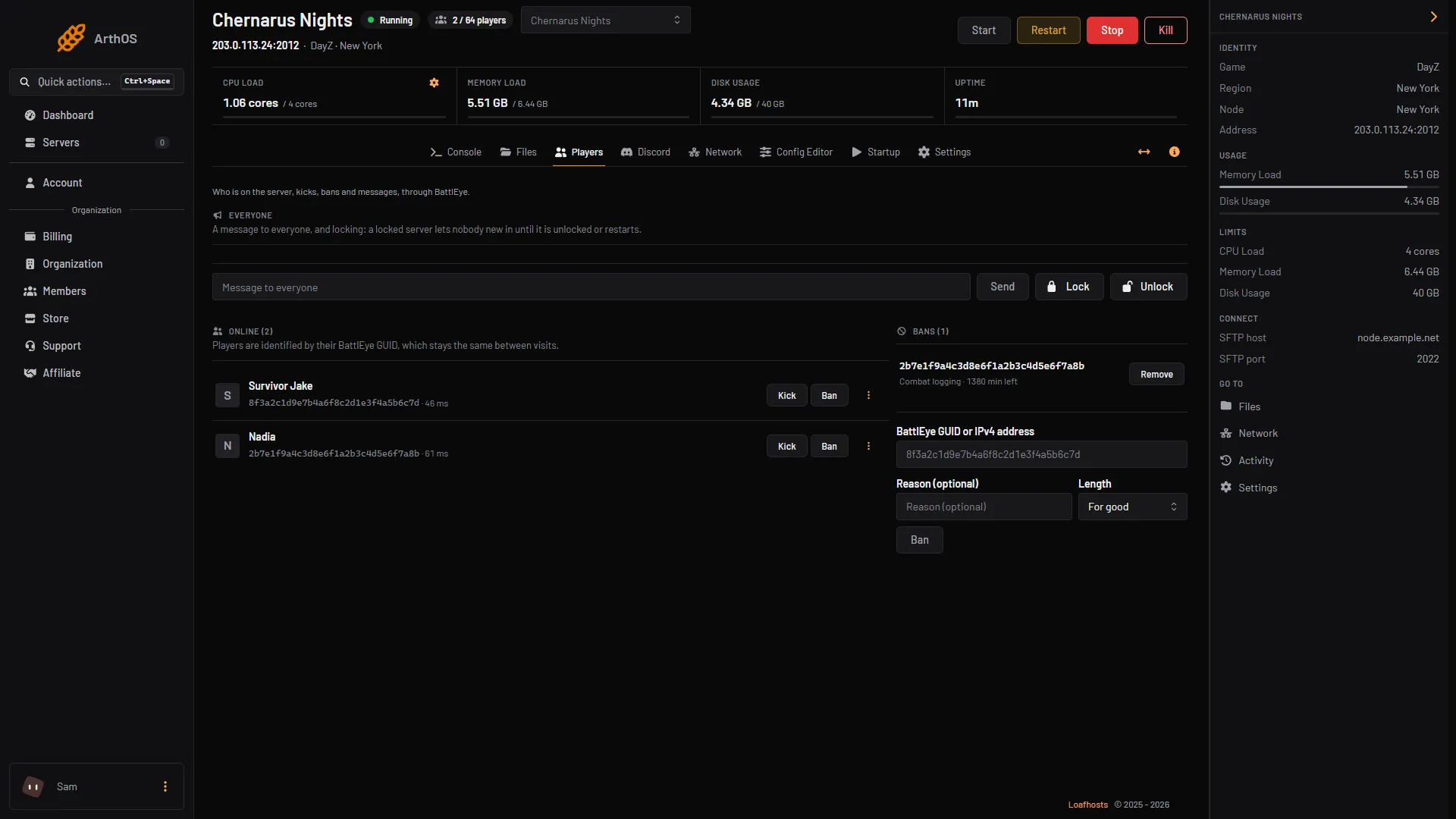
- In the Everyone section, type your text in the Message to everyone box. It can be up to 120 characters.
- Choose Send.
Players see it in the in-game chat as (Global) Admin: your text.
- Type your message
- Send
- Lock
- Unlock
Type the text in the box (1) and choose Send (2). Lock (3) and Unlock (4) are beside it.
Message one player
- In the Online list, find the player.
- Open the menu at the end of their row (the three dots, named More for and the player’s name).
- Choose Message, type the text in Message, and choose Message again to send.
Only that player sees it, in chat, as (Private) Admin: your text.
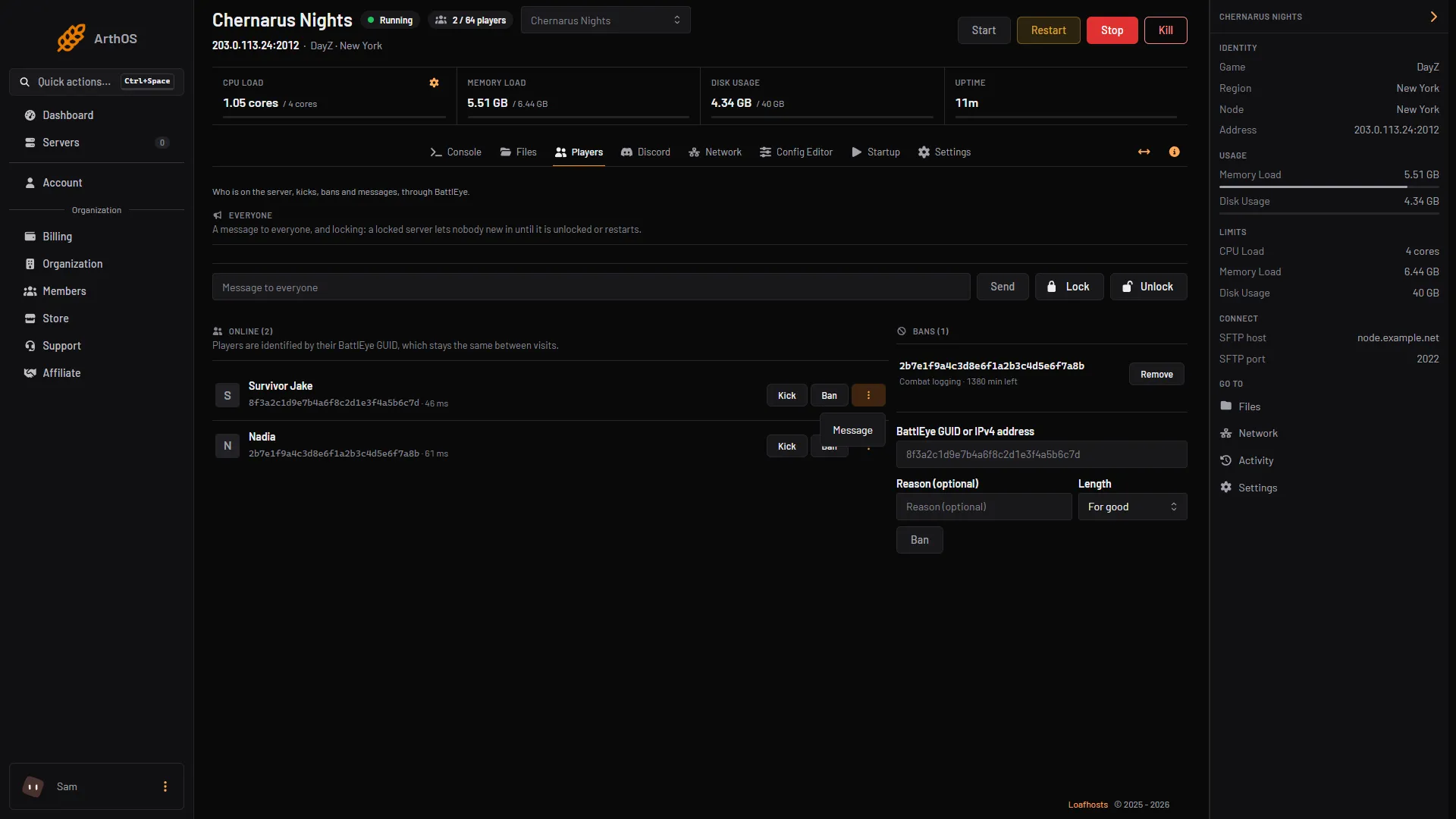
- Message
If you cannot see the menu, your role does not have the permission to message players. Ask the server owner to add it.
Lock the server
Locking stops new players from joining. It does not remove anyone who is already on.
- On Players, in the Everyone section, choose Lock.
- A player who tries to join gets the DayZ error “This server is currently locked.” (Bohemia lists it as SERVER_LOCKED.)
- To open the server again, choose Unlock. A restart also clears the lock.
A lock is useful before a restart or a wipe: lock, send a message, wait, then restart. A scheduled restart cannot send this warning. Send the message by hand a few minutes before.
By hand
Connect a BattlEye RCon tool as described in BattlEye RCon and send:
say -1 Restart in 5 minutesto message everyone.say 3 Please move your vehicleto message the player numbered 3 in theplayerslist.say <player #> <message>is the BattlEye command;-1means everyone.#lockto lock the server, and#unlockto unlock it.
say is in BattlEye’s own command list. #lock and #unlock are not; they are game commands that RCon passes through, and the panel sends exactly these two.
Players can also be warned by the server itself with timed messages in messages.xml, which Bohemia documents on its Server Messages page. A message there can be up to 160 characters and can count down to a shutdown.
If it does not work
- The buttons are grey or the page says the server is not running. The server is stopped or still starting. Wait until the Console shows
Mission read.. - The message does not appear in chat. Check the player is still on the server. If the player has left, the panel says that player is no longer on the server.
- The panel says a message is at most 120 characters. Shorten it.
- Players can join again after you locked it. The server restarted, and a restart clears the lock. Choose Lock again.
- The panel says RCon is not answering. See BattlEye RCon: the RCON Password may have changed since the last start.
More about the game: DayZ servers.
Sources: battleye.com: Documentation, Bohemia wiki: Error Codes, Bohemia wiki: Server Messages