






To restart a DayZ server on a timer, make a schedule in Settings, then Schedules. Give it a time and one step that restarts the server. A schedule cannot warn players first, so tell them yourself before the time comes.
Why servers restart
A restart does two useful things:
- Loot. The Central Economy is the part of DayZ that spawns loot. Bohemia lists a setting called
RestartSpawn: how much loot is respawned at a restart. - Updates. With Automatic Updates on, the server checks for server and mod updates every time it starts, and updates if needed.
Bohemia also asks server owners to stop a DayZ server gracefully, which means letting it shut down by itself, so players’ characters and the saved world are not harmed.
In the ArthOS panel
- Open your server, choose Settings, then the Schedules tab. It says “0 of 5 maximum schedules created.” until you make one.
- Choose Create Schedule (1).
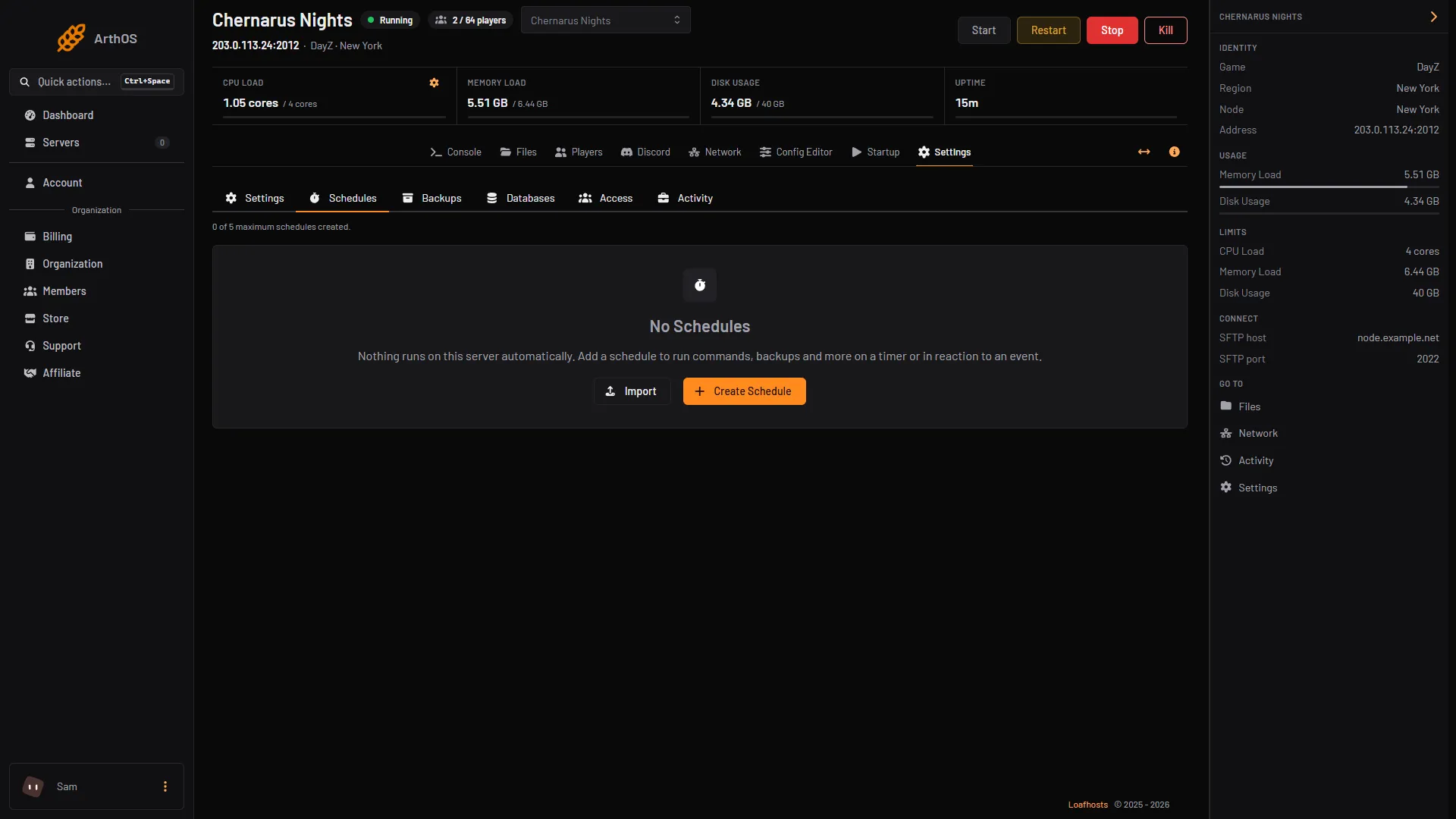
- Create Schedule
- Type a Schedule Name (1), such as “Restart”. Leave Enabled on. Add Trigger (2) adds the time.
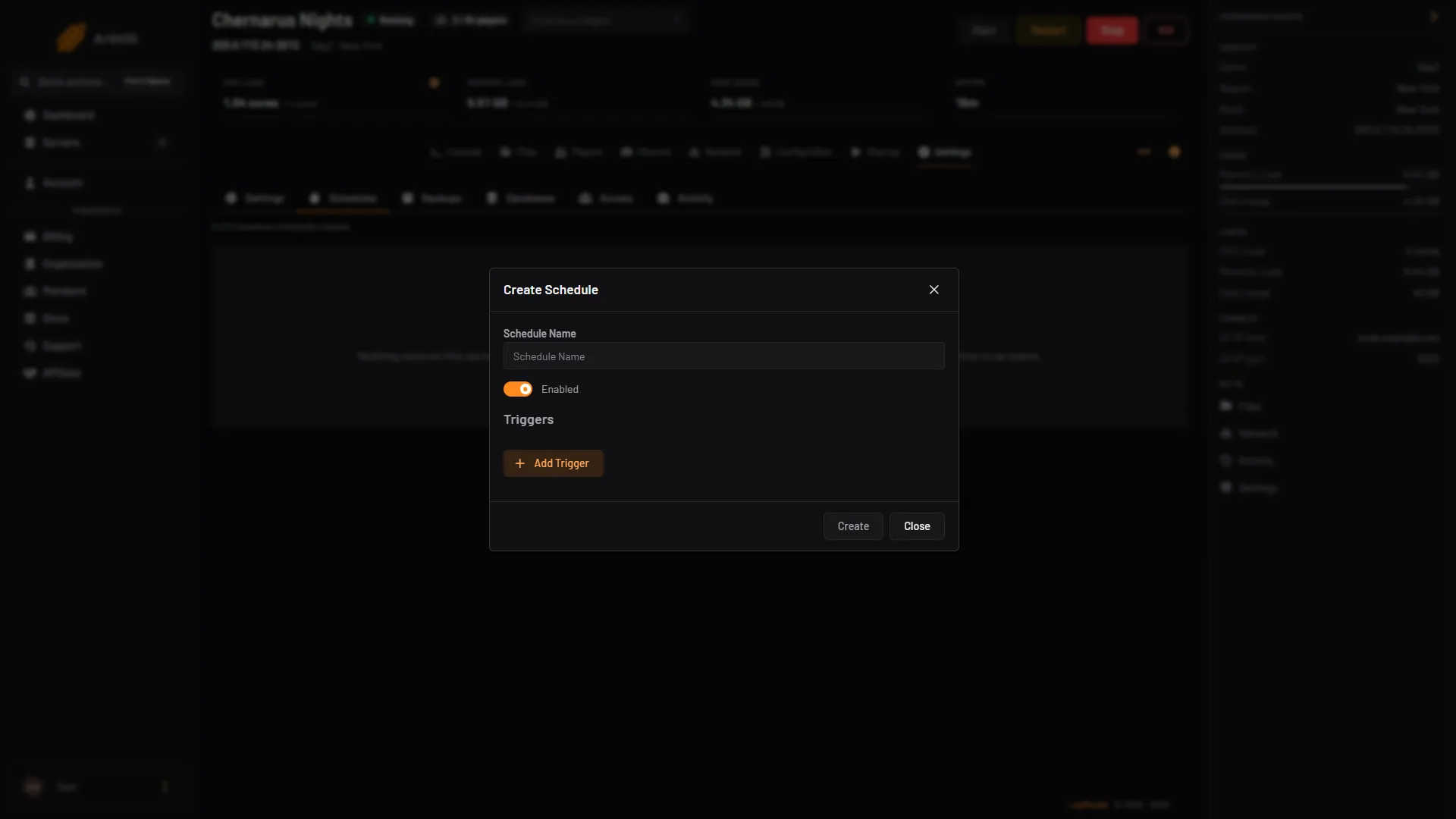
- Type the name
- Add Trigger
- For Trigger 1, choose Time Interval (Cron).
- Under Runs, pick Daily and set At to the time. Or pick Every few hours and set Every (hours), for example 4 for six restarts a day. The times use the server timezone, which the panel shows under the field.
- Choose Create.
- Open the schedule and go to the Actions tab. Choose Add Step.
- For Action Type, choose Send Power Signal. For Power Action, choose Restart. Choose Create.
To test it, open the schedule and choose Run Now. The server restarts at once.
The Restart power action sends DayZ the same signal as Ctrl+C. The server log then ends with “Termination successfully completed”, a clean shutdown (seen on 13 October 2026). Whether every last change is saved at that moment: Not checked on 1.29 as of 13 October 2026. Bohemia recommends its own countdown shutdown (see By hand below).
Warn players first
A schedule has no step that sends a message through BattlEye, the tool the Players page uses. Send Command types into the server console, which is not the same thing. So a scheduled restart comes without a warning in game.
To warn people by hand, a few minutes before the restart:
- Open the Players page.
- Under Everyone, type your text in Message to everyone and choose Send.
- Optionally choose Lock. A locked server lets nobody new in until it is unlocked or restarts.
The page works only while the server is running and BattlEye is answering.
By hand
On a server you run yourself, use your operating system’s timer to stop and start the server. Bohemia also has server messages: a messages.xml file in the mission’s db folder can count down in chat (90, 60, 45, 30, 20, 15, 10, 5, 2 and 1 minute before a deadline) and then shut the server down. It only shuts down. Something else must start it again.
<messages>
	<message>
		<delay>0</delay>
		<repeat>0</repeat>
		<deadline>600</deadline>
		<onConnect>0</onConnect>
		<shutdown>1</shutdown>
		<text>Hello, #name will shutdown in #tmin minutes.</text>
	</message>
</messages>
The times are in minutes. #name is the server name and #tmin the minutes left. A message can be 160 characters at most.
If it does not work
- The restart time is wrong. The schedule uses the server timezone shown under the time. Change the time to match.
- Nothing happens. Check that the schedule is Enabled and that it has the Send Power Signal step on its Actions tab.
- The Players page says BattlEye is not answering. The server is stopped or still starting. Try again after it is up.
More about the game: DayZ servers.
Sources: Bohemia wiki: Server Messages, Bohemia wiki: Central Economy Configuration, Bohemia wiki: Server Configuration