






Two settings decide how dark a DayZ night is. Darker Nights chooses between bright and dark nights. Disable Personal Light removes the light that follows each player. Both are on the Startup page and are applied again at every start.
What the two settings do
- Darker Nights is Bohemia’s
lightingConfig. 0 is brighter nights and 1 is darker nights. On a new server it starts switched off, which means bright. The panel describes the dark setting as more accurate nights that are hard to see in without a light. - Disable Personal Light is
disablePersonalLight. Bohemia says it “disables personal light for all clients connected to server”. Another Bohemia page calls it the omnipresent personal light that lights up objects close to a player at night. On a new server it starts switched on, so players have no personal light by default.
So with both switched on, players have no light of their own at night and the night is dark.
In the ArthOS panel
- Open your server and choose Startup.
- Set Disable Personal Light (1): off gives every player the personal light, on removes it.
- Set Darker Nights (2): on for dark nights, off for bright ones.
- Choose Save, then restart the server.
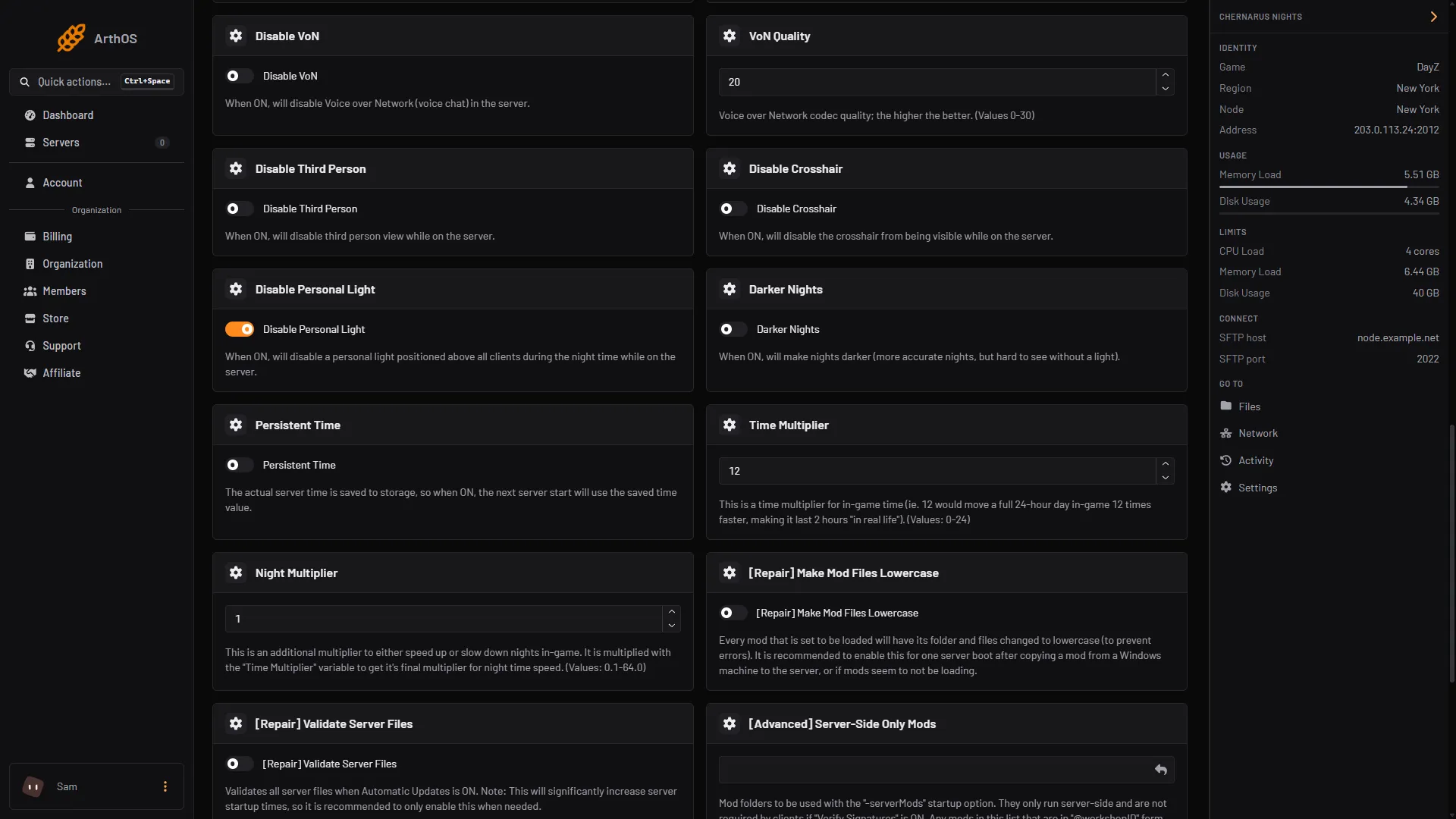
- Disable Personal Light
- Darker Nights
The Config Editor shows them as Night brightness and No personal light. Both rows are locked and link to Startup, because Startup writes them at every start.
If your mission uses cfggameplay.json
Bohemia says that when enableCfgGameplayFile is on, the lightingConfig in the mission’s cfggameplay.json overrides the one in serverDZ.cfg. In the Config Editor this switch is Use cfggameplay.json. If it is on, your Darker Nights switch does nothing. Open cfggameplay.json in Files (it sits in the mission folder, for example mpmissions/dayzOffline.chernarusplus) and change this value:
"WorldsData":
{
    "lightingConfig": 1
}
In Bohemia’s copy of the file, disablePersonalLight is a separate setting under PlayerData. Bohemia’s pages do not say which of the two personal light values wins when they differ, so keep them the same. More on the file: the cfggameplay.json guide.
By hand
Edit serverDZ.cfg and restart:
lightingConfig = 1;
disablePersonalLight = 1;
Bohemia’s page also lists lightingConfig = 2 for Sakhal-specific lighting. The Startup switch on this panel writes only 0 or 1.
If it does not work
- Nights did not change. Restart after saving, and check Use cfggameplay.json in the Config Editor. If it is on, edit the file’s
lightingConfigas shown above. - Your file edit went back. The Startup page writes both lines at every start. Change them on Startup.
If the nights pass too fast or too slowly, see time and night speed. The game’s own page is DayZ.
Sources: Bohemia wiki: Server Configuration, Bohemia wiki: Gameplay Settings, raw.githubusercontent.com: Cfggameplay.json