






cfggameplay.json lets you change how DayZ plays, such as stamina, base building rules, night light and the map, without a mod. The game ignores the file until you turn it on. In the panel, that is one switch in the Config Editor.
Bohemia’s own words: “Gameplay settings provide a way for server admins to tweak the game’s behavior by simply modifying values inside the gameplay settings’ JSON file.” More about the game: DayZ servers.
In the ArthOS panel
- Open Config Editor. In the Gameplay group, find Use cfggameplay.json. Its help text reads “Read the mission’s cfggameplay.json for stamina, building and other gameplay settings.”
- Turn it on and save. This writes
enableCfgGameplayFile = 1;intoserverDZ.cfg. - Open Files, then
mpmissions/<your map>/, and opencfggameplay.json. - Change the values you want, choose Save File.
- Restart the server. Bohemia says the file is loaded whenever you run the server.
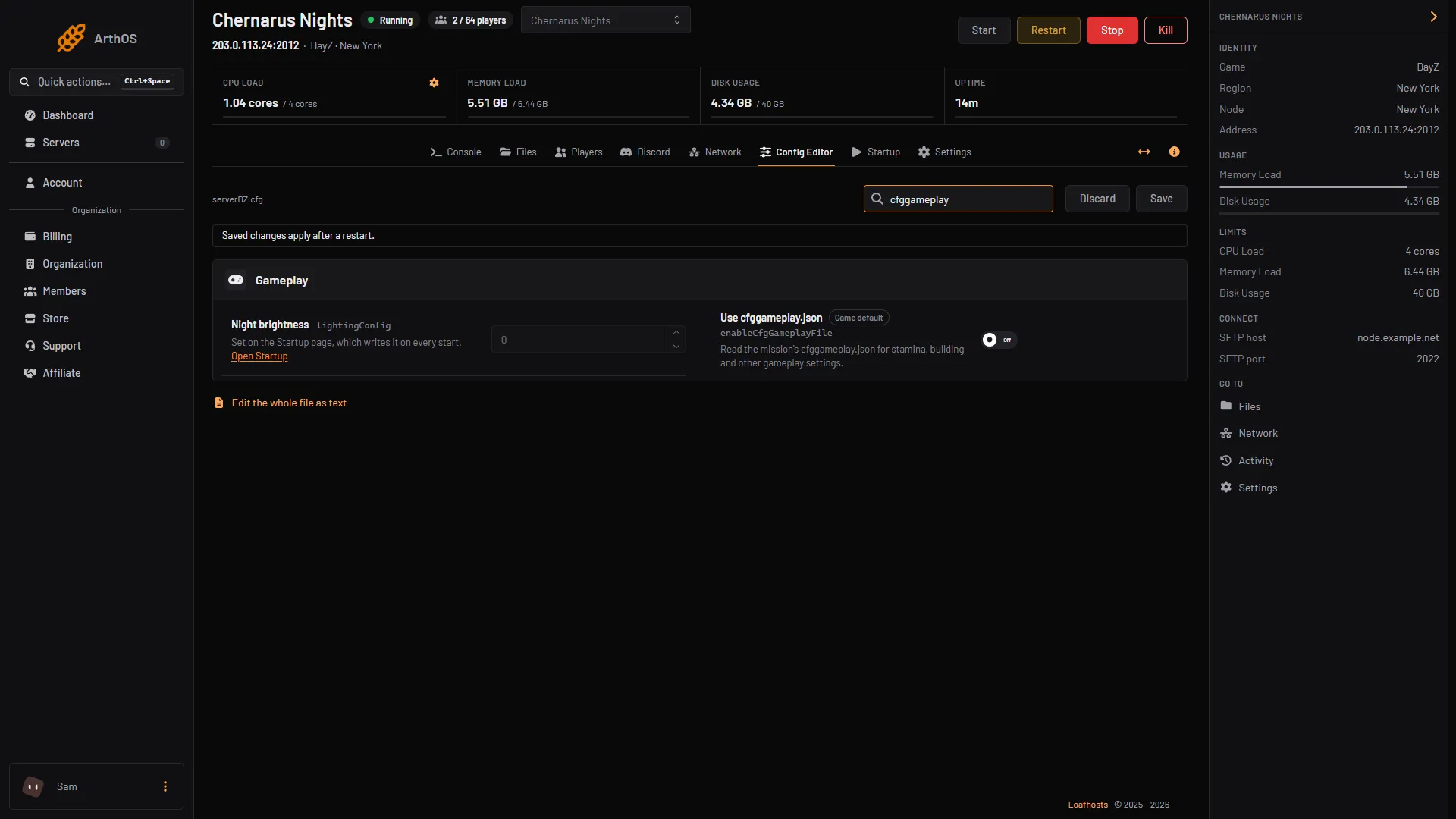
- Use cfggameplay.json
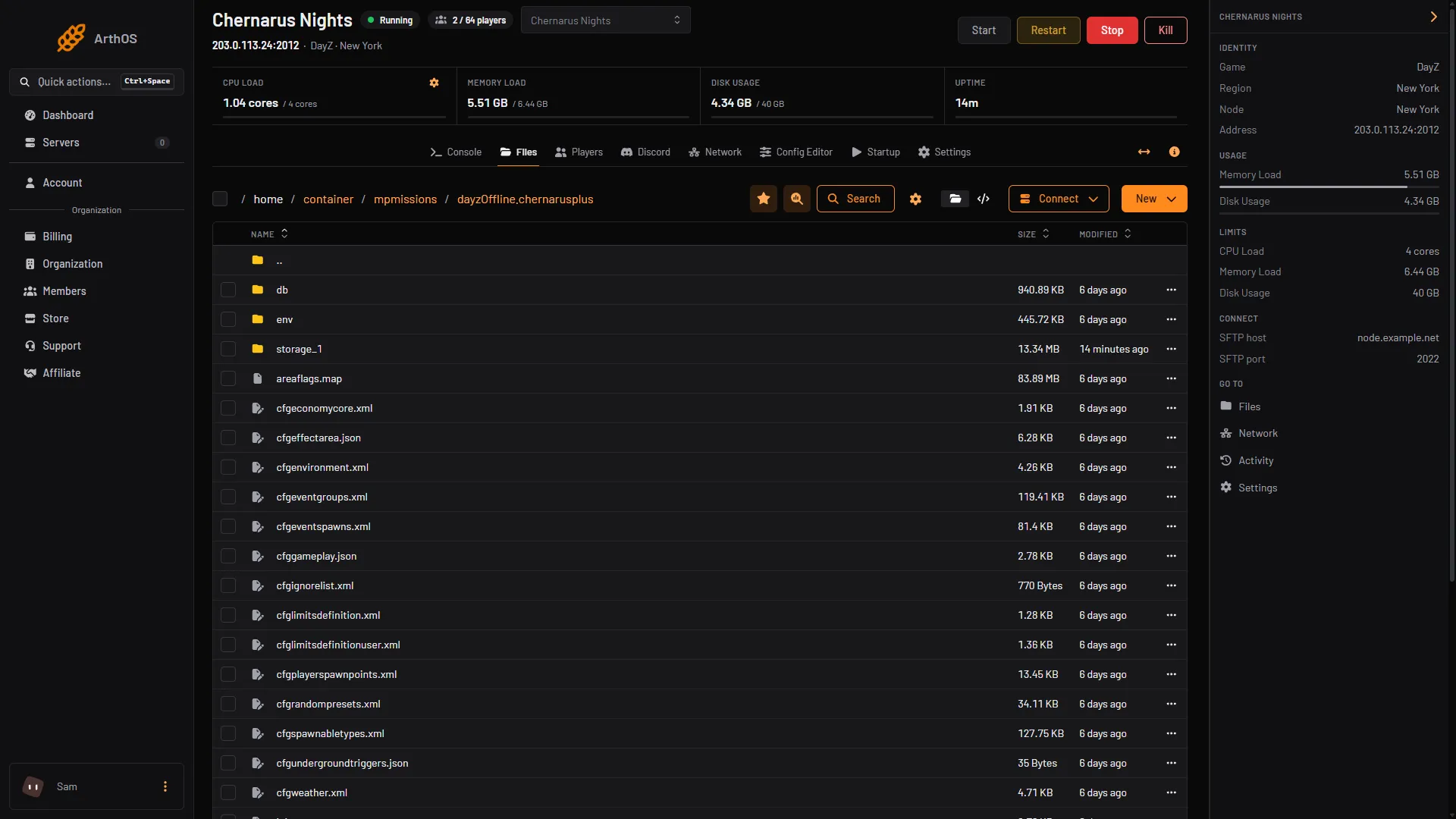
- Open cfggameplay.json
The panel does not edit cfggameplay.json itself. You edit it as text in Files. Use the switch first (first picture, box 1), then open the file (second picture, box 1).
By hand
- Copy
cfggameplay.jsonfrom your map’s mission folder in Bohemia’s DayZ-Central-Economy repository into your mission folder if it is not there. Bohemia says the original is atDZ\worlds\chernarusplus\ce\cfggameplay.jsonand must be copied to the mission. - Add
enableCfgGameplayFile = 1;toserverDZ.cfg. - Edit the JSON and restart.
What is in the file
The file has these sections. Each name below is a real key.
GeneralData:disableBaseDamage,disableContainerDamage,disableRespawnDialog,disableRespawnInUnconsciousness.PlayerData:disablePersonalLight, and groups for stamina (StaminaData), shock (ShockHandlingData), movement (MovementData), drowning (DrowningData) and weapon obstruction (WeaponObstructionData).WorldsData:lightingConfig(0 brighter night, 1 darker night, 2 Sakhal-specific lighting),environmentMinTemps,environmentMaxTemps(12 values each, one per month) andwetnessWeightModifiers.BaseBuildingData: checks that stop or allow placing and building, such asdisableIsCollidingBBoxCheckanddisableIsUnderwaterCheck.UIData:use3DMapand the hit indicator (HitIndicationData).MapData:ignoreMapOwnership,ignoreNavItemsOwnership,displayPlayerPosition,displayNavInfo.VehicleData:boatDecayMultiplier.
Example: to let players open the map without carrying one and see their own position on it, change MapData to:
"MapData":
{
    "ignoreMapOwnership": true,
    "ignoreNavItemsOwnership": false,
    "displayPlayerPosition": true,
    "displayNavInfo": true
}
Stamina has its own guide: stamina settings.
Night light: the file wins
If you turn the file on, its lightingConfig replaces the Darker Nights value from Startup. Bohemia: “if enableCfgGameplayFile is enabled, this option will be overriden by the WorldsData::lightingConfig value”. Change it in the JSON.
disablePersonalLight is a separate setting under PlayerData. Bohemia’s pages do not say which of the two personal light values wins when the file and the Startup switch Disable Personal Light differ, so keep them the same. More in night brightness.
Keep the JSON valid
- Keep every comma and bracket. No comma after the last item in a group.
- Text goes in double quotes.
trueandfalseare lower case and have no quotes. - JSON has no comments. Do not add
//lines. - Do not delete keys or classes. Bohemia says anything the file leaves out counts as zero.
- Do not change
version. It tracks the file’s version.
Check the file in any JSON checker before you save it.
If it does not work
- Nothing changed. Use cfggameplay.json is off, or the server was not restarted.
- You edited the wrong map. Each mission has its own file. The Map (mission) row in the Config Editor shows the one that loads.
- The server will not start after an edit. The JSON is broken. Put back the Bohemia original and apply your changes again one at a time.
Sources: Bohemia wiki: Gameplay Settings, Bohemia wiki: Server Configuration, github.com: DayZ Central Economy