






When Bohemia patches DayZ, restart your server. With Automatic Updates on, which is the default, the server checks for a new version every time it starts, downloads it and then runs. You do not install anything by hand.
Players update their game on Steam. While Enforce Game Version is on, which is also the default, players are turned away until the server and their game are on the same version.
What happens at a restart
With Automatic Updates on, a start does two checks before the game runs:
- It looks for a newer DayZ server and downloads it if there is one.
- It looks at every Steam Workshop mod in your lists and downloads the ones that have a newer version.
Only mods listed as a Workshop ID are checked this way, such as @1559212036. A mod you uploaded yourself under another folder name is not updated for you. The lists are Modlist File (Exported from DayZ Launcher), Additional Mods and [Advanced] Server-Side Only Mods.
This is how the server image works. The console shows the checks while the server starts.
In the ArthOS panel
The Automatic Updates switch (1) is on the Startup page.
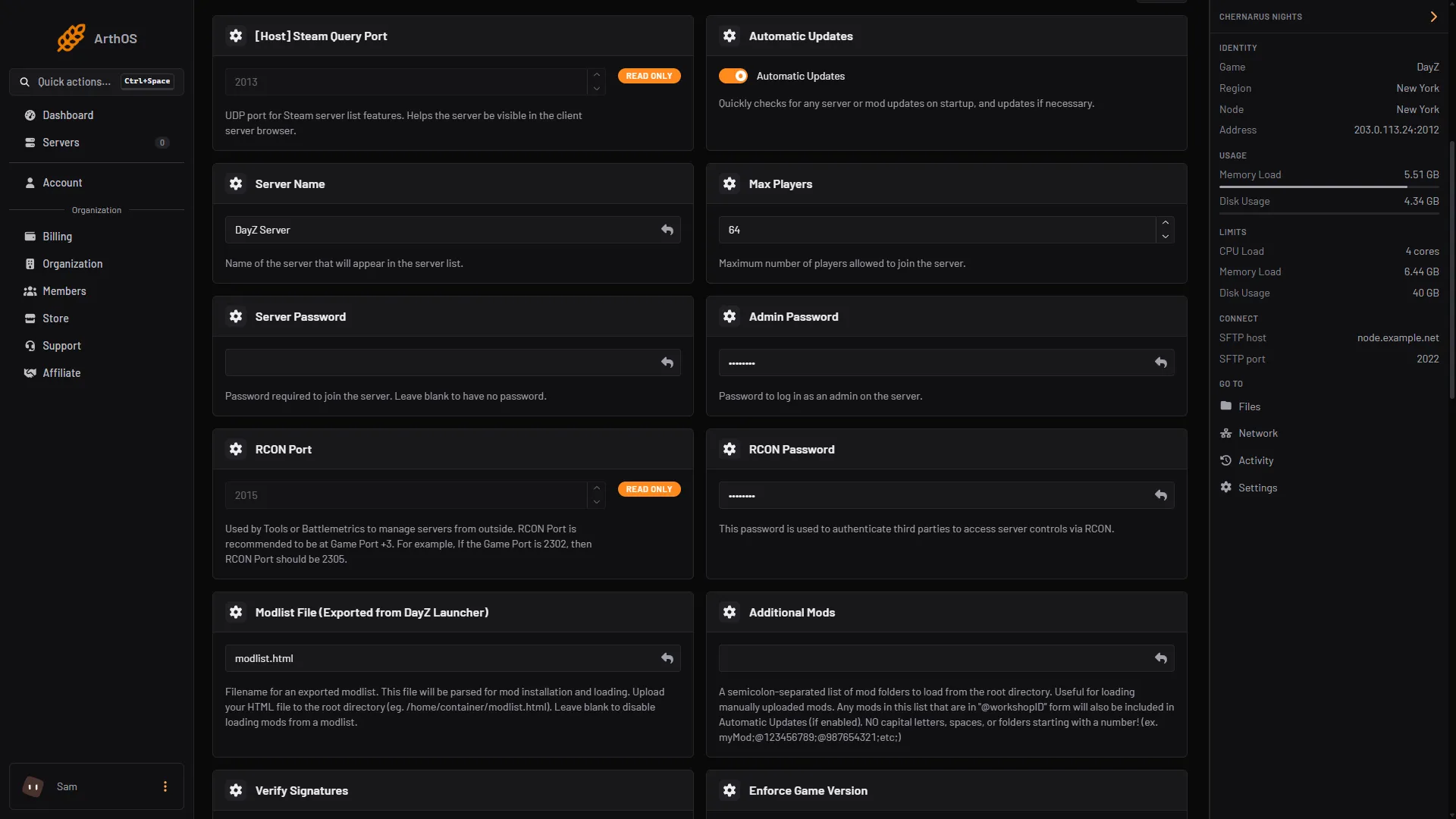
- Automatic Updates
- Back up first, and stop the server first for a backup you will rely on. A patch downloads Bohemia’s current server files over the old ones, so keep a copy of files you edited by hand. See back up and restore.
- Open Startup. Check that Automatic Updates (1) is on.
- Open Console and choose Restart. Do it when few players are on.
- Watch the console. Near the top you should see the update checks. A line saying the game server is up to date means it finished.
- When the server is running, join it with the updated game and check your mods load.
Make players on another version wait, not guess
Enforce Game Version is on by default. In serverDZ.cfg it is forceSameBuild, and Bohemia describes it as allowing “the connection only to clients with same the .exe revision as the server”. It is set on Startup (1), not in the Config Editor, and it is rewritten at every start.
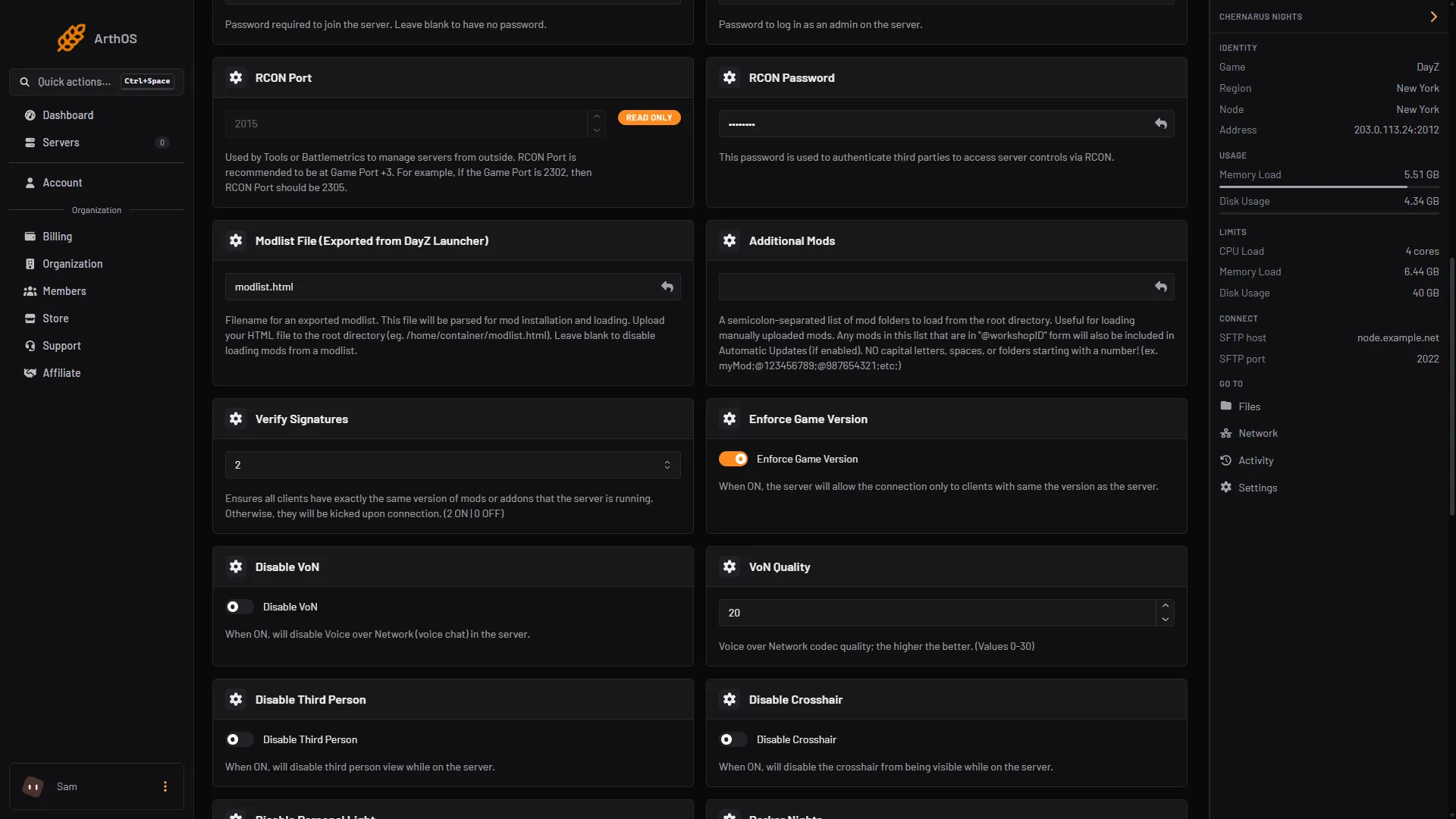
- Enforce Game Version
A player who is not on your server’s version sees a message. Bohemia’s list gives these:
- “Client is an older build than the server. Please update your game.”
- “Client is a newer build than the server. Please wait until server is updated.”
If you see the second one in your players’ reports, your server has not updated yet. Restart it.
Leave Enforce Game Version on. Bohemia’s page does not describe what a mismatch does when it is off.
Mods that were made for the old version
A DayZ patch can break a mod until its author updates it. If players are kicked or the server will not start after a patch, look at the mods first. See mismatched mods kicks and update mods.
By hand
On your own host, update the server with SteamCMD. Bohemia’s Linux guide says updating “is performed using the same commands as installation”. For the stable server, app 223350:
steamcmd.sh +force_install_dir ~/servers/dayz-server/ +login your_login +app_update 223350 +quitMods are downloaded the same way with +workshop_download_item 221100 <modID>. Bohemia’s page shows how to put this in an update.sh that runs before each start.
If it does not work
- The server is still on the old version after a restart. Check that Automatic Updates is on. Read the console for an update error. If the console says the update could not be completed, try the restart once more and then contact support.
- Players on the new version cannot join. The server is behind. Restart it so it updates.
- The first start is very slow. An update and a mod check run before the game starts. Wait for the console to show the server running.
- Files look broken after an update. Turn on [Repair] Validate Server Files for one start. It checks every server file and makes the start much slower, so turn it off again after.
- Mods fail to load. A mod may not have been updated by its author yet. Check its Workshop page.
More about the game: DayZ servers.
Sources: Bohemia wiki: Server Configuration, Bohemia wiki: Error Codes, Bohemia wiki: Hosting a Linux Server, store.steampowered.com: 221100