






DayZ calls its voice chat VoN, voice over network. To turn it off, switch on Disable VoN on the Startup page. To change how good it sounds, set VoN Quality. Save, then restart the server.
The two settings
- Disable VoN is
disableVoN. Bohemia: “Enable/disable voice over network (value 0-1)”. On a new server it starts off, so voice chat works. - VoN Quality is
vonCodecQuality. Bohemia: “Voice over network codec quality, the higher the better (values 0-20)”. A new server uses 20. In the Config Editor the help says that higher sounds better and uses more bandwidth.
The panel’s Startup field says 0 to 30, but Bohemia documents 0 to 20. Stay at 20 or below. What the game does with a number above 20 is not documented.
In the ArthOS panel
- Open your server and choose Startup.
- To mute voice chat for everyone, switch on Disable VoN (1). Otherwise leave it off.
- To change the sound quality, type a number from 0 to 20 in VoN Quality (2). Lower values use less bandwidth.
- Choose Save, then restart the server. Both values are written into
serverDZ.cfgat every start.
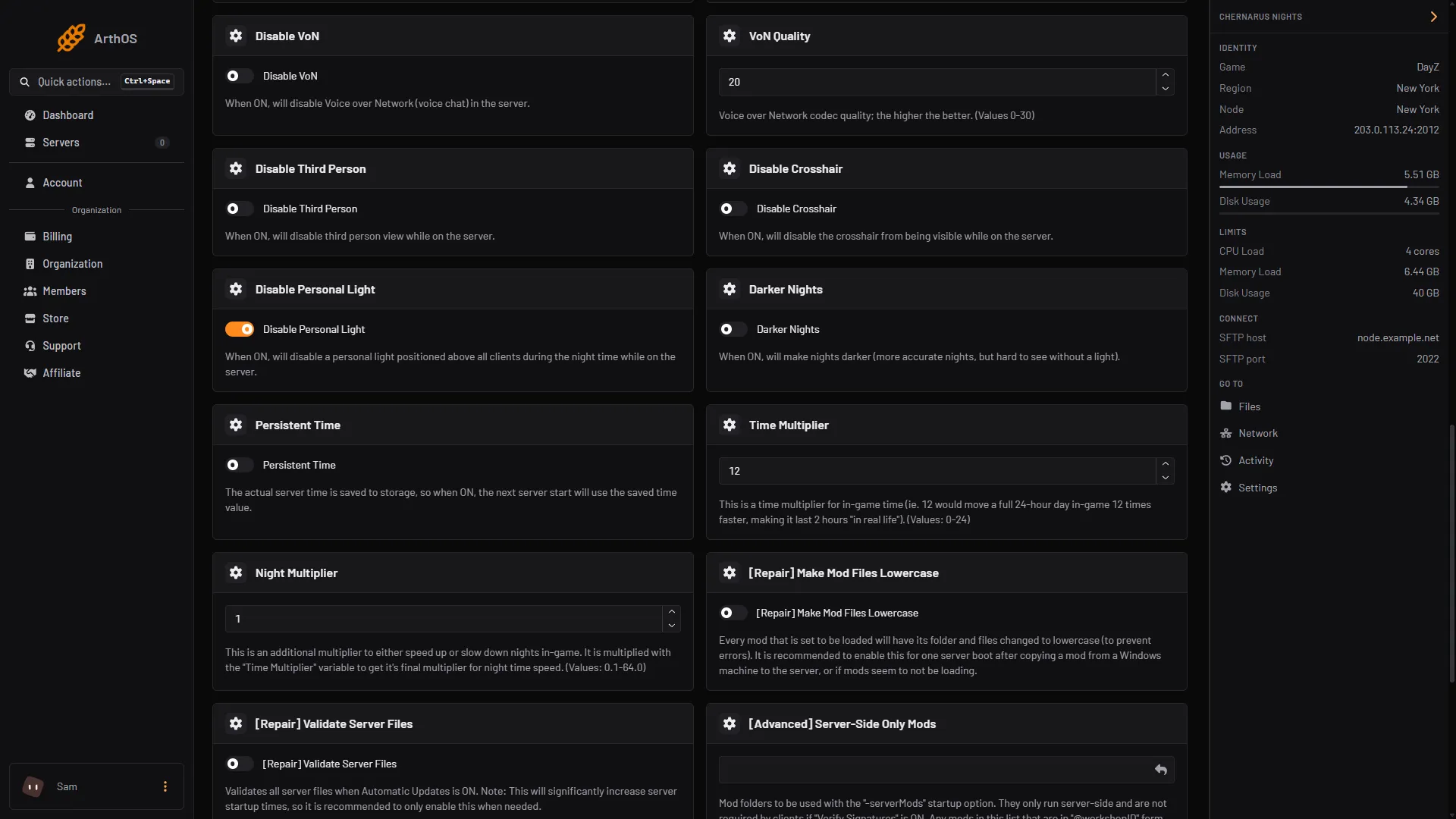
- Disable VoN
- VoN Quality
The Config Editor shows them as No voice chat and Voice quality. These rows are locked, with a link to Startup.
By hand
In serverDZ.cfg:
disableVoN = 1;
vonCodecQuality = 20;
Restart afterwards. Both lines are in DayZ: Server Configuration.
If it does not work
- Players still talk. You did not restart after saving.
- Your value went back after you edited the file in Files. The Startup page writes these two lines at every start. Use Startup.
- The field refuses your number. Use a whole number.
If the server feels slow for other reasons, see DayZ server lag. The game’s own page is DayZ.
Sources: Bohemia wiki: Server Configuration