






Set Player slots on the Startup page to a number from 1 to 16, save, and restart the server. 16 is the most Enshrouded allows.
Checked on the 0.9 server. Enshrouded 1.0 is released on 15 October 2026.
In the ArthOS panel
- Open your server and choose Startup.
- Change Player slots (box 1 in the picture). Enter a whole number from 1 to 16.
- Save the change.
- Restart the server from Console.
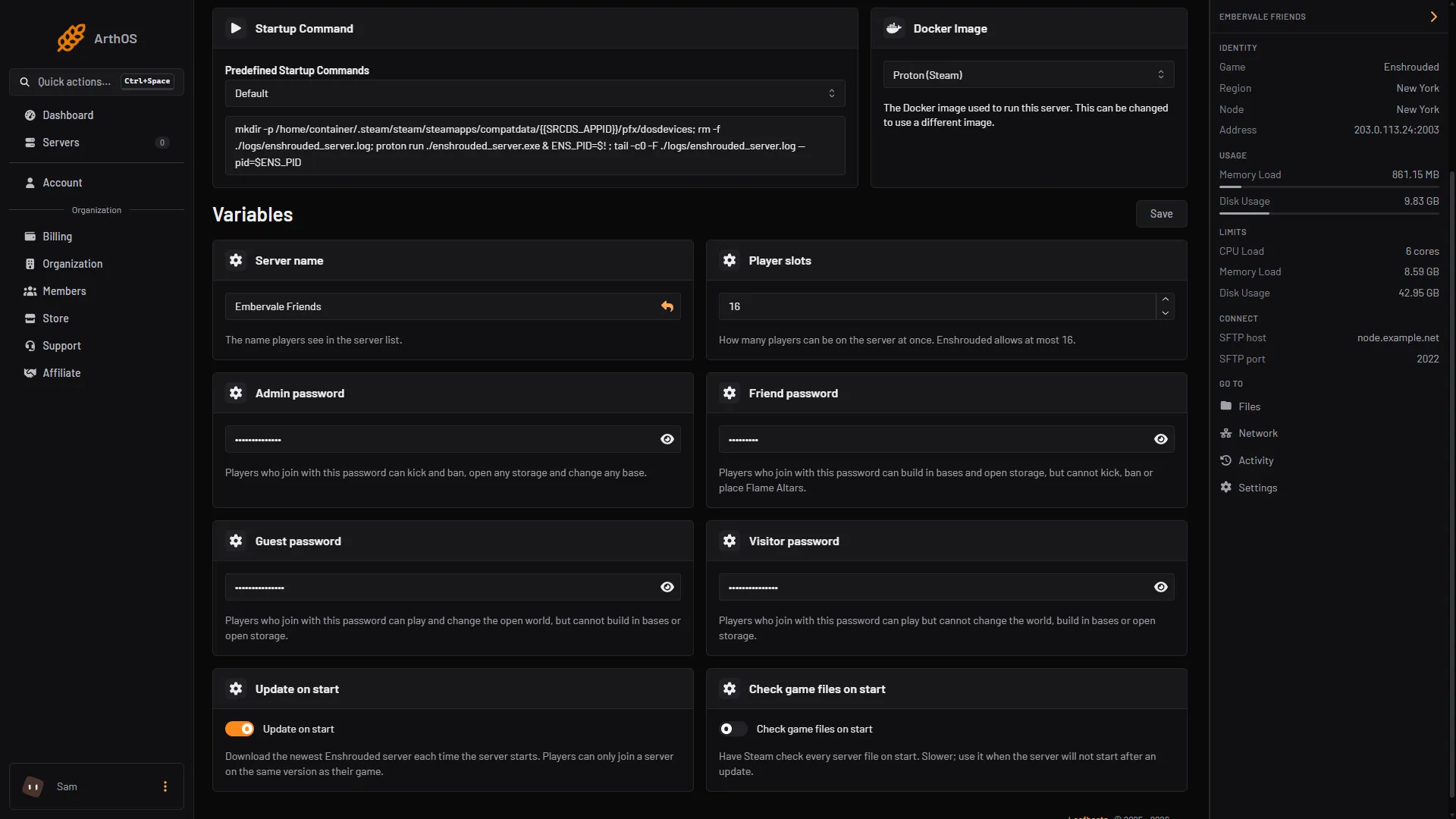
- Type the number of slots
The panel writes the number into enshrouded_server.json as slotCount every time the server starts. A number you type into the file is replaced at the next start.
Why choose fewer than 16
Keen Games, who make Enshrouded, say each slot adds load on the server. If the processor or the memory is a bottleneck, a lower limit helps. Their figures for the server process:
- About 4.4 GB of memory when nobody is on.
- Up to 100 MB more for each player.
- No more than 6 GB in total.
Keen’s recommended machine for 4 to 6 players has 6 cores and 16 GB of memory. For 16 players it has 8 cores and 16 GB. These describe a whole machine, not only the game process.
Reserved slots
Groups can reserve slots, so Admin or Friend players can still join when Guests have filled the server. Reserved slots come out of your total. On the Players page the section shows “N of M slots reserved”, and Save groups is off while the reserved number is above the total. If you lower Player slots, check that the reserved number still fits. See reserved slots.
By hand
Stop the server. In enshrouded_server.json, change:
"slotCount": 10,The number must be between 1 and 16. Start the server.
If it does not work
- Startup refuses the number. It must be a whole number from 1 to 16.
- The server still shows the old number. Restart it. The number is read at start.
- Players are told the server is full. Raise Player slots, or check whether reserved slots are using them up.
- The server lags with many players. See server lag.
More about the game: Enshrouded servers.
Sources: enshrouded.zendesk.com: 16055441447709 Dedicated Server Configuration, enshrouded.zendesk.com: 16056312924957 Dedicated Server FAQ, enshrouded.zendesk.com: 16055628734109 Recommended Server Specifications