






On a multiplayer server the difficulty is loaded again from server.properties every time the server starts. The /difficulty command only lasts until the next restart. To make a difficulty stay, set it in the Config Editor, then restart.
Why it goes back
There are three common reasons, and they stack:
- You used the command.
/difficulty hardchanges the running world at once. The Minecraft Wiki says it lasts only until the server restarts, then the difficulty is reloaded fromserver.properties. - The file says something else. If
difficulty=peacefulis inserver.properties, that is what you get after every start. A value the game cannot read is replaced by the default (easy), not by what you typed. - Something else sets it. A world-management plugin such as Multiverse keeps its own difficulty for each world. On a Bedrock server the Difficulty variable on the Startup page is written into the file at every start.
In the ArthOS panel (Java)
- Open your Minecraft server and choose Config Editor. Type “difficulty” in Search… (1).
- In the World group, set Difficulty (2) to
peaceful,easy,normalorhard. - Choose Save, then Restart now.
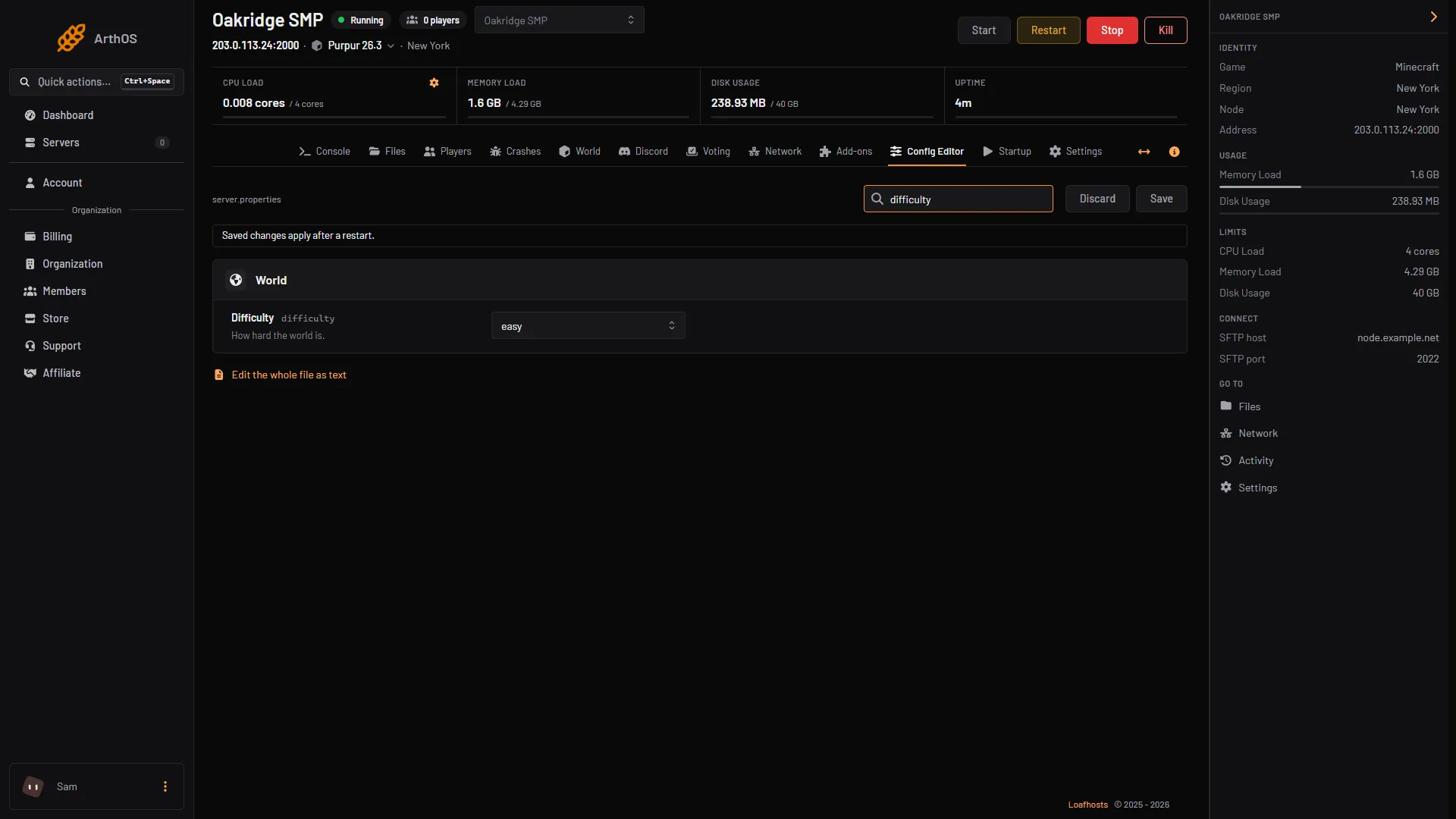
- Search for difficulty
- Choose the difficulty
After the restart, run /difficulty in game or in the Console tab. It reports the current difficulty. If it is not what you saved, move to the plugin check below.
Bedrock servers
The Bedrock server software takes the difficulty from a variable. Open Startup, set Difficulty to peaceful, easy, normal or hard, save and restart. The panel writes that value into server.properties every time the server starts, so editing the file by hand is overwritten.
By hand
- Open Files, then
server.properties. - Set
difficulty=hard(orpeaceful,easy,normal). - Save and restart. A number also works:
0peaceful,1easy,2normal,3hard.
Check for a plugin
If the difficulty still reverts and server.properties is right, look in Files at the plugins folder for a world-management plugin. Multiverse stores a difficulty for each world and can set it:
/mv modify <world> set difficulty hardRun it in the Console tab without the slash, once for each world you use. Multiverse keeps the value in its worlds.yml. Other plugins that manage worlds have their own setting, so check that plugin’s documentation.
If it does not work
- Saved but unchanged. The server was not restarted. Restart it.
- The Nether or End differs. With a world plugin, each world has its own difficulty. Set them all.
- A value the game does not recognise. It is replaced by
easy. Use the Config Editor choice list so the value is always valid. - It is a Bedrock server and the file edit is lost. Change the Difficulty variable on the Startup page instead.
See all Minecraft server commands for what /difficulty needs, and the Minecraft game page.
Sources: minecraft.wiki: Difficulty, minecraft.wiki: Server.properties, minecraft.wiki: Difficulty, mvplugins.org: World properties