






You run server commands in two places: the Console tab of the panel, typed without a slash, or in game chat with a /. In game you must be an operator, and each command needs a minimum op level (see op and deop players for the levels). These are the Java Edition commands owners use most.
Console or chat
- Console tab. Type the command without a slash. It runs from the server itself, so you do not have to be an operator. This is the way to
opyour first admin. - Game chat. Start with
/. You must be an operator, and your op level must be at least the one the command needs.
A new operator gets the level in op-permission-level in server.properties, 4 by default. Level 4 can run every command, including stop.
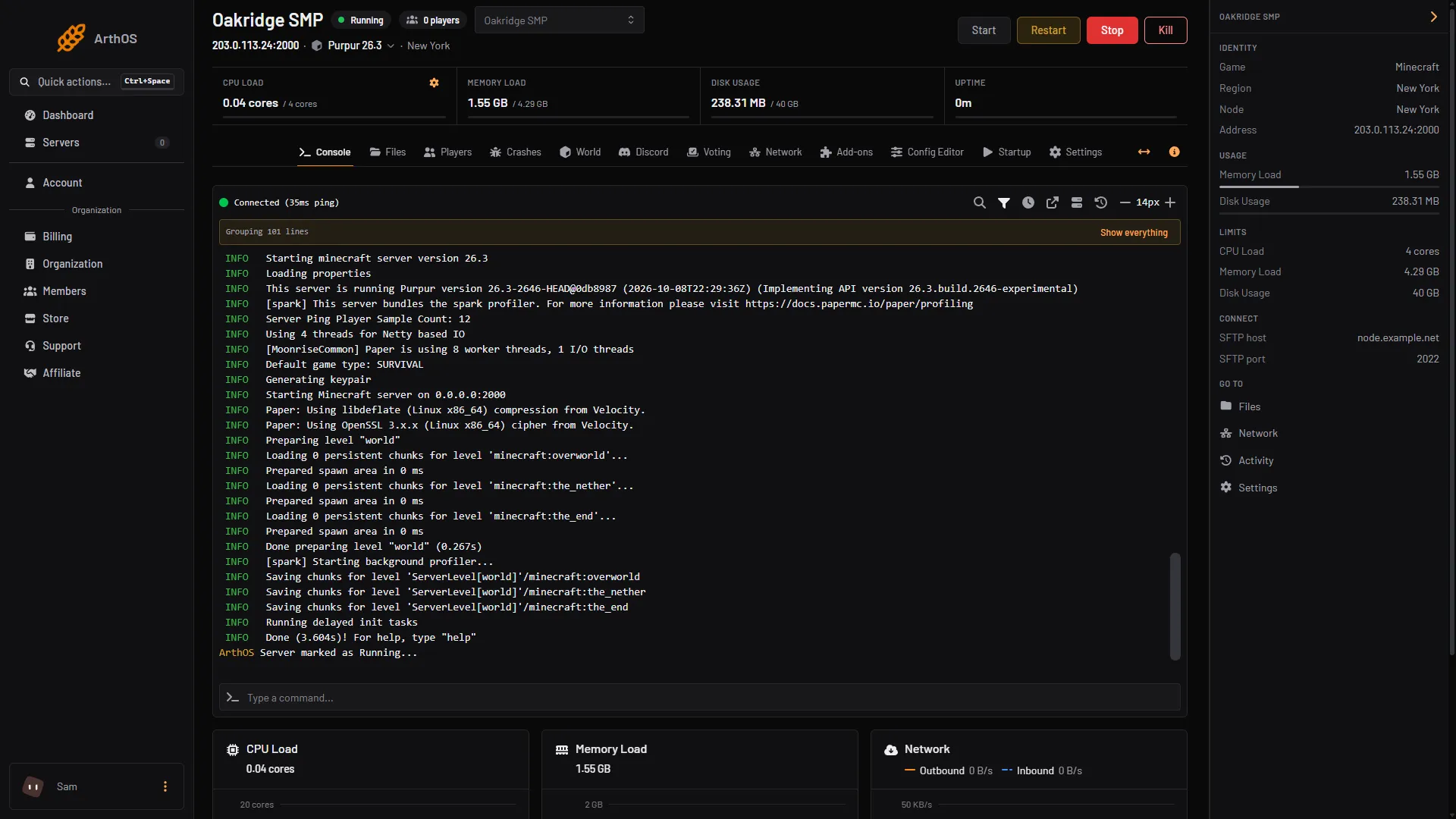
- Type the command here
The commands
| Command | What it does | Op level |
|---|---|---|
list | Lists who is online | 0 |
msg <player> <text> | Private message | 0 |
say <text> | Message to everyone | 2 |
gamemode <mode> <player> | Sets one player’s game mode | 2 |
defaultgamemode <mode> | Sets the mode new players start in | 2 |
difficulty <level> | Sets difficulty until the next restart | 2 |
time set <day or night or ticks> | Sets the time of day | 2 |
weather <clear or rain or thunder> | Sets the weather | 2 |
tp <player> <player or x y z> | Teleports | 2 |
give <player> <item> [count] | Gives items | 2 |
gamerule <rule> [value] | Reads or sets a game rule such as keepInventory | 2 |
setworldspawn | Sets the world spawn | 2 |
kick <player> [reason] | Disconnects a player | 3 |
ban <player> [reason] | Bans by name | 3 |
pardon <player> | Lifts a ban | 3 |
whitelist <on or off or add or remove> [player] | Manages the whitelist | 3 |
op <player> / deop <player> | Adds or removes an operator | 3 |
save-all | Saves the world to disk | 4 |
stop | Stops the server | 4 |
A few things to know:
difficultyis not saved. After a restart the difficulty comes fromserver.propertiesagain. See why difficulty resets.seedshows the world seed. It needs level 2 on a multiplayer server.- Commands from plugins, such as EssentialsX’s
/home, are not in this list. Each plugin documents its own and its own permissions.
In the ArthOS panel
You do not always need the console. The Players tab lists who is online, who has joined and who is banned. See how to see who is on your server. For recurring commands such as a nightly save-all, open Settings, then its Schedules sub tab. To stop and start the server, use the Stop and Restart buttons at the top of the page.
For single tasks:
If it does not work
- Unknown command. The command needs a plugin you do not have, or you typed it for the wrong edition. This list is for Java. Bedrock has its own commands and levels.
- “You do not have permission”. Your op level is too low for that command. Use the table, or run it from the Console tab.
- The setting is gone after a restart. Commands change the running server. For a lasting setting, use the Config Editor.
More on the game: Minecraft servers.
Sources: minecraft.wiki: Commands, minecraft.wiki: Permission level, minecraft.wiki: Server.properties