






A UUID is the long number Minecraft uses to tell players apart, such as 069a79f4-44e9-4726-a5be-fca90e38aaf5. In the ArthOS panel, open the Players tab and click the player’s name. The UUID is shown under their name, and clicking it copies it.
What a UUID is
A UUID is a 128-bit number used as a label (Minecraft Wiki). It is written in five groups of letters and digits with dashes between them, in an 8-4-4-4-12 pattern. The same number without dashes is the same UUID.
The game saves a player’s data under their UUID, not their name. Their save file is <uuid>.dat. The whitelist, the operator list and the ban list also store the UUID beside the name.
A Java player’s UUID is made when the account is bought and registered (Minecraft Wiki).
Online mode and offline mode
On a server with online mode on, a player’s UUID comes from their Minecraft account. On a server with online mode off, the server makes a UUID from the name alone. The wiki says it is a version 3 UUID made from the MD5 hash of OfflinePlayer:<username>.
So the same person has two different UUIDs, one online and one offline. If you change online mode, the game sees them as a new player and their old data no longer matches. See online mode.
In the ArthOS panel
- Open your server and choose the Players tab.
- Find the player in the list. You can type part of their name in Search by name or UUID, or choose a chip such as Online.
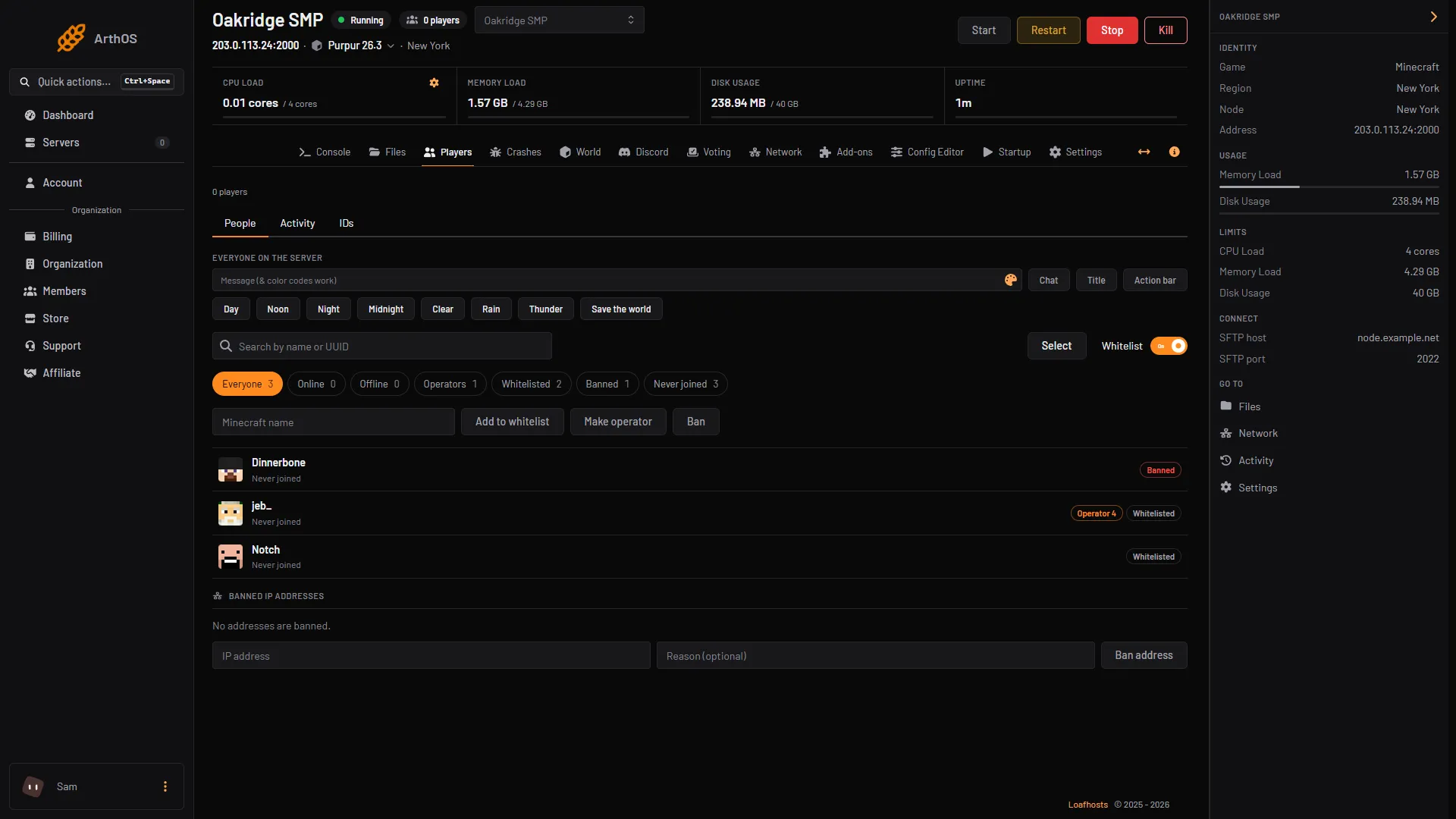
- Search by name or UUID
- Click a player
- Click the player’s name (2). Their window opens.
- Find the UUID under their name (1), next to when they were last seen.
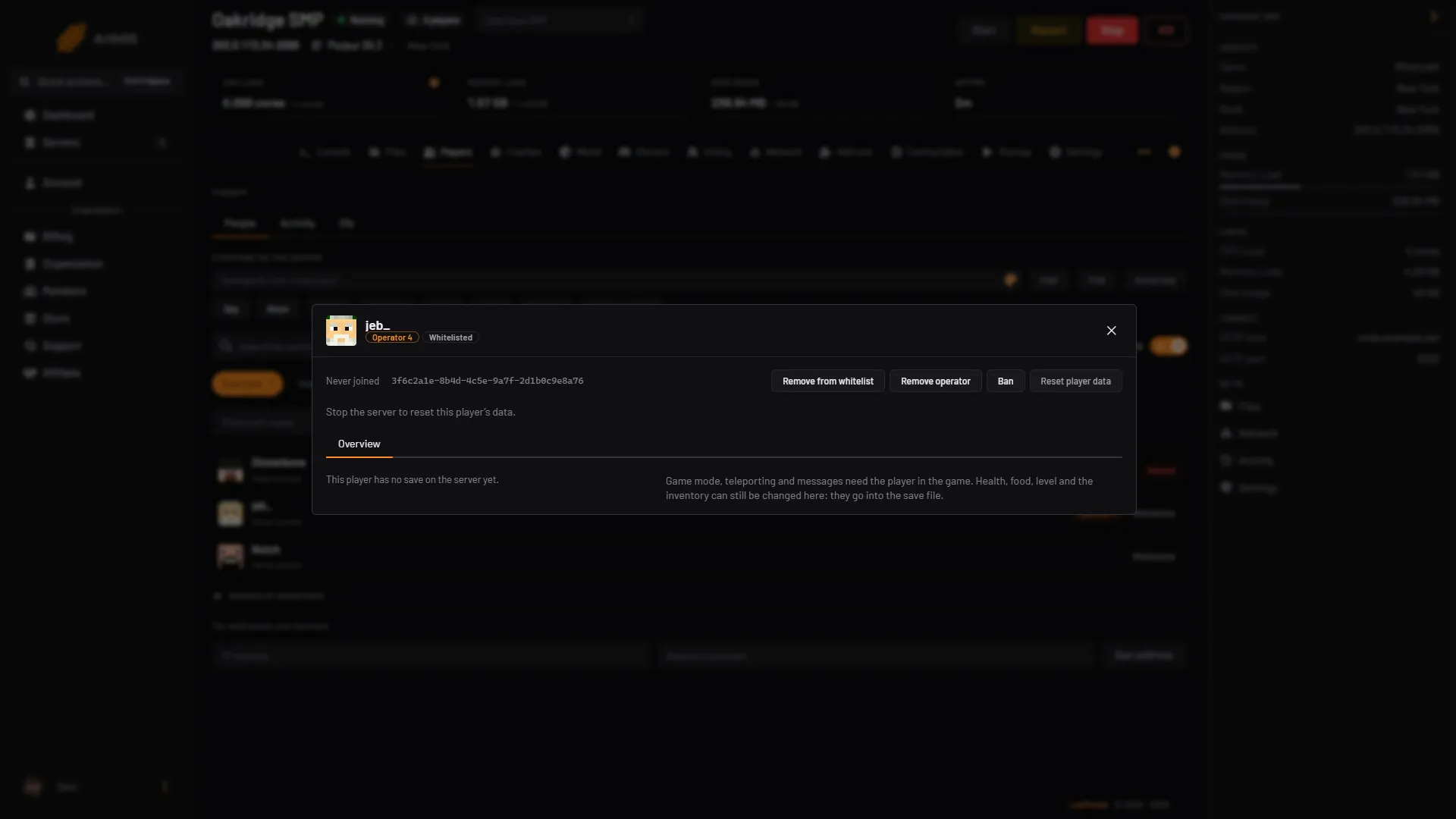
- The UUID
- Click the UUID to copy it.
You can also search the list by UUID. Paste it into Search by name or UUID, with or without dashes.
A name that has never joined has no UUID on the server. The window says “This name has no UUID on the server, so there is nothing more to show until they join.”
By hand
In the server’s files
Open Files. Three places list UUIDs:
usercache.jsonin the main folder holds a name and a uuid for each player who has joined.whitelist.jsonandops.jsonhold a uuid and a name for each person on those lists.- In the world folder, the file names in
players/dataare the UUIDs of every player who has been saved. On Minecraft 26.1 and newer the path is<world>/players/data/<uuid>.dat. Older versions use<world>/playerdata.
<world> is the folder named by World folder in the Config Editor. It is world unless you changed it.
By looking up the name
For an online-mode account, look the name up with Mojang’s public profile lookup. Replace the name at the end of this address and open it in a browser:
https://api.mojang.com/users/profiles/minecraft/Notch
The answer has two lines: id is the UUID, written without dashes, and name is the name with its proper capital letters. Put the dashes back in the 8-4-4-4-12 pattern if a file asks for them. Many websites do the same lookup for you.
This works for a real account only. A name made up on an offline-mode server has no account to look up.
If it does not work
- The window says “Never joined” and still shows a UUID. The panel has no save file for that player yet. It got the UUID from the whitelist, the operator list or usercache.json.
- A player’s data is gone after you switched online mode. The UUID changed. Switch the mode back. The old data is in the files named with the old UUID. Reset player data only starts the player again; see reset player data.
- The lookup says nothing. The name does not belong to a Java account, or you have mistyped it.
usercache.jsonis missing. The server has not seen a player yet. It appears after someone joins.
More about the game is on the Minecraft page.
Sources: minecraft.wiki: UUID, minecraft.wiki: Java Edition level format