






Open the Players tab, leave the Whitelist switch On, type a name and choose Add to whitelist. Only players on the list, and operators, can join. The console commands are under By hand.
A new Java server has the whitelist on (Minecraft 26.3 and newer). Nobody can join, the owner included, until names are added or the whitelist is turned off. Operators can join anyway.
In the ArthOS panel
Open your server and the Players tab.
- Find the Whitelist switch (1). It starts On. Leave it On. If the server is running, it takes effect at once.
- In the Minecraft name box (2), type a player’s name and choose Add to whitelist (3). Pressing Enter does the same.
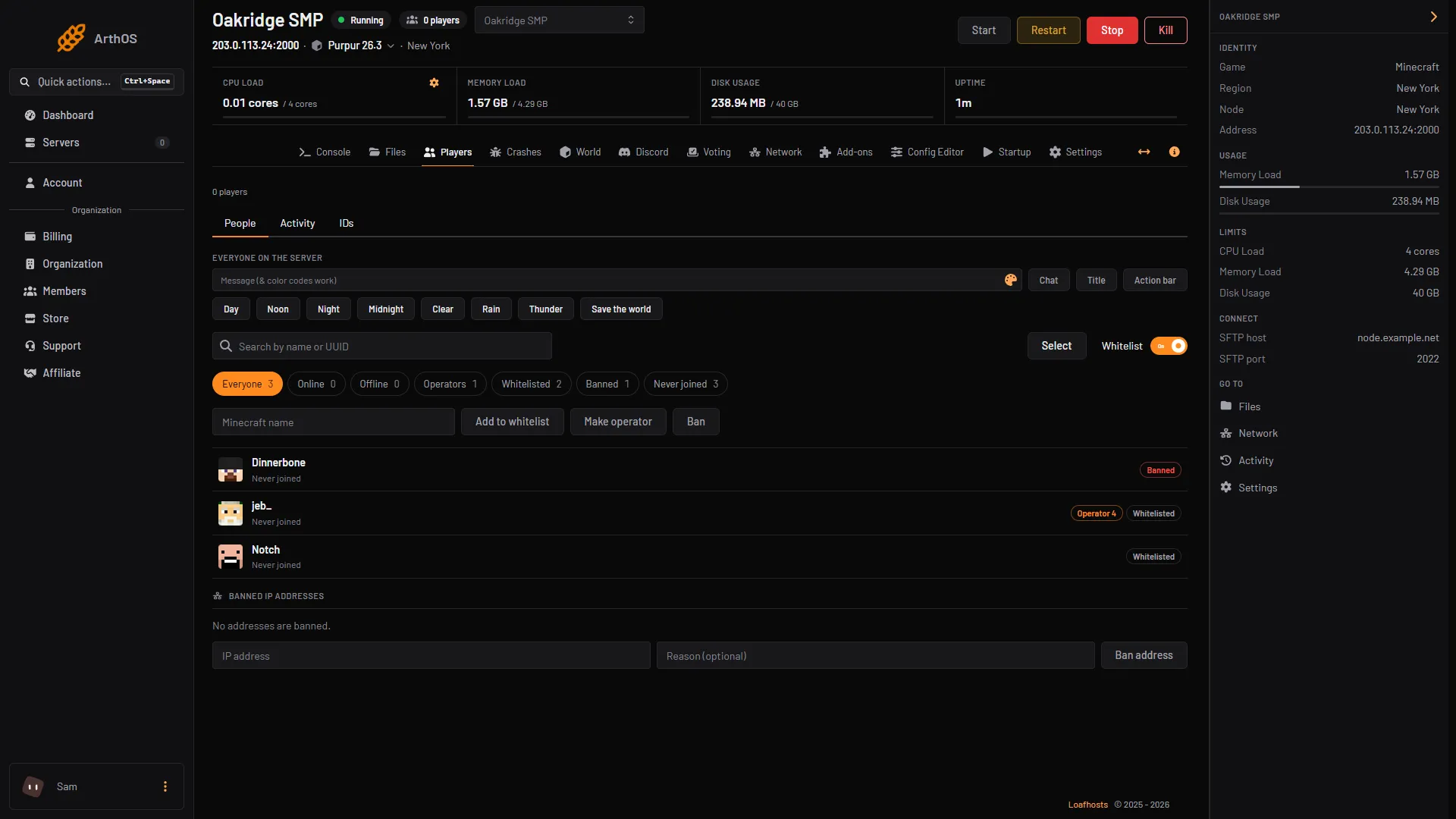
- Whitelist switch
- Type the name
- Add to whitelist
- The Whitelisted chip (1) shows everyone on the list. To remove someone, click the player and choose Remove from whitelist.
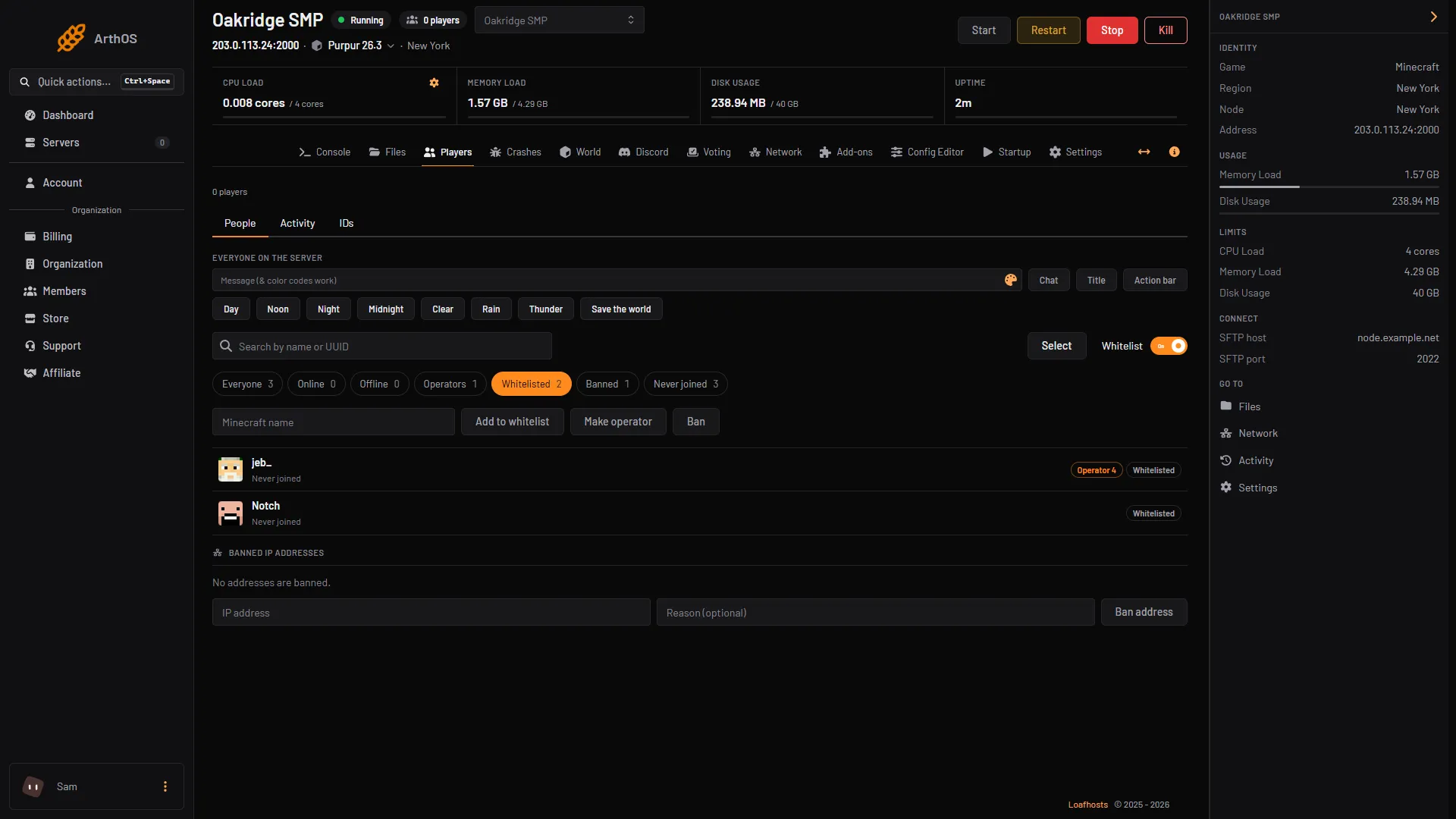
- Whitelisted chip
- Whitelisted players
To let everyone who is online right now in before you switch it on, choose Whitelist everyone online first. The button shows the number of players it adds.
If the server is stopped, the panel edits the files for you, and the change applies when the server starts. A stopped server needs Check Minecraft accounts on, because the panel looks the name up with Minecraft’s account service. If the server is in offline mode, start it and add the name then.
For players on Bedrock, see letting Bedrock players join a Java server.
Kick players who are not on the list
Removing a name does not disconnect that player if they are already in. To change that, open Config Editor, find Enforce the whitelist under Players, turn it on, and choose Save. With it on, players who are not on the whitelist are kicked after the server reloads the list. The change applies after a restart.
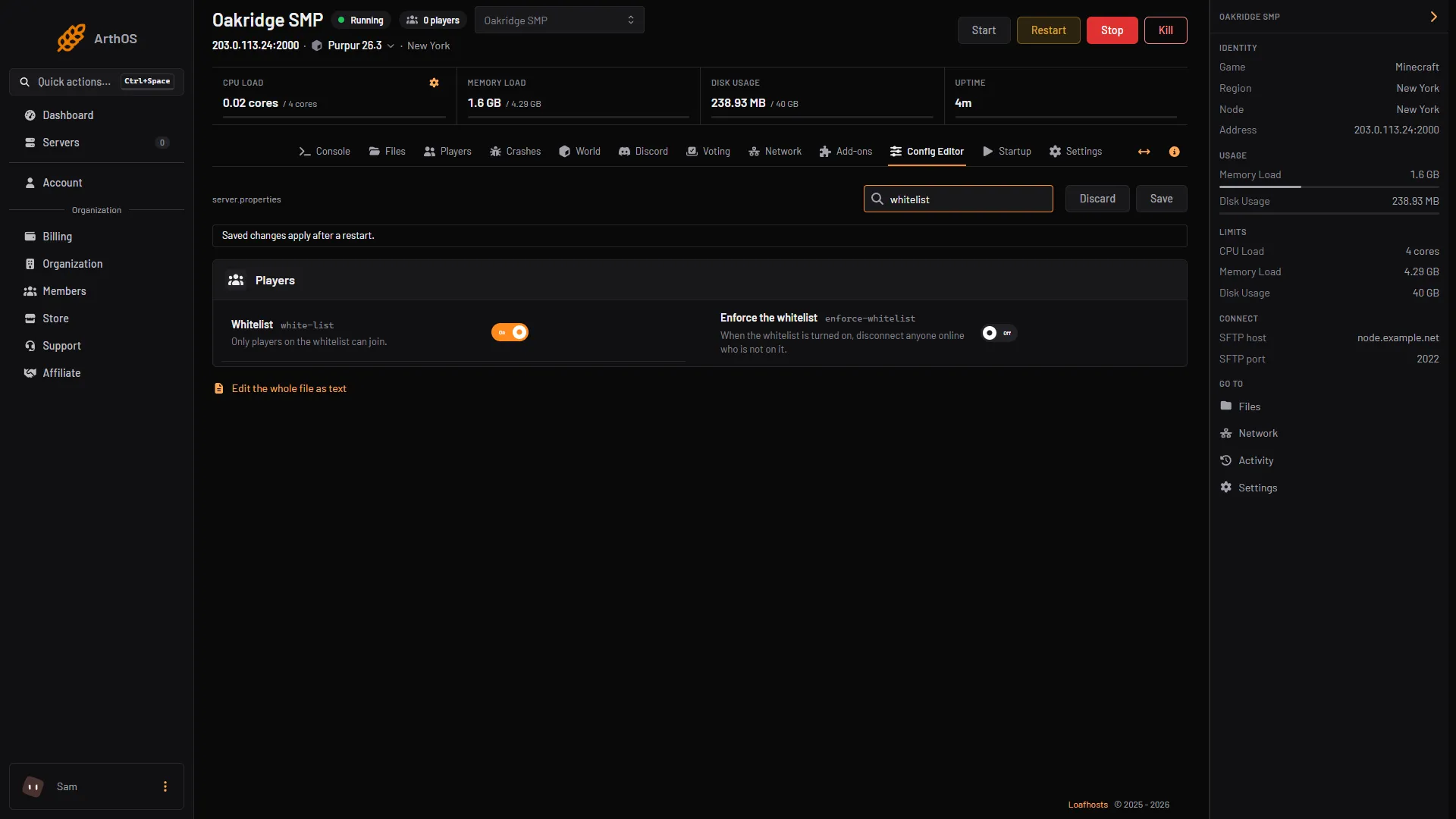
- Whitelist rows
By hand
In the server console, with no slash. In game, an operator of level 3 or higher types the same with a slash.
whitelist onturns it on.whitelist offturns it off.whitelist add Alexadds a player. The player does not need to be online. The game answersAdded Alex to the whitelist.whitelist remove Alexremoves them.whitelist listshows everyone on the list.
The list is stored in whitelist.json, one entry per player:
[
  {
    "uuid": "11111111-1111-1111-1111-111111111111",
    "name": "Alex"
  }
]
If you edit that file while the server is running, type whitelist reload so the server reads it again. To bring a whitelist.json from another server, stop this server and upload the file to the main folder in Files. To set the whitelist and enforcement in server.properties, use white-list=true and enforce-whitelist=true.
Offline mode
The whitelist checks a player’s UUID. With Check Minecraft accounts off (online-mode=false), the server works out a UUID from the player’s name. Nothing proves the player owns the name. The whitelist then protects far less. Keep online-mode on unless a proxy in front of your server checks accounts.
Bedrock Dedicated Server
A Bedrock Dedicated Server calls it the allowlist: allowlist add <name>, stored in allowlist.json. On Bedrock, players must be on it even if they are operators.
If it does not work
- Someone who is not on the list got in anyway. Operators are never blocked by the whitelist. Also, a player who is already online when you remove them stays in unless Enforce the whitelist is on.
- A player cannot join and says they are not white-listed. They are not on the list, or the name is spelled differently from their account. Add the exact name.
- A banned player cannot join even though they are on the list. The ban list overrides the whitelist. See how to unban someone.
- The panel says the server did not confirm it, or that there is no Minecraft account with that name. Check the spelling, then open the Console tab and read the answer.
- I edited
whitelist.jsonand nothing changed. Typewhitelist reload, or restart the server. Check the JSON is valid.
More on the game: Minecraft servers.
Sources: minecraft.wiki: Server, minecraft.wiki: Server.properties, minecraft.wiki: Whitelist, minecraft.wiki: Ban, raw.githubusercontent.com: En us.json