









Open the Config Editor, group Gameplay, and switch on Pause time when nobody is on (PauseEmpty). The world clock then stops while no players are online. The server keeps running. If you want the whole server to stop when it is empty, use Standby instead.
Pause time when nobody is on
The game describes this setting as: game time stops when there are no players online. So while the server is empty, game time does not move on.
The game’s sample settings file has it on.
- Open the Config Editor.
- Find the group Gameplay.
- Switch Pause time when nobody is on on or off.
- Save.
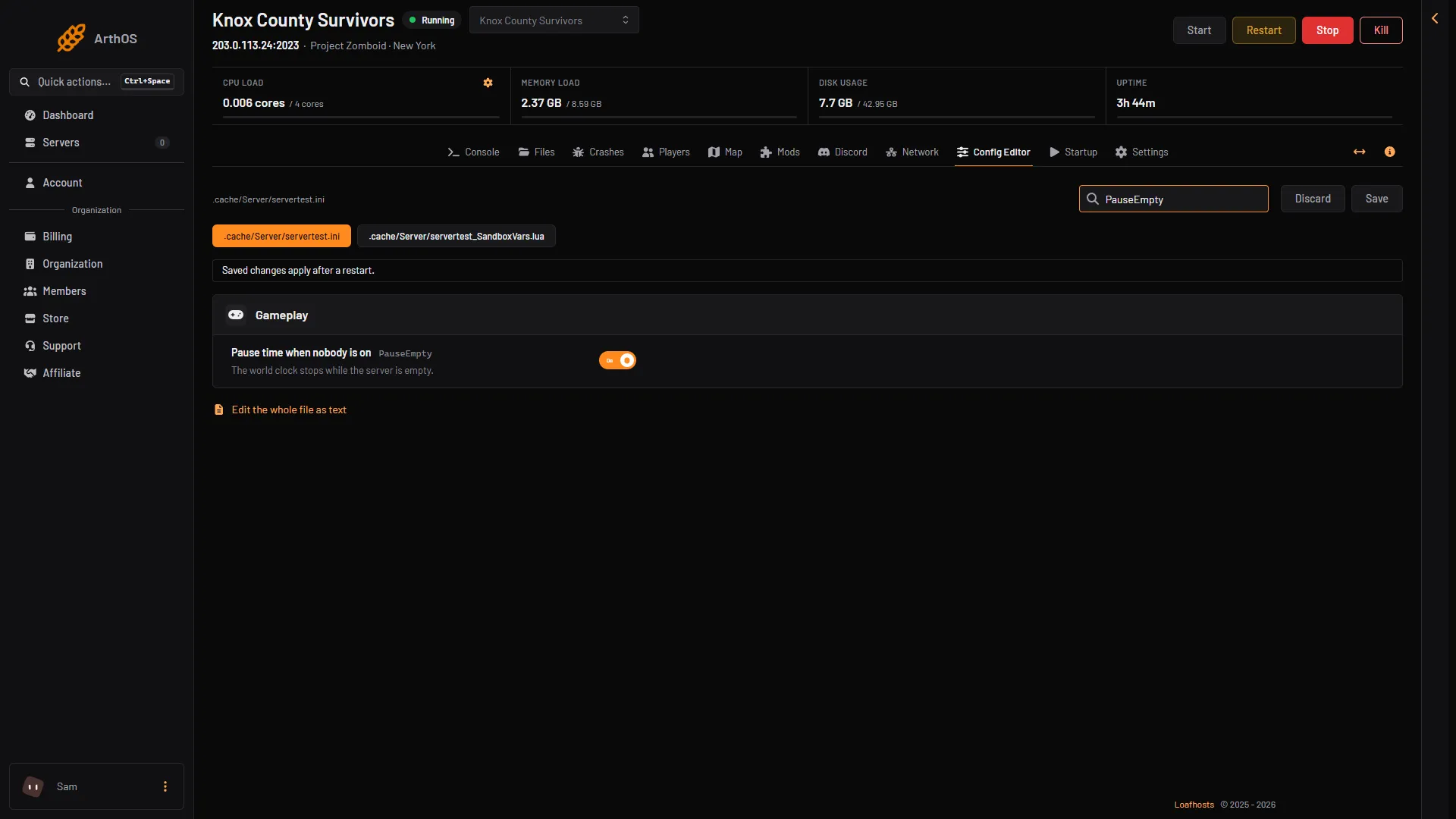
- Pause time when nobody is on
It applies after the next restart.
By hand
In the server’s settings file, <Server Name>.ini, set this line and restart:
PauseEmpty=trueOn Loafhosts the file is .cache/Server/<Server Name>.ini in Files. On a server you run yourself it is in the game’s data folder, Zomboid/Server/ in your home folder (~/Zomboid on Linux, C:\Users\<you>\Zomboid on Windows).
Standby: stop the whole server
Standby is a different thing and is on by default on Loafhosts servers. It is on the Settings page, in the Standby card. It stops the whole server when nobody has played for a time you choose. Nothing is deleted. Someone starts it again from the panel or from the wake link.
- Open Settings.
- In the Standby card, find the switch in the card’s header. It has no words beside it, and it is already on for a new server.
- Under After nobody plays for, pick a time from the list. New servers start at 3 days.
- Email the owner each time is ticked on a new server. Untick it if you do not want the email.
When the server is in standby, choose Start at the top of the server page, or players use the wake link.
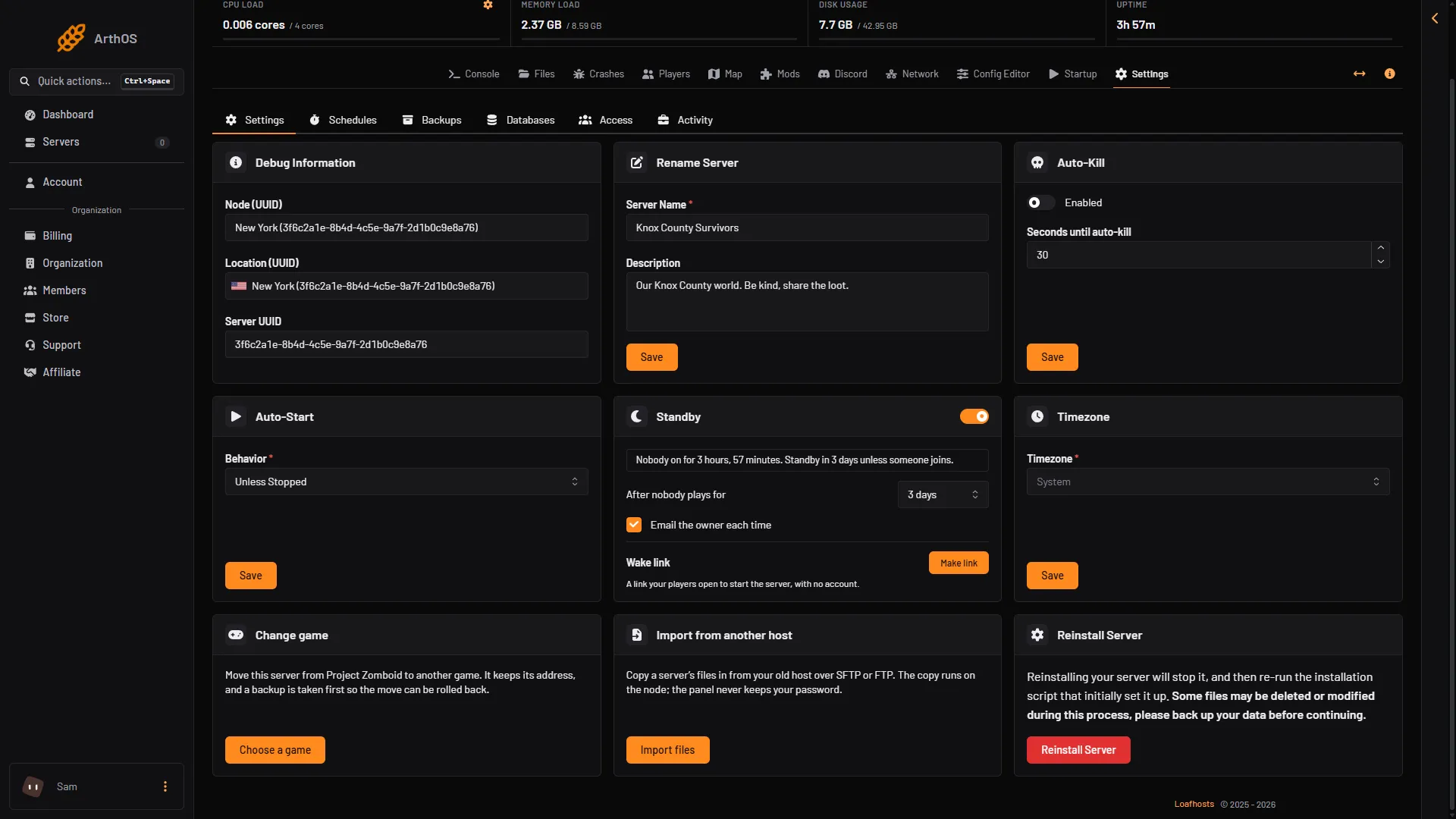
- Standby
- After nobody plays for
- Make link
The card tells you the state: “Nobody on for … Standby … unless someone joins”, or “Went into standby … Nothing was deleted. Start it here or from its wake link.”
The wake link
A wake link lets your players start the server themselves, with no account.
- In the Standby card, under Wake link, choose Make link.
- Choose Copy link and share it with your players.
Anyone with the link can start the server and nothing else: no stop, no settings, no files. It can start the server only a set number of times a day. New link replaces the link at once, and the old one stops working. Turn off removes it.
Which one to use
| Pause time when nobody is on | Standby | |
|---|---|---|
| What stops | The world clock | The whole server |
| Players can join at any time | Yes | Only after someone wakes it |
| Good for | A world where the days must not pass while nobody plays | A server that is often empty for long times |
You can use both. If the server is in standby, there is no game running at all.
If it does not work
- The clock still moves when empty. Check that the switch is on and that you restarted the server after saving.
- Standby never happens. The panel waits while a backup or a change is running. It also does not count players it cannot read as none.
- Players cannot join. The server may be in standby. Start it from the panel or give them the wake link.
More about the game: Project Zomboid servers.
Sources: pzwiki.net: Server settings