






On a Rust server, admin rights go to a Steam ID. The commands are ownerid for an owner and moderatorid for a moderator. Owners can run every admin command in the game and moderators most of them. The person must rejoin the server before the new rights show.
You need their 64-bit Steam ID: 17 digits starting with 7656119. In the server console, users lists everyone online with their ID, like 76561198123456789:"TomSmith".
In the ArthOS panel
- Open your server and choose the Players tab.
- Find Owners and moderators on the right. If you do not see the form, your role lacks permission to manage owners and moderators. Ask the server owner.
- In Steam ID (1), paste the 17 digits, or paste their Steam profile link. A link in the form
steamcommunity.com/profiles/<digits>works. If the profile has a custom name in its address, use the 17-digit ID instead. - Optionally fill in Name (optional) (2), then pick Role (3): Moderator or Owner.
- Choose Add (4).
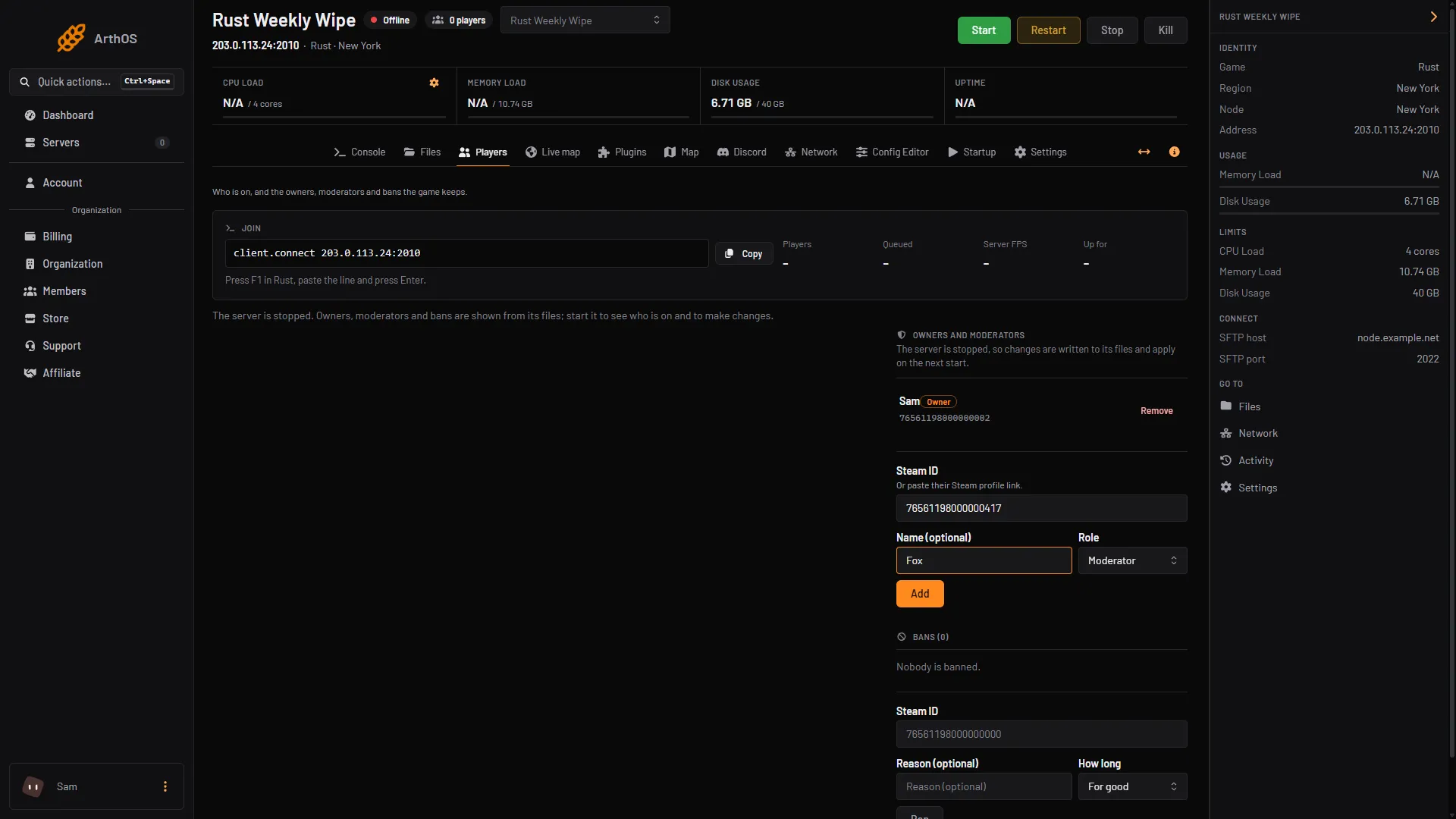
- Paste the Steam ID
- Type a name
- Pick the role
- Add
The person appears in the list with an Owner or Moderator tag.
To remove someone, choose Remove beside them.
Someone already online can be promoted from their row. Open the three-dot menu and choose Make owner or Make moderator. Making an owner asks you to confirm, because owners can run every admin command in the game, including banning other owners.
By hand
- Get the Steam ID with
usersin the server console, or over RCON if you cannot reach the console. - Run one of these:
ownerid 76561198123456789 "TomSmith"
moderatorid 76561198123456789 "TomSmith"
The game answers “Added owner TomSmith, steamid 76561198123456789”. You do not need to save anything, the game writes it for you.
- Ask the player to reconnect. On joining, the server log shows their auth level.
To take rights away:
removeowner 76561198123456789
removemoderator 76561198123456789
With the server stopped
Admins live in users.cfg in the server’s cfg folder: server/rust/cfg/users.cfg on Loafhosts, rust/server/<identity>/cfg/users.cfg on your own machine. Add one line per admin, with an empty note at the end:
ownerid 76561198123456789 "TomSmith" ""
moderatorid 76561198000000002 "Al" ""
Start the server and the list is read.
If it does not work
- The person has no admin rights after you add them. They must disconnect and join again.
- “Moderators cannot run ownerid”. Only an owner can add another owner. Run the command from the console or the panel instead.
- The panel says the ID is wrong. It must be 17 digits starting with
7656119, or asteamcommunity.com/profiles/link. - The panel says the server is still starting. Wait until the map has finished loading, then add them.
- The commands do nothing from game chat. Run them in the F1 console as an owner, in the server console, or over RCON.
More about the game: Rust servers.
Sources: wiki.facepunch.com: Creating a server, rust.facepunch.com: News