






To let players build in the air, open Config Editor, switch Building stability off in the Gameplay group, choose Save and restart the server. Stability is on by default. With it off, a building no longer needs support from the ground or from the parts below it.
What stability does
The Rust Wiki describes stability as a measure of how well a structure holds up. The more stable a part is, the less likely it is to fall apart. If a part has no stability left, it breaks as soon as it is placed. A player can see the percentage by holding a hammer and pointing at a building part.
This is why a normal base needs foundations and supports. The panel’s help for the setting says it plainly: “Buildings need support. Off, anything can be built in the air.”
In the ArthOS panel
- Open your server and choose Config Editor. The file is
server/rust/cfg/server.cfg. - Type
stabilityin Search…, or look in the Gameplay group for Building stability (1). The switch is on at first. - Switch it off.
- Choose Save (2).
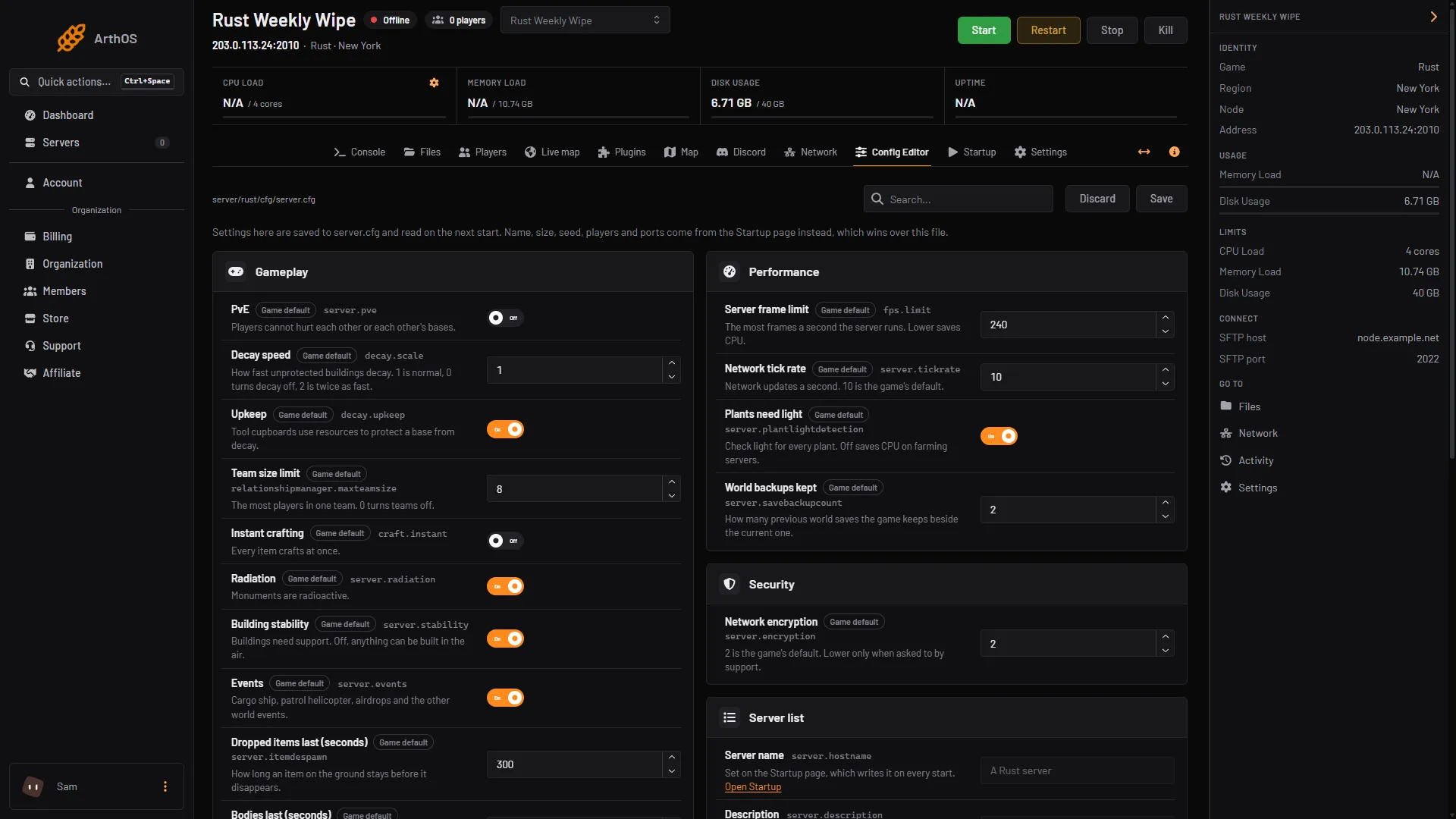
- Building stability row
- Save
- The panel says “Saved. Restart the server to apply the changes.” Choose Restart now. If the server is stopped, the change applies when it starts.
To turn stability back on, switch it on again, Save and restart.
Who turns it off
Stability off suits servers where the point is to build, not to survive:
- Build and creative servers. Players build shapes that real support would not allow.
- Showcase or event servers. Floating bases, bridges and arenas.
Facepunch has a separate Creative Mode for building with no restrictions or resource requirements. Its page lists settings such as creative.freeplacement, which it describes as bypassing all placement checks. The October 2026 console lists the creative. settings too (creative.allusers, creative.freebuild, creative.freeplacement, creative.freerepair and creative.unlimitedio, all off on a running server), but they are not rows in the Config Editor. Not checked as of 11 October 2026: how they work together with the stability setting.
By hand
When you host Rust yourself, add this line to server/<identity>/cfg/server.cfg, where <identity> is the name you gave with +server.identity, and restart:
server.stability falseUse server.stability true to turn it back on.
If it does not work
- Parts still break when placed. The server has not restarted since you saved. Restart it.
- The row shows On after a restart. The change was not saved. Switch it off, choose Save, and check the banner says “Saved.”
Hosting Rust? See the Rust page.
Sources: rust.fandom.com: Stability, wiki.facepunch.com: Creative