






Two settings decide how many players can be on. Maximum players on the Startup page is the hard ceiling. Maximum players in the Config Editor sets the real limit, and it cannot go above the Startup one.
In the ArthOS panel
- Open Startup. Maximum players is the ceiling. The default is 100, and the allowed range is 2 to 100. Its description: “The hard ceiling. Server.cfg’s MaxPlayers can be lower, never higher.” This is the game’s
FIXEDMAXPLAYERSstart option. - Open Config Editor. In the group Players:
- Maximum players: how many can play at once, from 2 to 100. It cannot go above the Startup value.
- Queue size: how many can wait in line for a full server.
0turns the queue off.-1has no limit. - Time to finish joining (seconds): after leaving the queue, how long a player has to load in before their place goes to the next in line. The range is 10 to 600.
- Save, then restart the server.
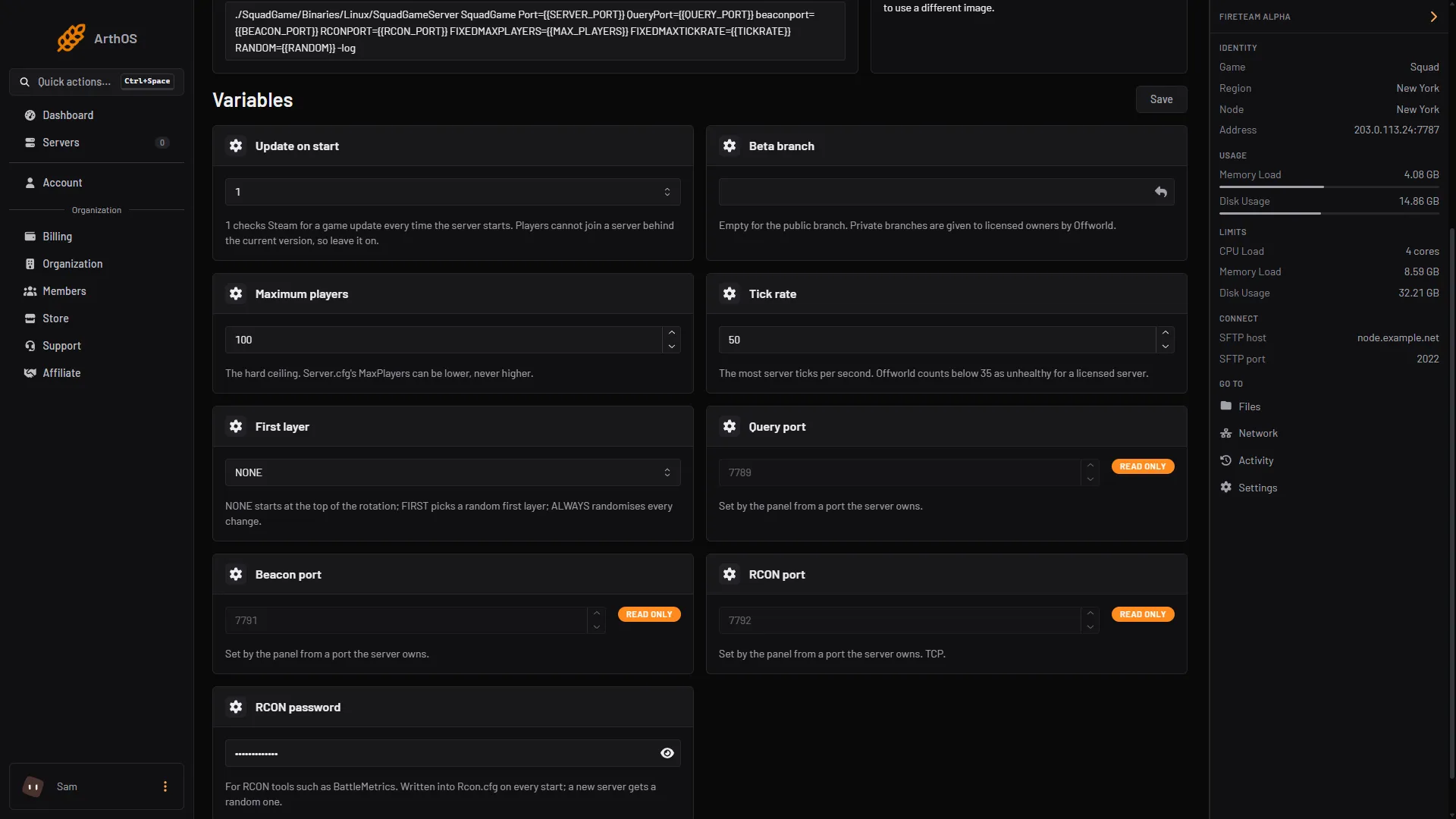
- Maximum players (ceiling)
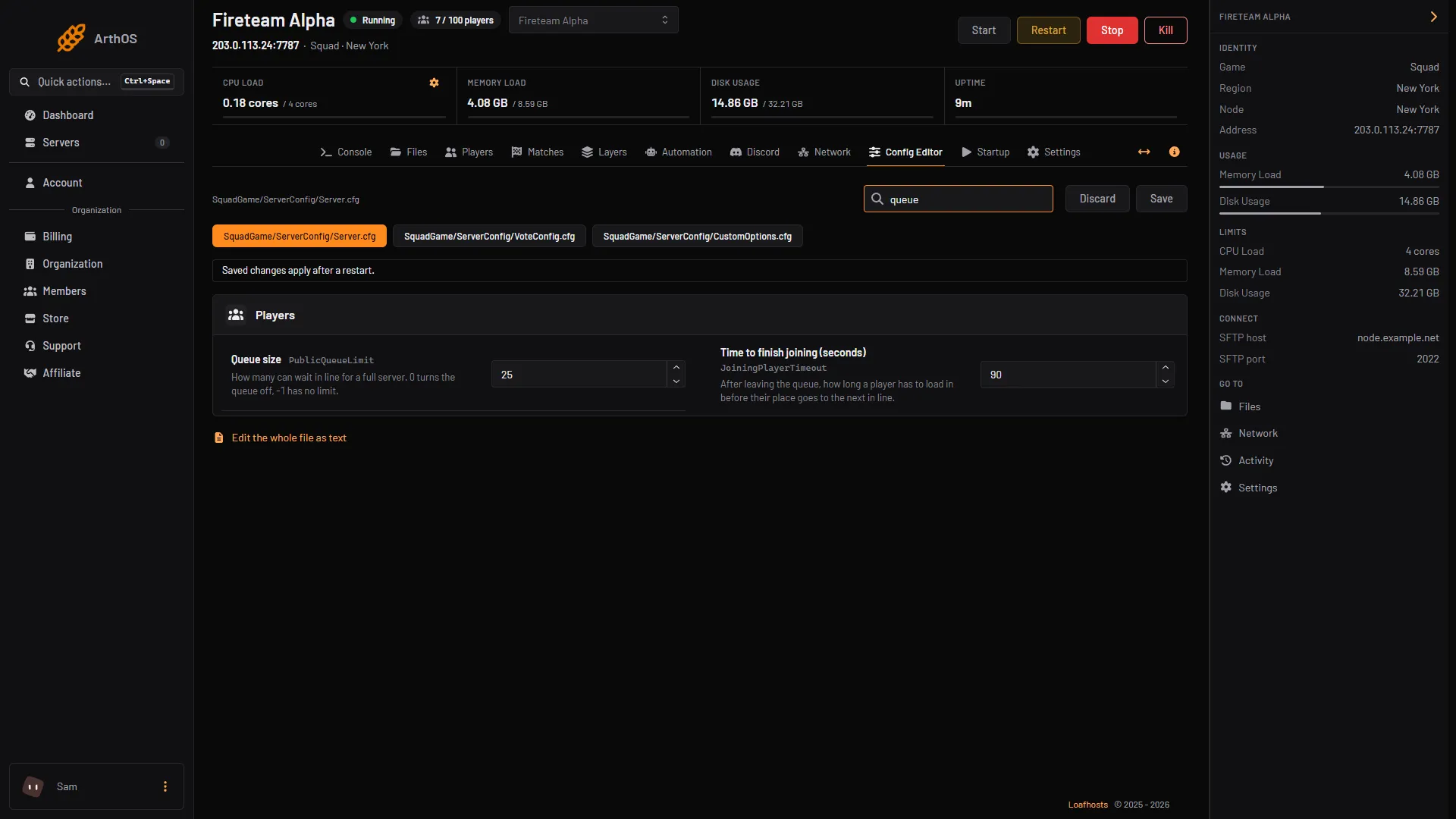
- Queue size
- Time to finish joining
Set Maximum players on Startup first (box 1 in the first picture). Then set Queue size (box 1 in the second picture) and Time to finish joining (seconds) (box 2 in the second picture) in the Config Editor.
For a clan of 20, set Maximum players in the Config Editor to 20 and leave the Startup value at 100. A new server has a queue size of 25, which is also the standard in Squad’s own file (PublicQueueLimit=25).
By hand
In SquadGame/ServerConfig/Server.cfg:
MaxPlayers=100
PublicQueueLimit=25
JoiningPlayerTimeout=90
JoiningPlayerTimeout is the time to finish joining, in seconds. The stock value is 90.
The FIXEDMAXPLAYERS ceiling is a start option, so change it on the Startup page and not in the file.
If it does not work
- The limit will not go above a number. Raise Maximum players on Startup first, then in Config Editor.
- Players report a queue you turned off. Restart the server. Queue changes apply at the next start.
- People get dropped while joining. Raise Time to finish joining (seconds).
Players kept in reserve for your admins are set separately, see reserved slots. More about the game: Squad servers.