






A reserved slot is a seat that stays free for chosen players when the server is full. Two things make it work. You set how many seats to keep, and you give those players the reserve access level in Admins.cfg. One without the other does nothing.
How it works
- Reserved slots is a number. It is how many seats are kept for players who hold
reserve. reserveis an access level. Squad hands out access levels through groups inAdmins.cfg. A group is a name plus a list of levels. A player is then added to a group.- A common setup is a group called
Whitelistthat holds onlyreserve. People in it can join a full server. They get no admin powers.
In the ArthOS panel
1. Set how many seats to keep
- Open Config Editor and choose the
Server.cfgfile. - In the Players group, find Reserved slots. Its help says: “Slots kept for players with the reserve permission in Admins.cfg.”
- Type a number from 0 to 100. 0 keeps no seats.
- Save, then restart the server so it reads the new value.
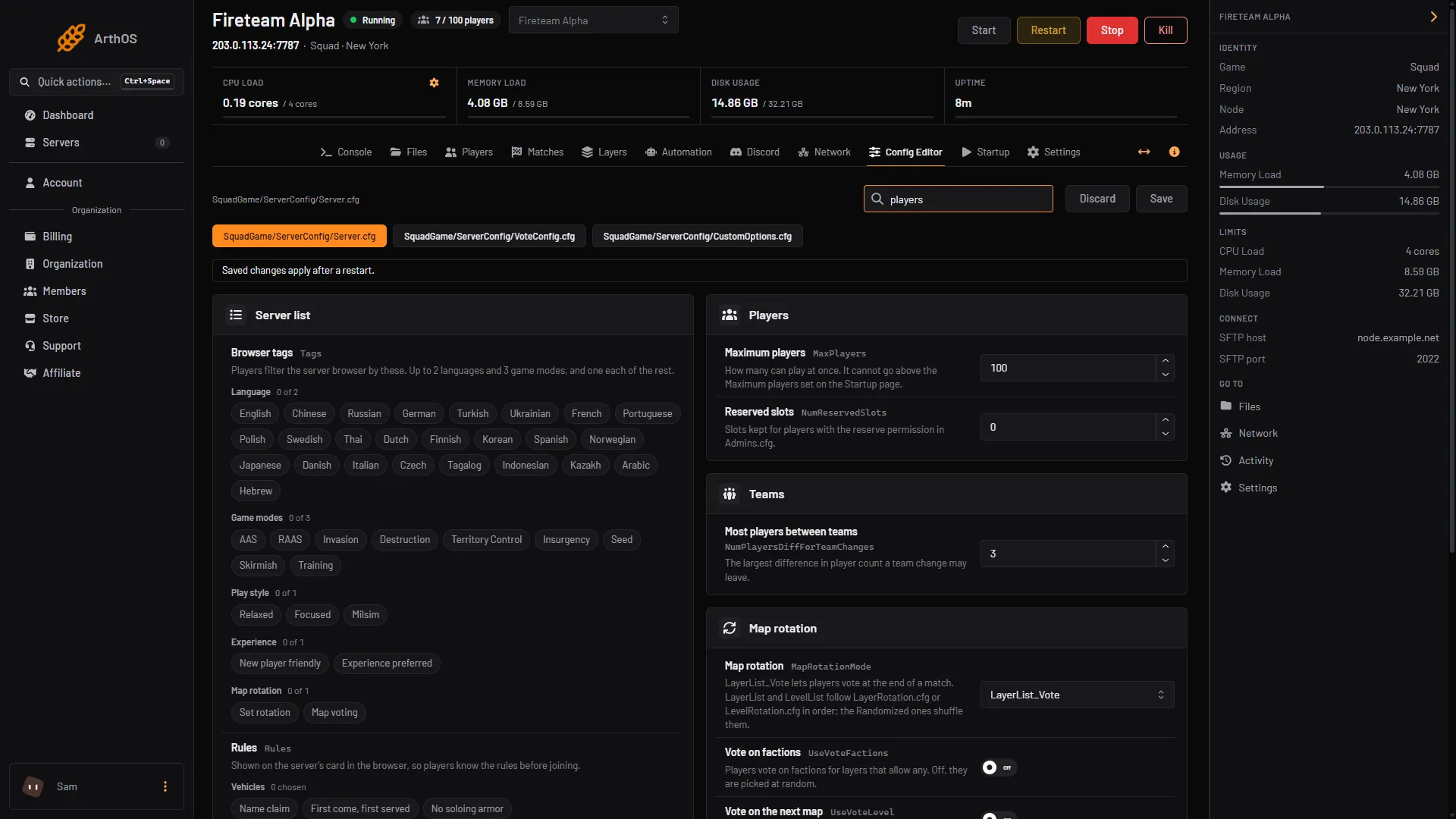
- Type the number here
Maximum players sits in the same group. It cannot go above the Maximum players value on the Startup page.
2. Make a group that holds reserve
The panel’s Admins card lets you pick any group that already exists in Admins.cfg. It does not create groups. Add the group by hand first:
- Open Files and open
SquadGame/ServerConfig/Admins.cfg. - Add this line on its own:
Group=Whitelist:reserve- Save the file.
If a group with reserve already exists, skip this step.
3. Add the players
- Open Players and find the Admins card.
- Under Steam or EOS ID, enter the player’s Steam ID (17 digits) or EOS ID (32 characters).
- Add a name in Name (optional) so you can tell people apart later.
- In Group, choose
Whitelist(or the group you made). - Choose Add admin.
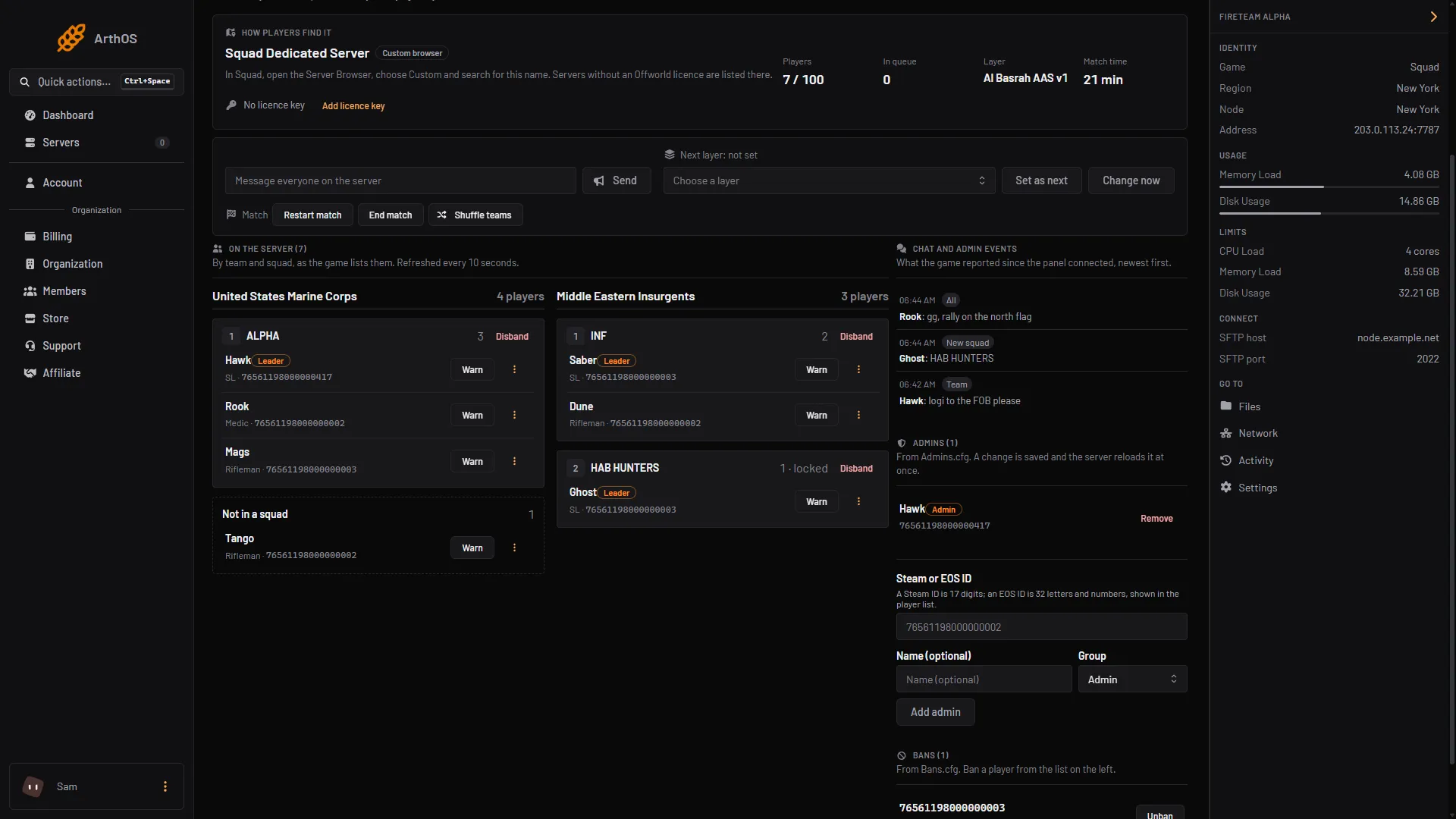
- Player's ID
- Pick the group
- Add admin
In the picture, box 1 is the ID field, box 2 the group list and box 3 Add admin.
The panel says “A change is saved and the server reloads it at once” while the server runs. A stopped server reads the file when it starts.
The card adds one person at a time. For a big list, edit Admins.cfg in Files instead (see By hand).
The card is called Admins, and the people you add here are listed as admins. A group that holds only reserve gives them no admin powers. Players listed in Admins.cfg are never kicked by Kick players without a squad.
By hand
- Edit
SquadGame/ServerConfig/Server.cfgand set the number of seats:
NumReservedSlots=10- Edit
SquadGame/ServerConfig/Admins.cfg. Define the group, then list players under it:
Group=Whitelist:reserve

Admin=76561198000000001:Whitelist // Player name
76561198000000001 is a made-up Steam ID. Use a 17-digit Steam ID. Text after // is a note.
- Restart the server for
NumReservedSlots. After a hand edit ofAdmins.cfgon a running server, run the RCON commandAdminReloadServerConfig(see Squad RCON), or restart between matches.
If it does not work
- The player still cannot join a full server. Check that Reserved slots is above 0, that the player’s ID is in
Admins.cfgin a group withreserve, and that the server was restarted after you changed the number. If you editedAdmins.cfgby hand, reload it as described in By hand. - The Group list on the Admins card is empty, or there is no form.
Admins.cfghas noGroup=line yet. Add one in Files as shown above. - Add admin is greyed out. The ID is not a 17-digit Steam ID or a 32-character EOS ID, or your role is not allowed to manage operators.
- You want paid or donor seats. Offworld allows a whitelist or priority queue for donors on licensed servers. It does not allow preferred access to kits or vehicles. See the Offworld hosting policies.
Related: add Squad admins, Squad admin permissions. More about the game: Squad servers.
Sources: squad.fandom.com: Server Configuration, squad.fandom.com: Server Administration, joinsquad.com: Server licensing and administration policies