






Squad’s measure of server speed is the tick rate: how many times a second the server updates the game. Offworld counts above 35 as healthy and below 15 as at risk. Read yours first, then check the causes below in order.
Read the tick rate
Open the Matches page and look at Tick rate (1). It shows Healthy, Below healthy or At risk, with a chart of the last readings. The server reports the number while players are on, so an empty server shows nothing.
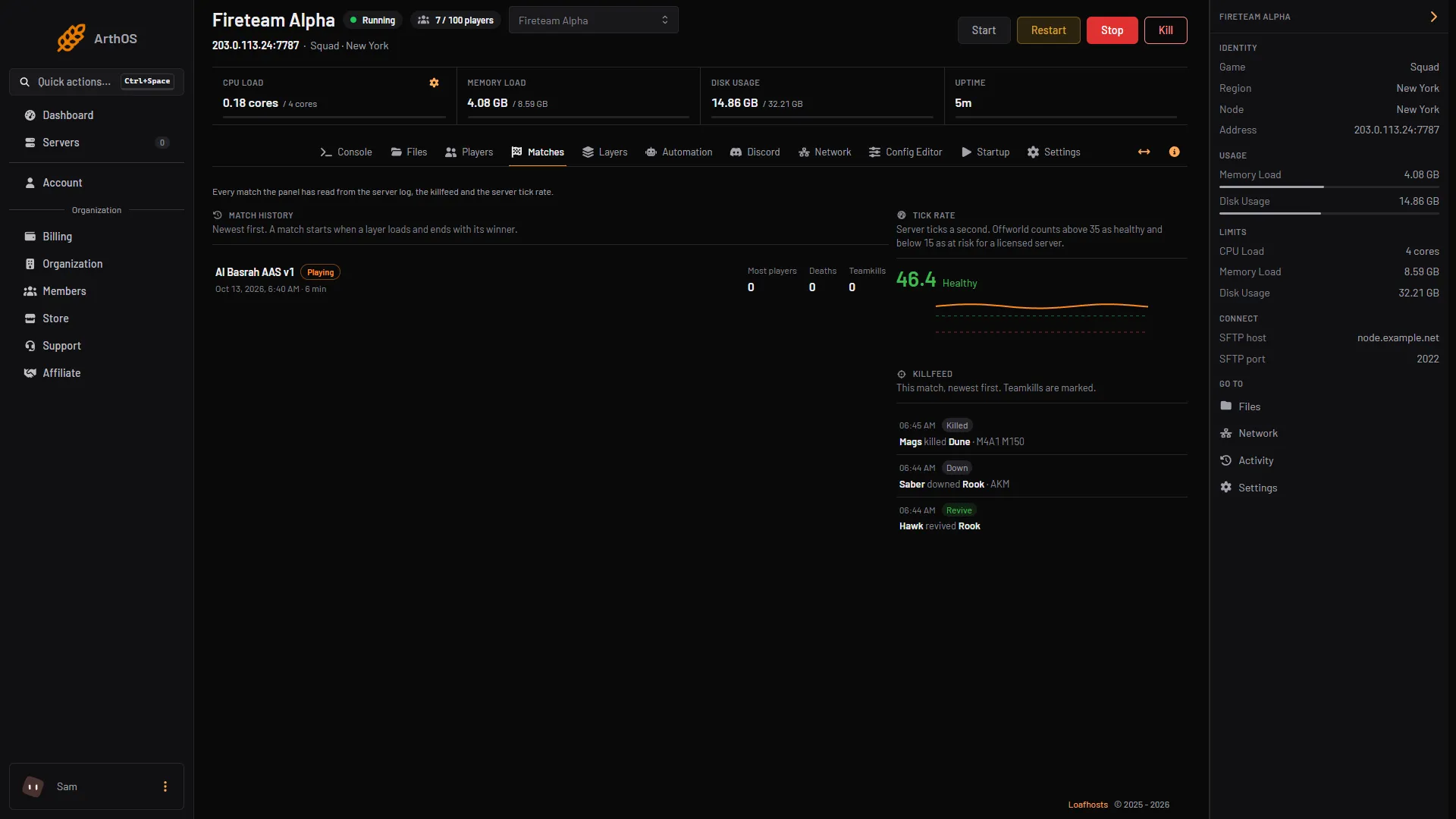
- Tick rate
Players see the same thing in the server browser, in the Health column. A colour other than green means the server may be struggling with the players on it.
What Offworld says affects it
These are the causes Offworld names.
- Too many players for the hardware. If a licensed server is not in the green range, Offworld may ask for an upgrade or reduce the server’s player limit. Lowering players is the first thing to try. Set Maximum players on Startup. Config Editor,
Server.cfg, Maximum players can be lower than that, never higher. - Too many servers on one machine. Offworld’s wiki says one server can take all the CPU and make the rest lag. This is about a machine shared between servers.
- Mods. Offworld’s rules say a Workshop mod must be performant or risk removal. To test, take the mods out and watch the tick rate. See install Squad mods.
- A long run without a restart. Offworld requires licensed servers to restart regularly for performance. Restart in a quiet moment. See restart a Squad server.
- Not enough CPU or memory. Offworld asks for at least 8 GB of memory for a licensed server, and lists fast desktop CPUs it has tested. The CPU and memory your Loafhosts server may use are set by its plan, so if the tick rate is low with few players and no mods, ask support to check them.
The Tick rate setting
Startup has a Tick rate setting, from 10 to 50, default 50. It is a ceiling, the most ticks a second the server will try. It does not make a slow server faster. Offworld’s wiki calls it the maximum server tick rate.
If it does not work
- The chart is empty. The server reports its tick rate while players are on. Check again with players on the server.
- The tick rate is low with few players. Take the mods out one at a time. If it stays low, ask support.
More about the game: Squad servers.
Sources: joinsquad.com: Server licensing and administration policies, squad.fandom.com: Server licensing, squad.fandom.com: Server Configuration, squad.fandom.com: Server browser