









BepInEx is the mod loader that most Valheim mods need. It starts with the game and loads each mod’s files. On a Loafhosts server you do not install it yourself. The panel adds it when you install your first mod.
What it is
BepInEx is a general purpose framework for Unity games. Valheim is a Unity game. It loads mods, which it calls plugins, when the game starts. It also gives each mod a settings file and writes a log.
Valheim mods use a version of it made for Valheim. It is the BepInExPack_Valheim package by denikson on Thunderstore. When you install a mod, the panel installs this package first, then the mod and anything the mod needs.
A new Loafhosts Valheim server runs the plain game with no mods. The BepInEx folder only exists once mods have been installed.
How the panel installs it
- Open the Mods page and the Add a mod tab.
- Find a mod and choose Install.
- Read the list of packages. BepInEx is in the list when it is not on the server yet.
- Confirm. The server stops, the packages are put in place, and the server starts again if it was running.
From then on the Load mods switch on the Mods page is on, and the server starts with BepInEx loaded.
Where it lives
All of it is in the BepInEx folder, which you can open on the Files page.
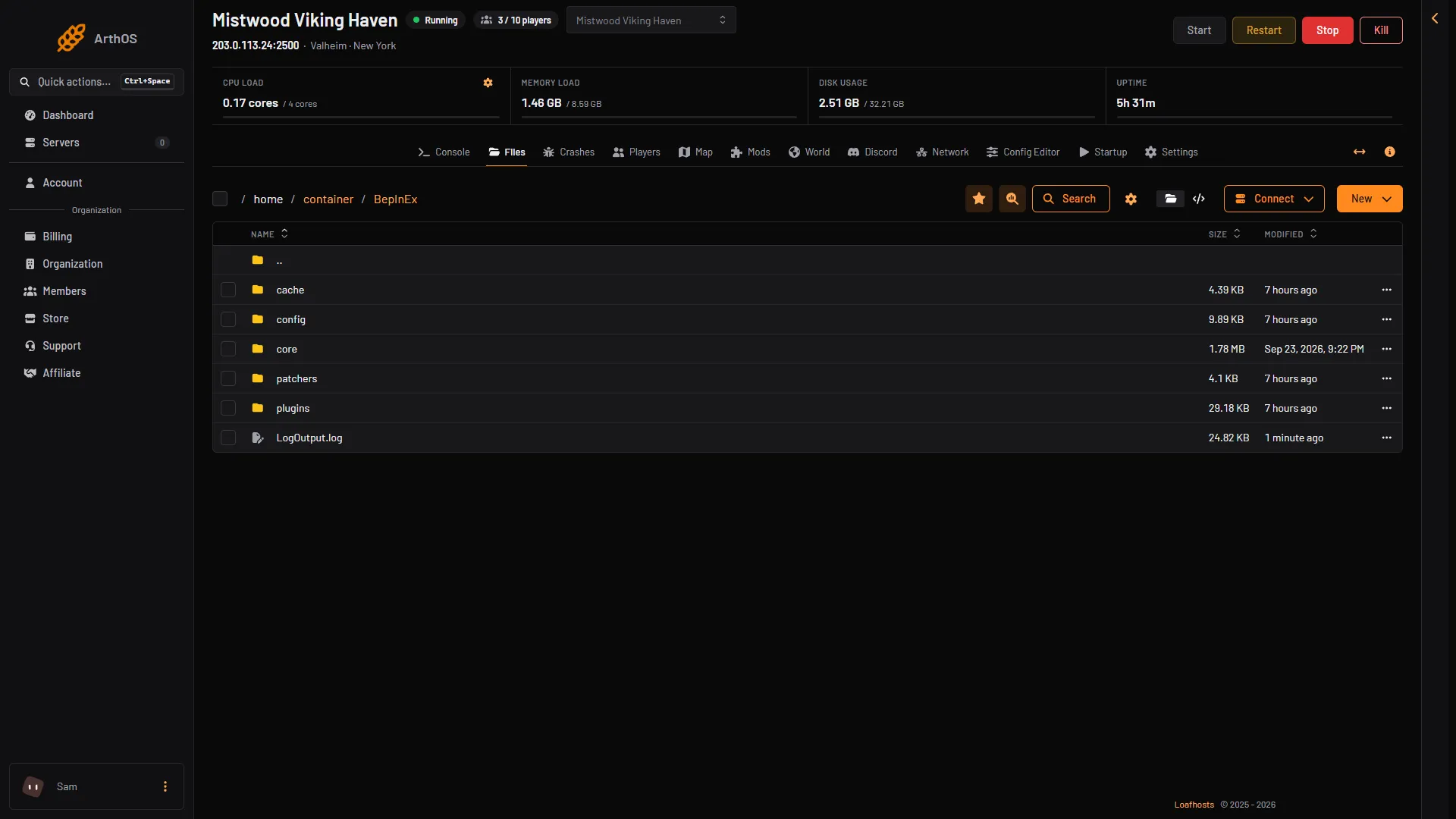
- config
- plugins
- LogOutput.log
BepInEx/plugins(box 2): one folder for each mod, named likeOwner-ModName.BepInEx/config(box 1): one settings file for each mod, ending in.cfg.BepInEx/LogOutput.log(box 3): what BepInEx did at the last start. It says which mods it loaded and which it could not.
The Mods page reads that log. A mod shows Loaded when the log says it started, and Did not load when the log says it failed.
Load mods on and off
The Load mods switch decides whether the server starts with BepInEx. Off means the plain game. Nothing is removed, and your mods and their settings stay on the server. The change applies at the next start.
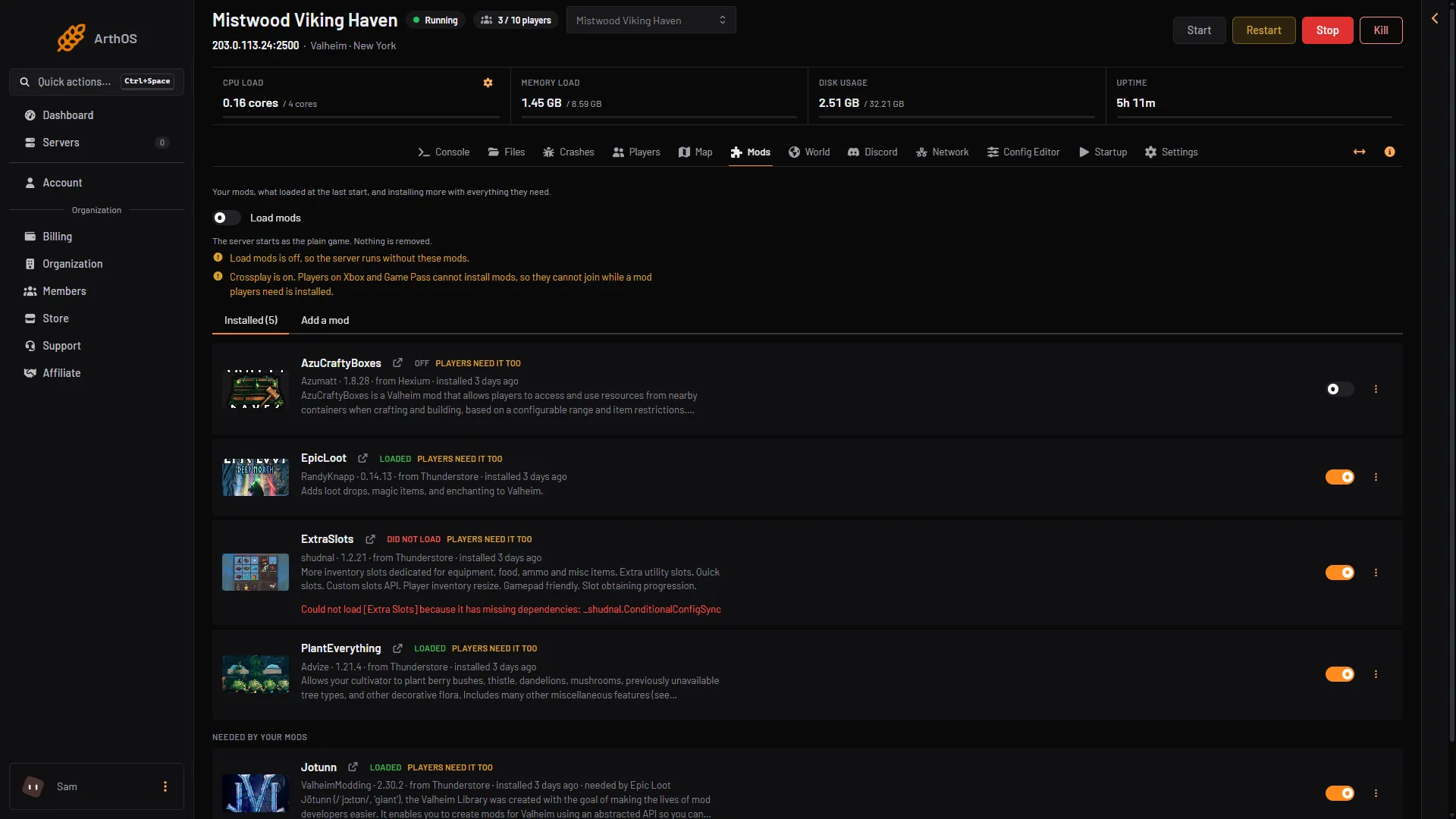
- Load mods switch
- Plain game note
By hand
This guide is about the panel. The server’s own files include a script named start_server_bepinex.sh, and the BepInExPack_Valheim page on Thunderstore has the install steps.
If BepInEx stops
If BepInEx stops before it loads any mod, the Mods page shows a note: “BepInEx stopped before loading any mod at the last start, so none of them ran.” It also shows what BepInEx said. Install the mod again, or ask support.
Other problems with single mods are in mods not loading.
More about the game: Valheim servers.
Sources: thunderstore.io: BepInExPack Valheim, docs.bepinex.dev: Index.html