









The Death penalty modifier decides what a player loses when they die. Open the World page, find the Difficulty card, choose a Death penalty, choose Save and restart the server. It applies from the next server start. More about the game: Valheim servers.
What each level does
The Valheim wiki lists these. Equipment is what a player wears or holds. Inventory is everything else they carry. Skill loss is the share of each skill level that is lost.
| Level | Equipment | Inventory | Skill loss |
|---|---|---|---|
| Casual | Kept | Dropped | 1% |
| Very easy | Dropped | Dropped | 1% |
| Easy | Dropped | Dropped | 2.5% |
| Normal | Dropped | Dropped | 5% |
| Hard | Dropped | Destroyed | 7.5% |
| Hardcore | Destroyed | Destroyed | 100% |
“Dropped” means the items go into a tombstone where the player died. Anyone can open the tombstone. When the player who died opens it, the items go back into their inventory if there is room. “Destroyed” means they are gone. On Hardcore, a player loses all carried items and all their skills (100%).
Normal is the game’s middle setting. The panel’s list has no Normal: leave it at As the preset sets it with the Normal preset. After a death, a player gets a short effect called No skill drain that stops further skill loss for 10 minutes.
Not checked on 1.0.20 as of 21 October 2026: these figures against Iron Gate’s current patch notes.
Change it
- Open the World page.
- In the Difficulty card, open Death penalty.
- Choose Casual, Very easy, Easy, Hard or Hardcore. Leave it at As the preset sets it to follow the preset.
- Choose Save.
- Choose Restart at the top of the server page.
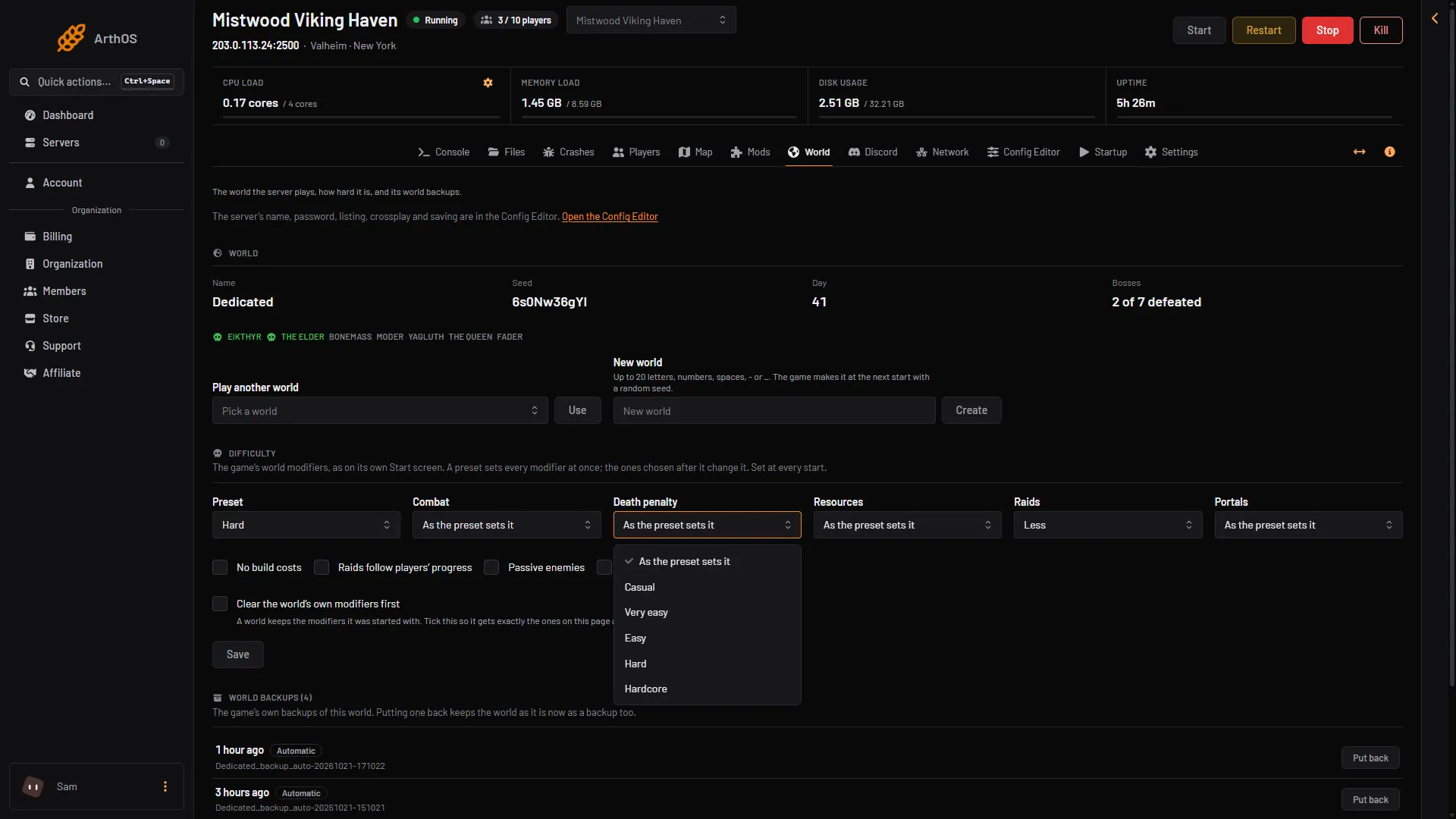
- Death penalty
- Casual
- Hardcore
A preset sets this too. Choose the preset first, then Death penalty. See Valheim world modifiers.
Players keep their characters on their own computers. This setting changes what happens to them when they die in your world.
By hand
In your own start options the manual gives -modifier deathpenalty hard. The values are casual, veryeasy, easy, hard and hardcore. Put it after any -preset option.
If it does not work
- Nothing changed. Restart the server. The game reads it only at a start.
- The old penalty is still on. A world keeps the modifiers it was started with. Tick Clear the world’s own modifiers first, save and restart.
- A player lost their things and found no tombstone. On Hard the inventory is destroyed, and on Hardcore everything is. The wiki also says no tombstone appears when the inventory is empty.
- You want Hardcore for everyone. Tell your players first, because every death costs them all carried items and skills.
Sources: valheim.fandom.com: World Modifiers, valheim.fandom.com: Death