









Open the World page, set Preset to Hardcore, tick Clear the world’s own modifiers first and choose Save. The server plays Hardcore from its next start. On a server you run yourself the start option is -preset hardcore. Tell your players first: Hardcore can cost them everything they carry. More about the game: Valheim servers.
What Hardcore means
A preset is a set of difficulty choices the game applies in one go. The list on the page holds None, Normal, Casual, Easy, Hard, Hardcore, Immersive and Hammer (no build costs). Choosing a preset replaces any modifiers set before it.
The best known part of Hardcore is the death penalty. Per the Valheim wiki, on the Hardcore death penalty everything a player carries is destroyed and all skills are lost (100%). There is no corpse run to get anything back.
Which other modifiers the Hardcore preset sets (combat, raids, portals, the map) is not listed anywhere we read. After the next start, the line “The world remembers: …” on the World page tells you, as shown below.
In the panel
- Open the World page.
- In the Difficulty card, open the Preset list (1) and choose Hardcore (2).
- Tick Clear the world’s own modifiers first. A world keeps the modifiers it was started with. Without this tick, an older modifier can stay on top of the preset.
- Choose Save.
- Choose Restart at the top of the server page. The game reads the difficulty only when it starts.
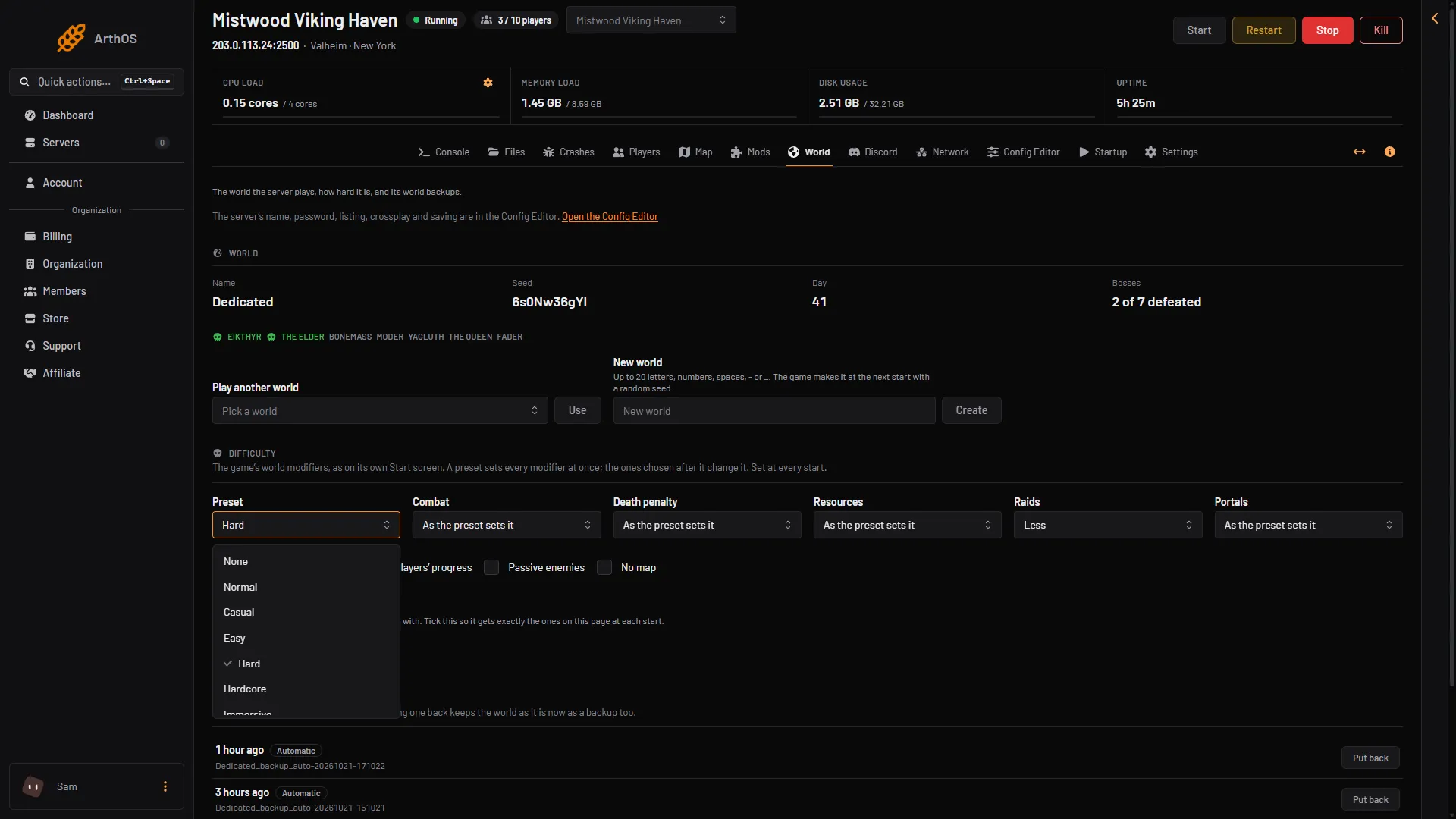
- Open Preset
- Choose Hardcore
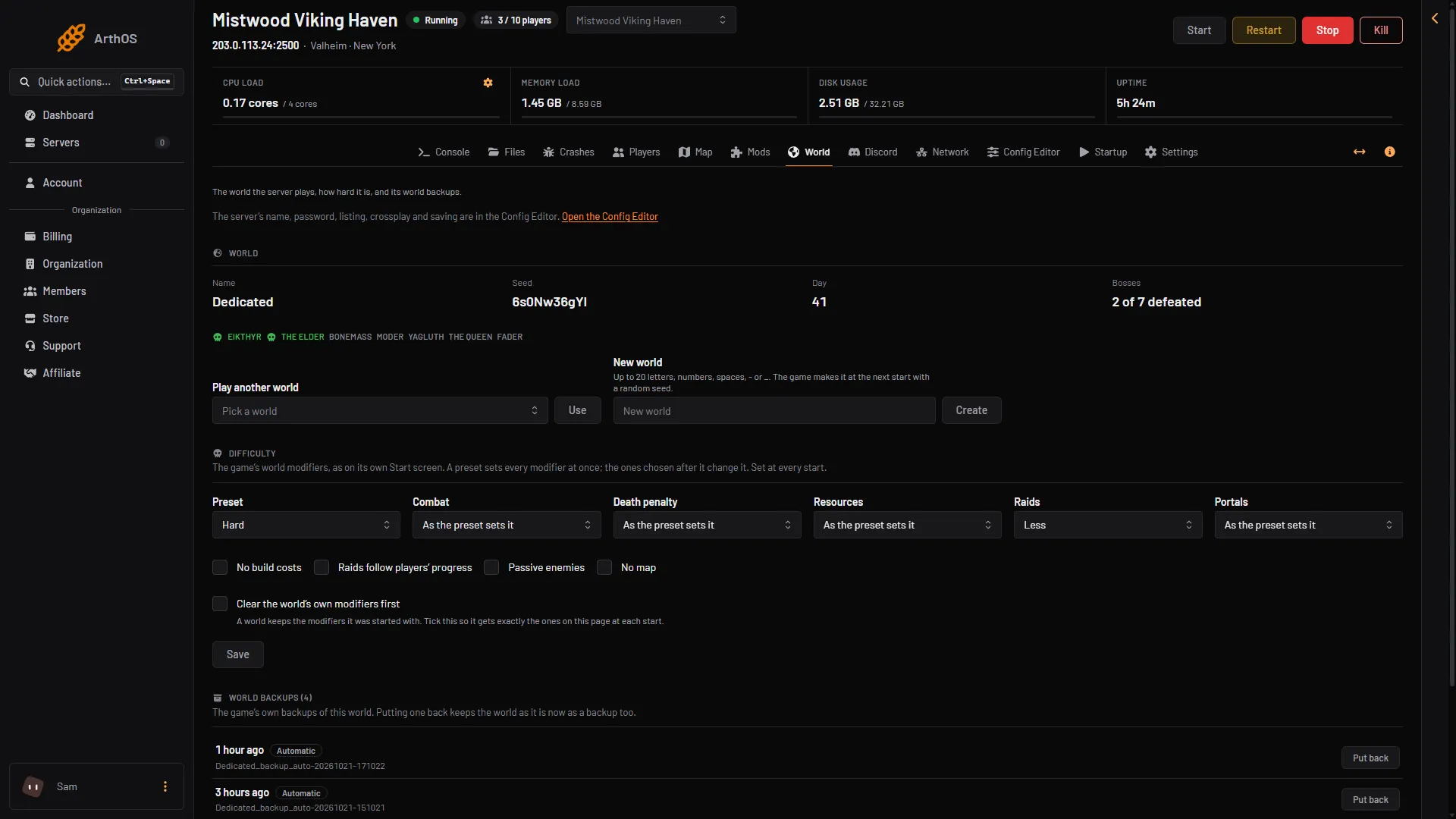
- Preset
- Tick this box
- Save
When the server is running, the page says to restart it. When it is stopped, it says the server uses the change from its next start.
Check what the world got
After the start, open the World page again. Under Difficulty, a line reads “The world remembers: …” and lists the modifiers the world now holds. If you want the Hardcore death penalty for certain, set Death penalty to Hardcore as well, save and restart again.
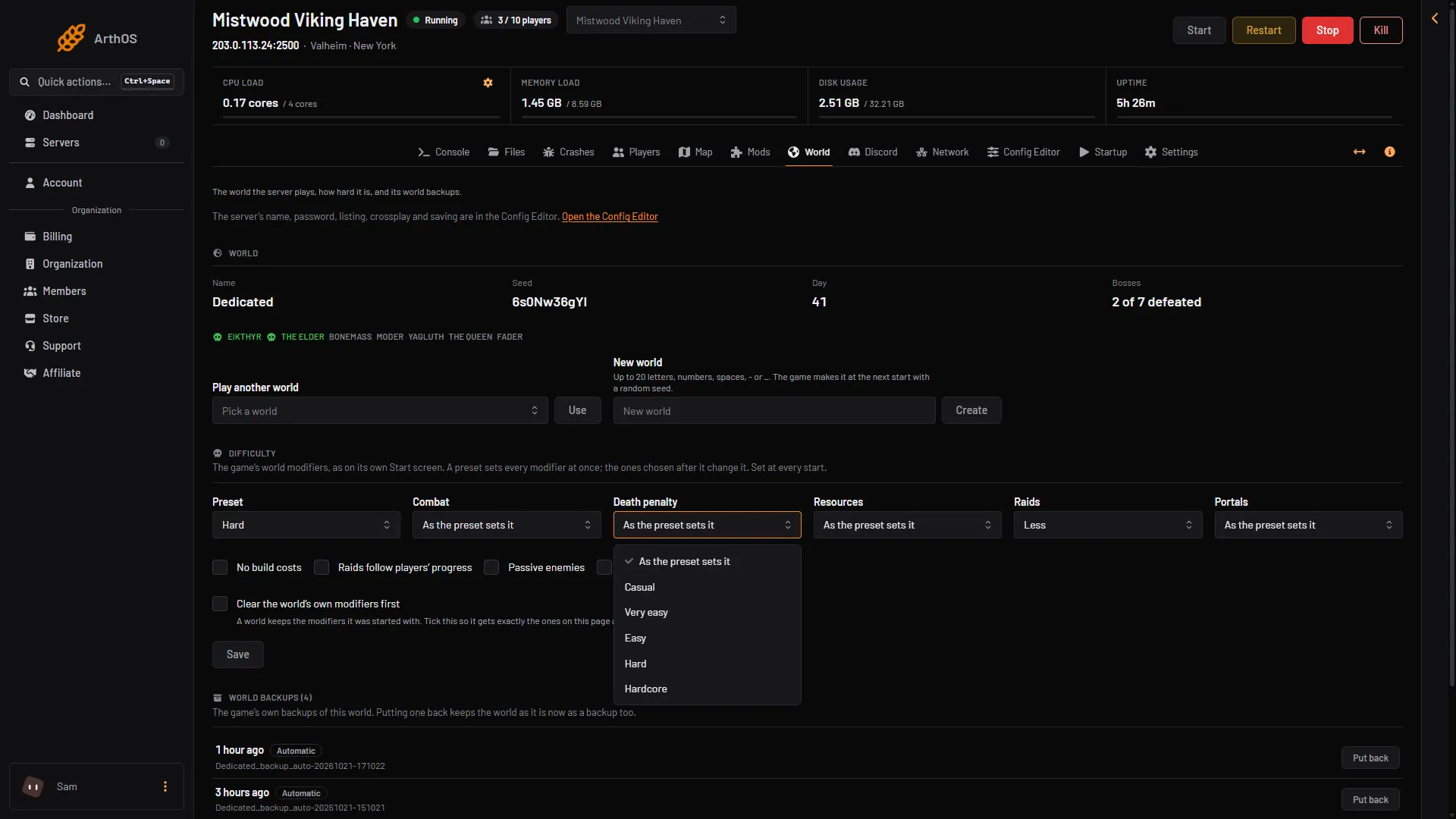
- Death penalty
- Hardcore
Tell your players first
- A death on the Hardcore death penalty cannot be undone. Players lose what they carry and their skills.
- The change applies at the next start, so pick a time and warn people before it.
- Make a backup first if the world has progress you care about. See world backups.
By hand
The same settings go on the start line as options. The game’s own manual lists them: -preset hardcore sets the preset, -modifier deathpenalty hardcore sets the death penalty alone, and options after a preset change what the preset set. A whole start line, following the manual’s pattern:
./valheim_server.x86_64 -name "My server" -port 2456 -world "Dedicated" -password "secret" -crossplay -preset hardcore -modifier raids none
Modifiers go after the preset. A world keeps the modifiers it was started with: the panel adds -resetmodifiers for the tick box, which is not in the manual. See change difficulty on an existing world.
If it does not work
- The difficulty did not change. The server has not restarted since you saved. Restart it.
- The world still has an old modifier. Tick Clear the world’s own modifiers first, save and restart.
Sources: valheim.fandom.com: World Modifiers