









Open the World page and tick Passive enemies in the Difficulty card. Choose Save and restart the server. The wiki says enemies then do not attack until a player provokes them. The change applies at the next start. More about the game: Valheim servers.
Turn it on
- Open the World page.
- In the Difficulty card, tick Passive enemies (1).
- Choose Save (2). The panel says: “Saved. The game reads these when it starts, so restart the server to use them.”
- Choose Restart at the top of the server page.
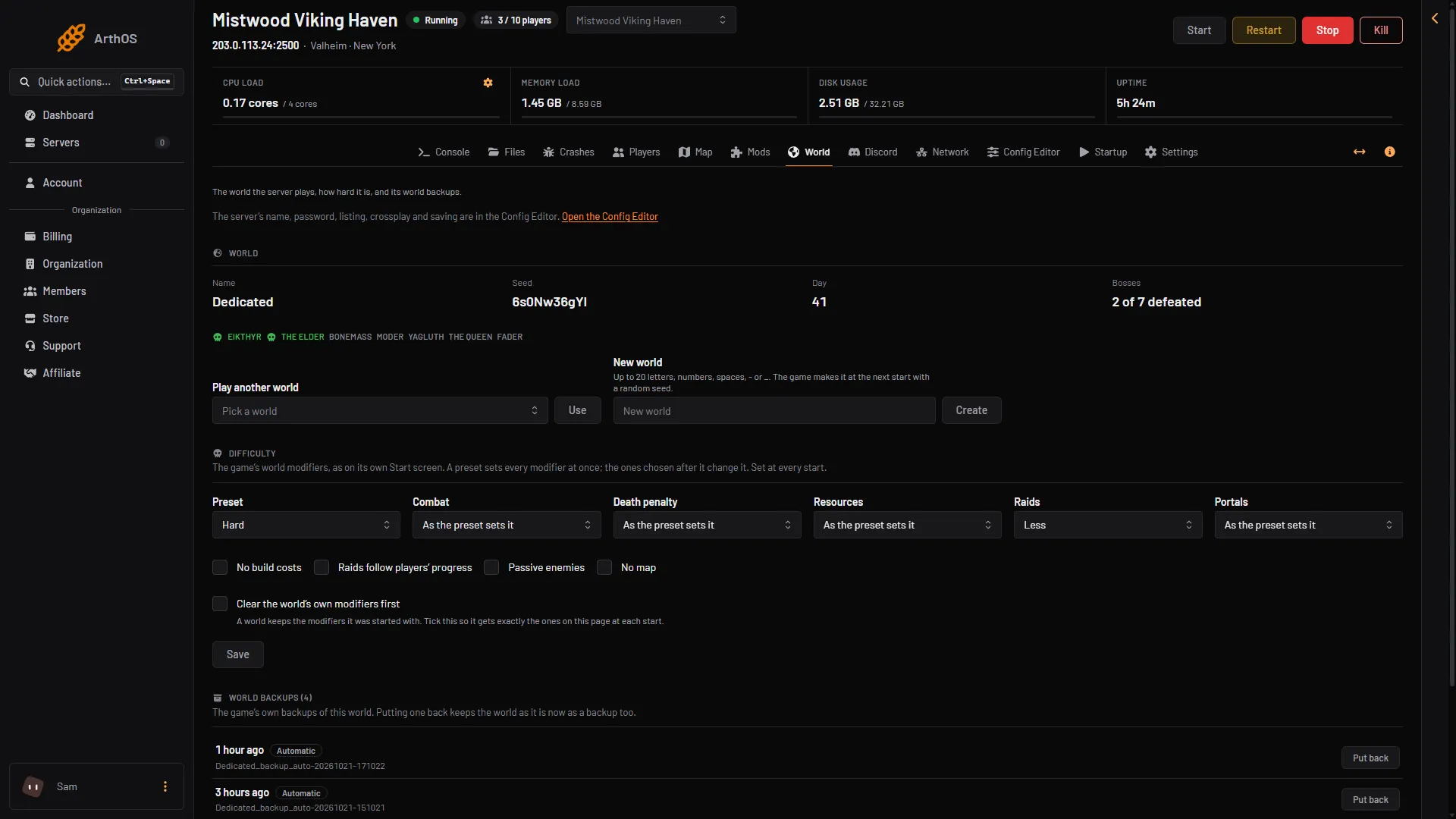
- Tick Passive enemies
- Save
Players do not need to change anything in their own game. The setting belongs to the world.
Turn it off
A world remembers the modifiers it was started with. Unticking the switch later does not remove it. The card shows what the world holds: “The world remembers: …”.
- Untick Passive enemies.
- Tick Clear the world’s own modifiers first.
- Choose Save and restart.
The world then gets exactly the settings on the page. Any other switch or modifier you want must be set on the page as well.
By hand
The panel writes -setkey passivemobs on the start line. It is one of four switches in the game’s own manual. The others are nobuildcost, playerevents and nomap.
If it does not work
- Enemies still attack. Restart the server. A saved change is read at the next start. Enemies also attack once a player provokes them.
- No Save button. Your role may not allow editing the startup settings.
- It will not turn off. Tick Clear the world’s own modifiers first, save and restart.
- You want an easier game, not a calm one. Use the Combat setting instead. See world modifiers.
Sources: valheim.fandom.com: World Modifiers