









The Resources modifier makes creatures and lootable objects in your Valheim world drop less or more. Open the World page, find the Difficulty card, choose a Resources level, choose Save and restart the server. It starts at the next server start. More about the game: Valheim servers.
The levels
The Valheim wiki gives the drop rate for each level, as a multiple of normal:
| Level | Drops |
|---|---|
| Much less | 0.5x |
| Less | 0.75x |
| Normal (the preset’s own value) | 1x |
| More | 1.5x |
| Much more | 2x |
| Most | 3x |
The wiki says the game rounds up, so a 1.5x level gives about 2x on many drops, such as from enemies and berry bushes. The level does not change fish, trophies or boss drops.
Not checked on 1.0.20 as of 21 October 2026: these figures against Iron Gate’s current patch notes.
Change it
- Open the World page.
- In the Difficulty card, open Resources.
- Choose Much less, Less, More, Much more or Most. Leave it at As the preset sets it to follow the preset.
- Choose Save.
- Choose Restart at the top of the server page.
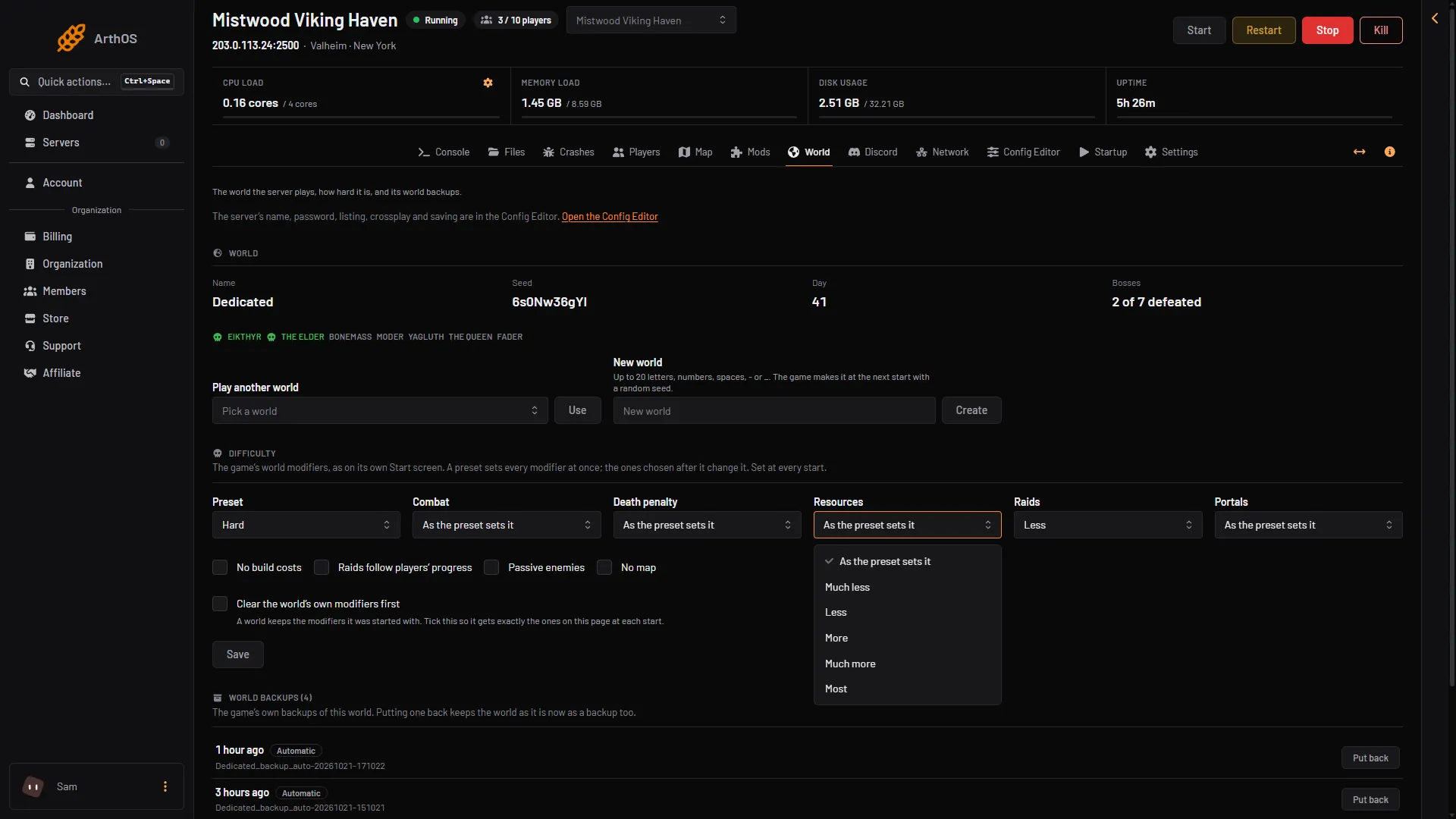
- Resources
- Much less
- Most
A preset sets Resources too, so choose the preset first. See Valheim world modifiers.
By hand
In your own start options the manual gives -modifier resources more. The values are muchless, less, more, muchmore and most. Put it after any -preset option.
If it does not work
- Drops look the same. Restart the server. The game reads the setting only at a start.
- The old level is still on. A world keeps the modifiers it was started with. Tick Clear the world’s own modifiers first, save and restart.
- Fish or boss drops did not change. They are not affected by this setting.
Sources: valheim.fandom.com: World Modifiers