









Open the Players page and scroll to Chat. It lists what players wrote on your server, one start of the server at a time. Only people who can kick and ban players see it.
In the panel
- Open the Players page. Chat is below the player lists. It also shows while the server is stopped, because it reads the log files.
- In Start of the server, pick the start you want. The newest is marked “Latest, from” and a date. Each start of the server has its own log.
- In Chat, pick All chats or one kind:
- Global: everyone on the server.
- Friends: the player’s friends.
- Party: the player’s party.
- Private: a message to one player.
- Server: a message sent by the server itself, such as one you sent with Message to everyone.
- To look for a name or words, type them in Find. It matches the name of the writer and the words of the message.
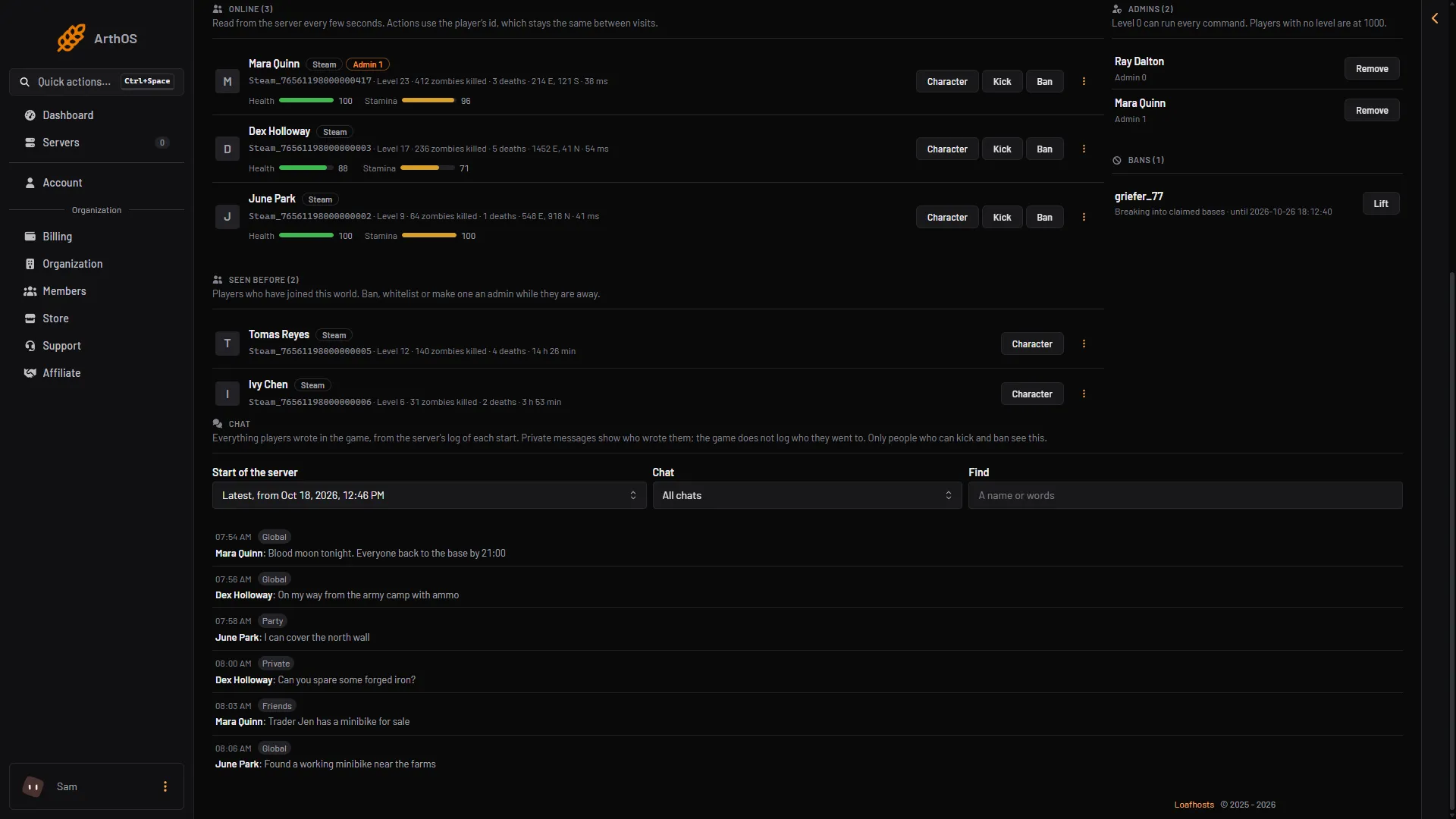
- Pick the start
- Pick the kind of chat
- Type a name or words
- A private message
In the picture, pick the start in box 1 and the kind of chat in box 2. Type a name or words in box 3. Box 4 is a private message.
Each row has the time, the kind of chat, who wrote it and the words. The newest message is first. The list shows at most 300 messages. The panel reads at most the newest 2000 messages of a start (or the last 2 MB of its log). If the start was long, the page says “Older messages of this start are left out” and you can narrow the list with the boxes. The list refreshes by itself about every 20 seconds for the newest start.
The time on each row is in the time zone of your browser. The log file uses UTC.
What the list does not show
- A private message shows who wrote it, not who it went to. The game does not write the receiver in its log.
- A message a mod took over before the game sent it carries the tag Taken by a mod.
- Messages from before the log’s oldest kept start are gone. The server keeps the ten newest logs.
By hand
Each start of the server writes one file in the logs folder, named like server_20261018_164656.log. The name is the start date and time in UTC. The server keeps the ten newest. Open the logs folder on the Files page. The newest log is at the bottom of the list.
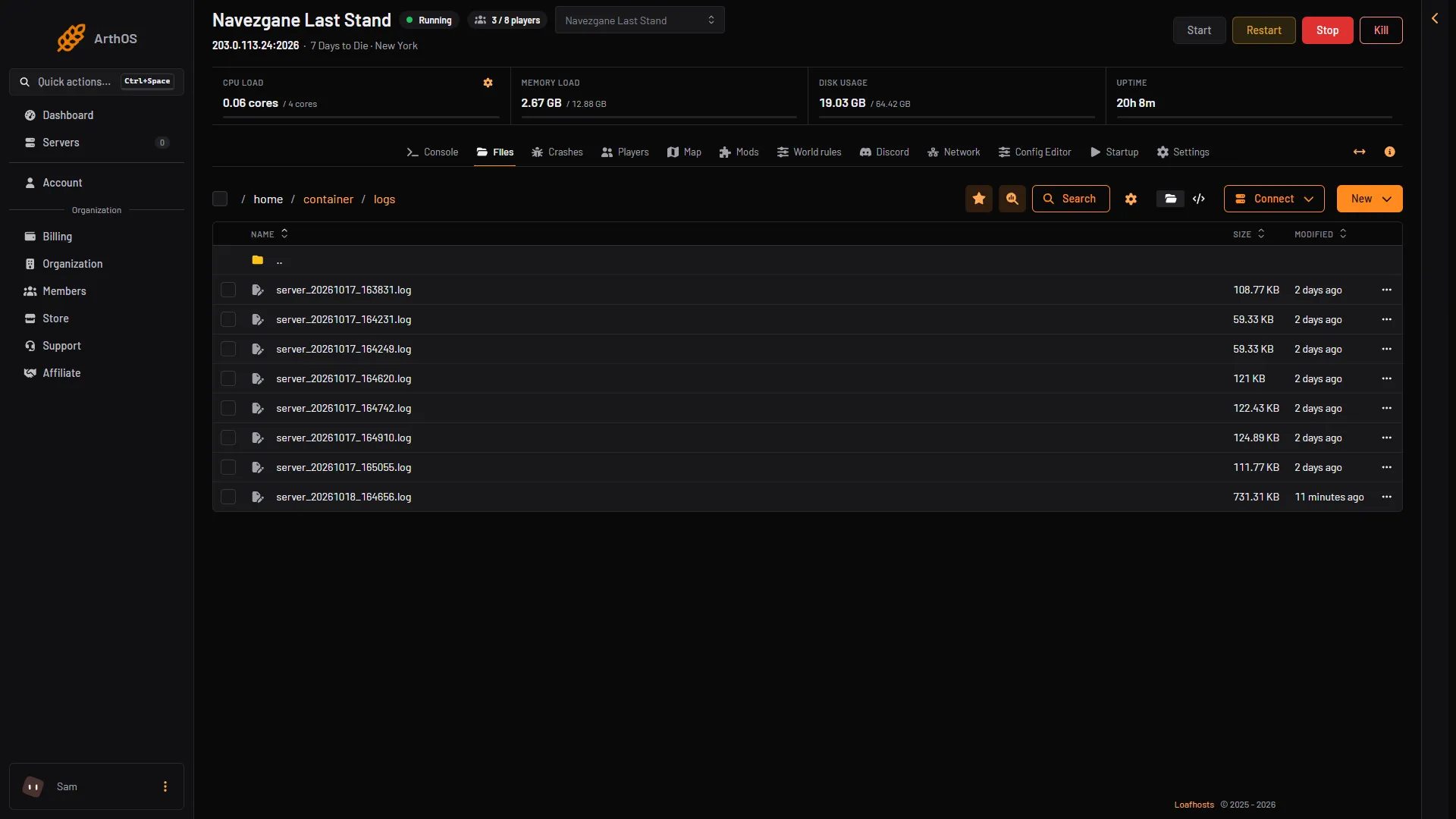
- The newest log
A chat line looks like this:
2026-10-18T17:17:09 1812.940 INF Chat (from 'Steam_76561190000000000', entity id '171', to 'Global'): 'Jason': hello- The first part is the date and time in UTC. The number after it is the seconds since the server started.
fromis the player’s id. The entity id is the number the game gives them while they play.toisGlobal,Friends,PartyorWhisper.Whisperis the private message.- After the colon come the player’s name in single quotes and then the words.
A message from the server itself has -non-player- as its sender and no name. Search the file for Chat (from to find every message.
If it does not work
- You do not see Chat. Your role may not allow kicking and banning players. Ask the server owner.
- “No log yet”. The game writes a log each time the server starts. Start the server once.
- A message is missing. It may be older than the newest 2000 messages or the last 2 MB of that log, the most the panel reads. Pick a different start, or open the file by hand.
- The times look wrong. The panel shows your browser’s time. The file shows UTC.