









Your server writes a new log file every time it starts. They are in the logs folder. To watch the log live, open the Console page. To have it read for you, open the Crashes page.
The log files
Each file is named server_<date>_<time>.log, for example server_20261017_151154.log. That is 17 October 2026 at 15:11:54. The time is UTC, not your local time. Before each start the panel keeps the ten newest logs and removes older ones, so the logs folder shows up to eleven while the server runs.
Each line starts with the date and time, then the seconds since the game started, then a level:
2026-10-17T15:11:55 0.767 ERR [MODS] ...
2026-10-17T15:12:16 22.100 INF StartGame doneINFis information.WRNis a warning.ERRis an error.EXCis an exception, a program fault.
The line times are UTC too, so they match the file name.
Watch it live: the Console
- Open the Console page.
- Watch the lines scroll as the server starts and plays. Each line has a level tag: INFO, WARN or ERROR (the log’s INF, WRN and ERR). Repeated lines are grouped (“Grouping N lines”); choose Show everything to see them all.
- To run a game command, type it in the box at the bottom (1) without a slash. The answer shows in the console.
Lines like Executing command 'admin list' by WebCommandResult_for_admin_by_Unauth-PermLevel-0, and the same with 'ban list', are the panel reading its lists. They are not a person.
The world is ready when you see INF StartGame done. A stop shows INF Preparing quit and ends with Shutdown handler: cleanup.
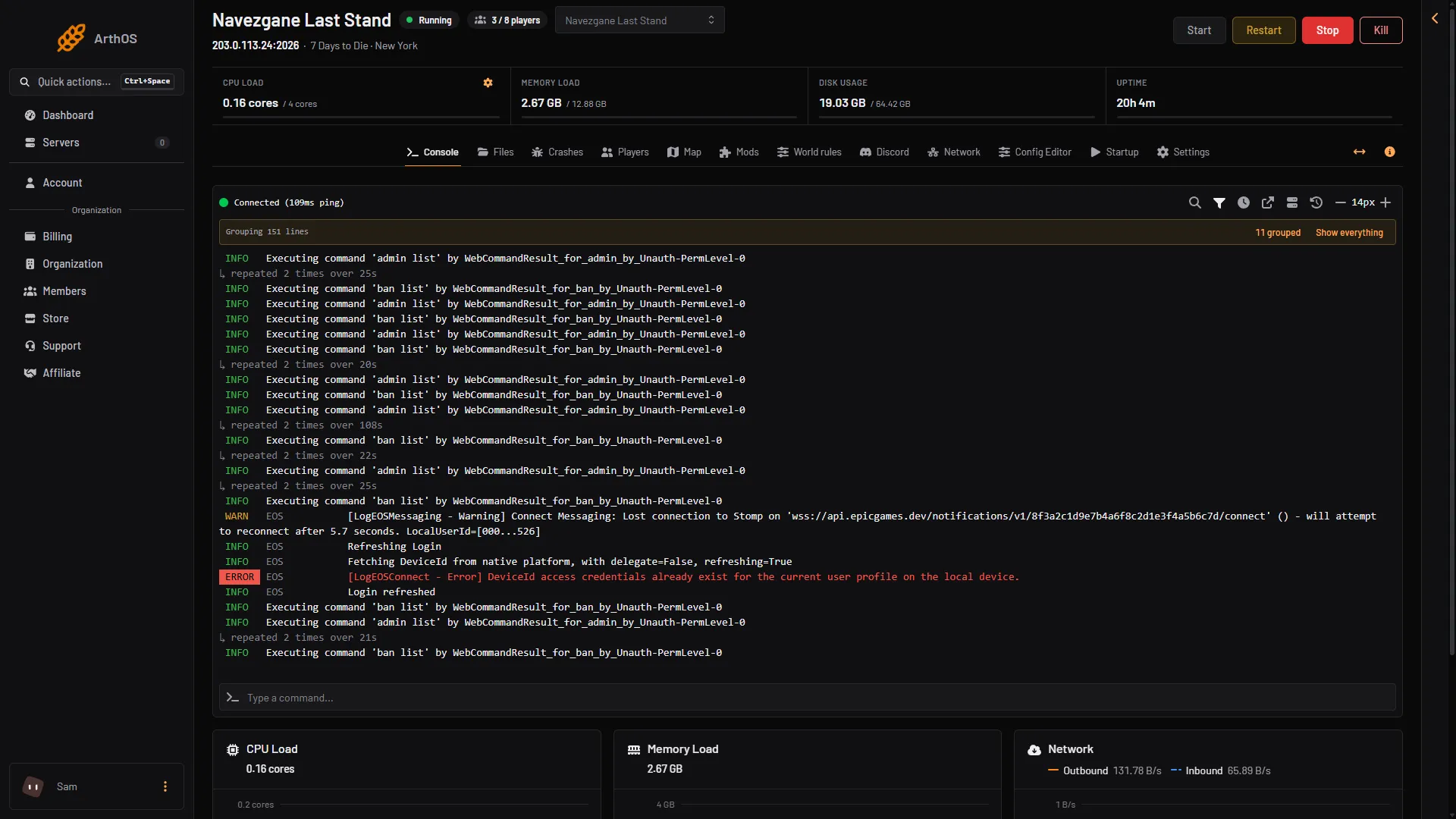
- Command box
Let the panel read it: Crashes
The Crashes page lists the ten newest starts on the left. A start is marked Running now, Ran and stopped, Crashed or Failed to start. Choose one to see when it Started, when its log was Log last written (1), the Game version and whether it ran Out of memory. Times show in your local time, while the log file names and lines are UTC.
Under What the panel can tell (2) it lists known problems it found, such as a mod that could not be loaded, a port already in use or a save that could not be read. Each has a fix and the log lines that caused it. Below that, the last 80 lines of the log are folded away; open them to read.
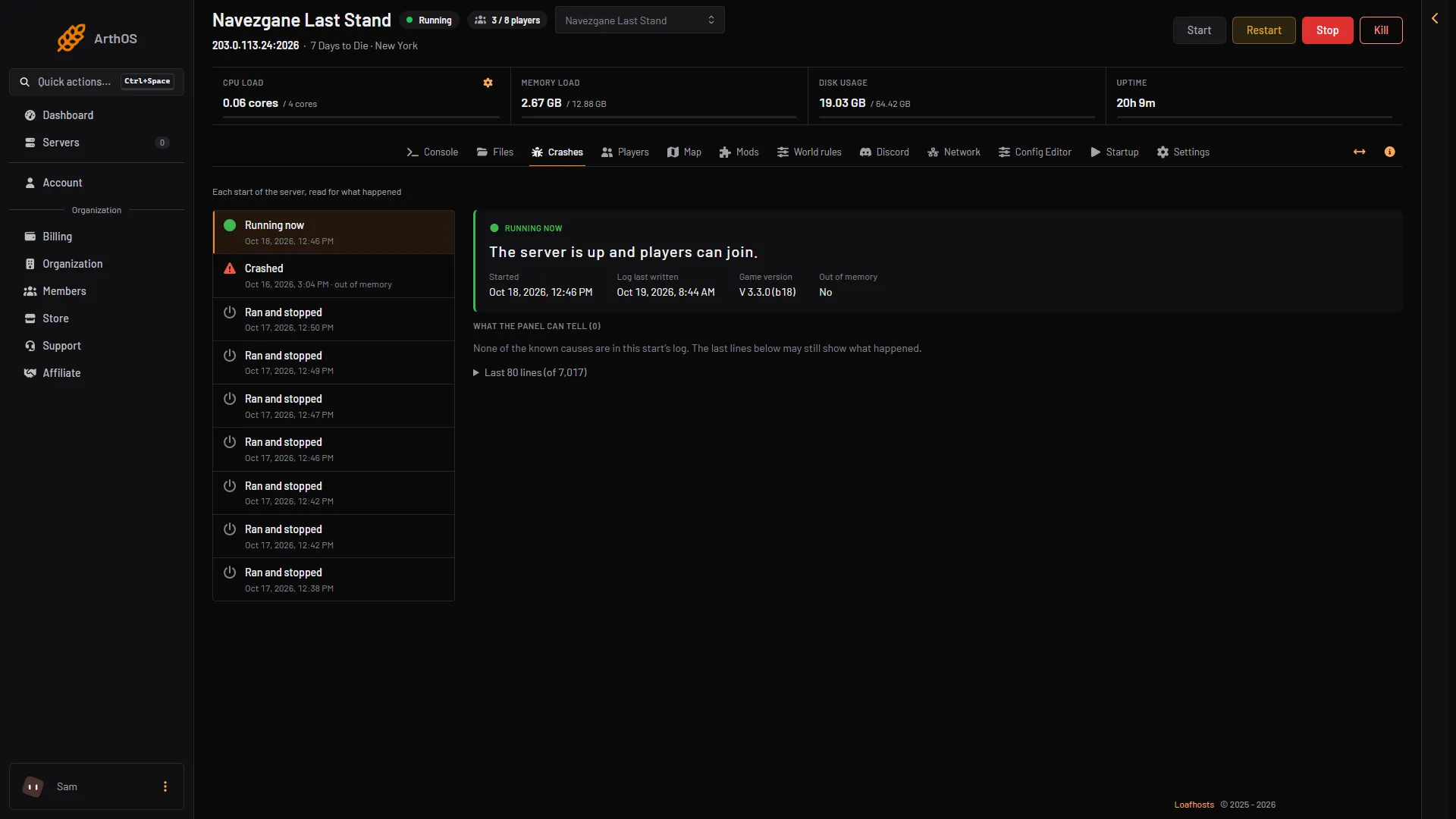
- Log last written
- What the panel can tell
If it finds no known cause, read the last lines. They may still show what happened.
Lines that look bad but are normal
ERROR: Shader ... is not supported on this GPU. The server has no graphics card. It prints this at every start.- A memory report with
Peak Allocated memoryat every stop.
The Crashes page leaves the shader line and the memory report out of its last lines. Other dated lines stay.
With a player on, the game also writes a line every 30 seconds that ends in RSS: ...MB. It is how much memory the game uses. See 7 Days to Die out of memory.
Not checked on V3.3.0 as of 19 October 2026: EasyAntiCheat lines.
Download a log
- Open the Files page.
- Open the
logsfolder. The newest log (1) is at the bottom. - On the log’s row, open its menu and choose Download.
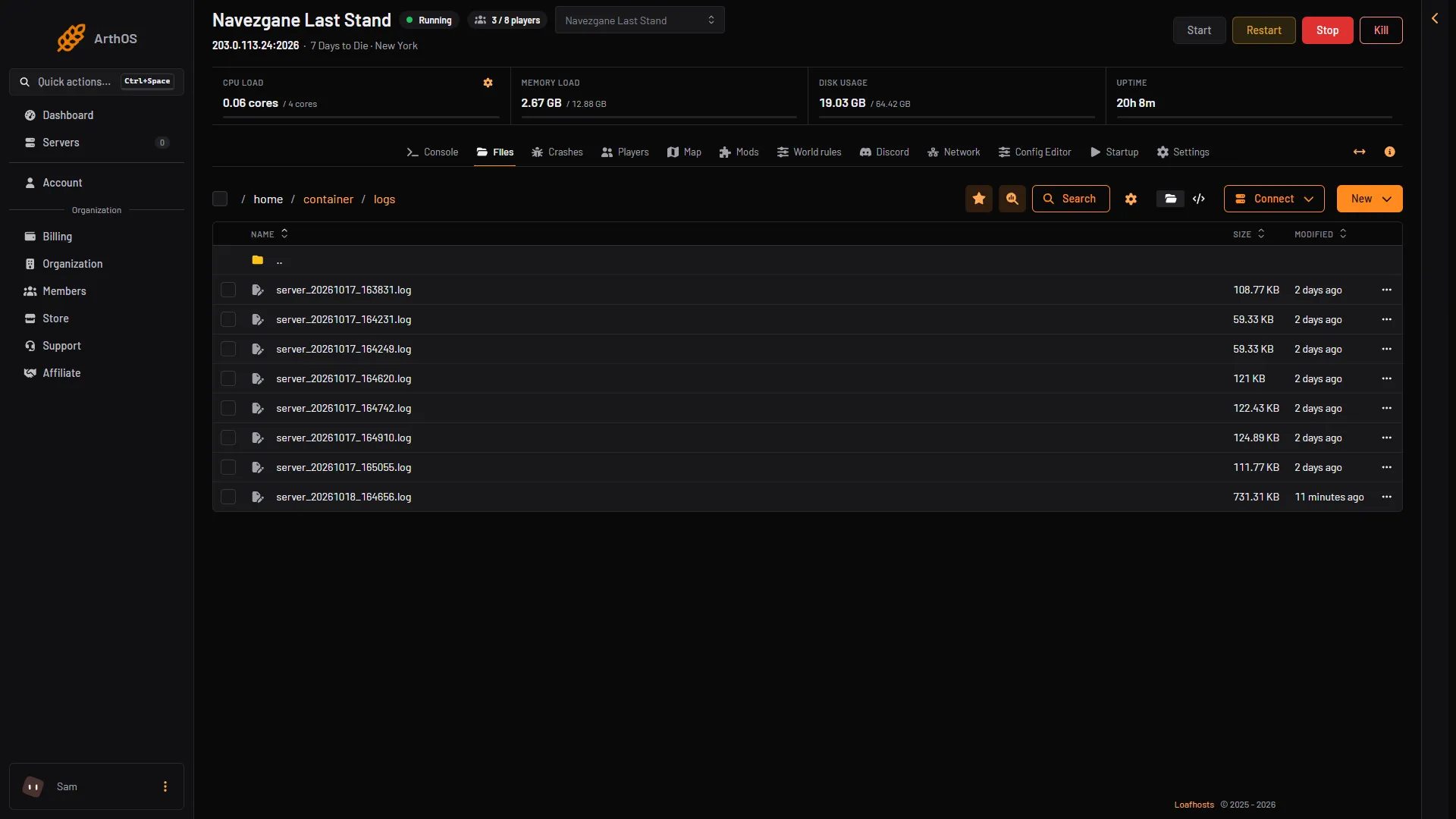
- Newest log
Send this file to support or a modder if they ask for it. Look in it for the lines that start ERR or EXC first.
If it does not work
- The
logsfolder is empty. The server has not started yet. - An old log is gone. Only the ten newest are kept before each start. Download one you want to keep.
- Times look wrong. They are UTC. Your clock may be an hour or more different.
- You want mod problems. Read 7 Days to Die mod errors. Lines with
[MODS]orXML patchname the mod.
More about the game: 7 Days to Die servers.
Sources: 7daystodie.wiki.gg: Server