









On the Players page, choose Character on the player’s row. A window shows what they carry and wear, how they are doing, and what they have learned. You can only look. The window cannot change anything.
In the panel
- Open the Players page.
- Find the player in Online or in Seen before.
- Choose Character on their row. The same button is on the player’s card on the Map page.
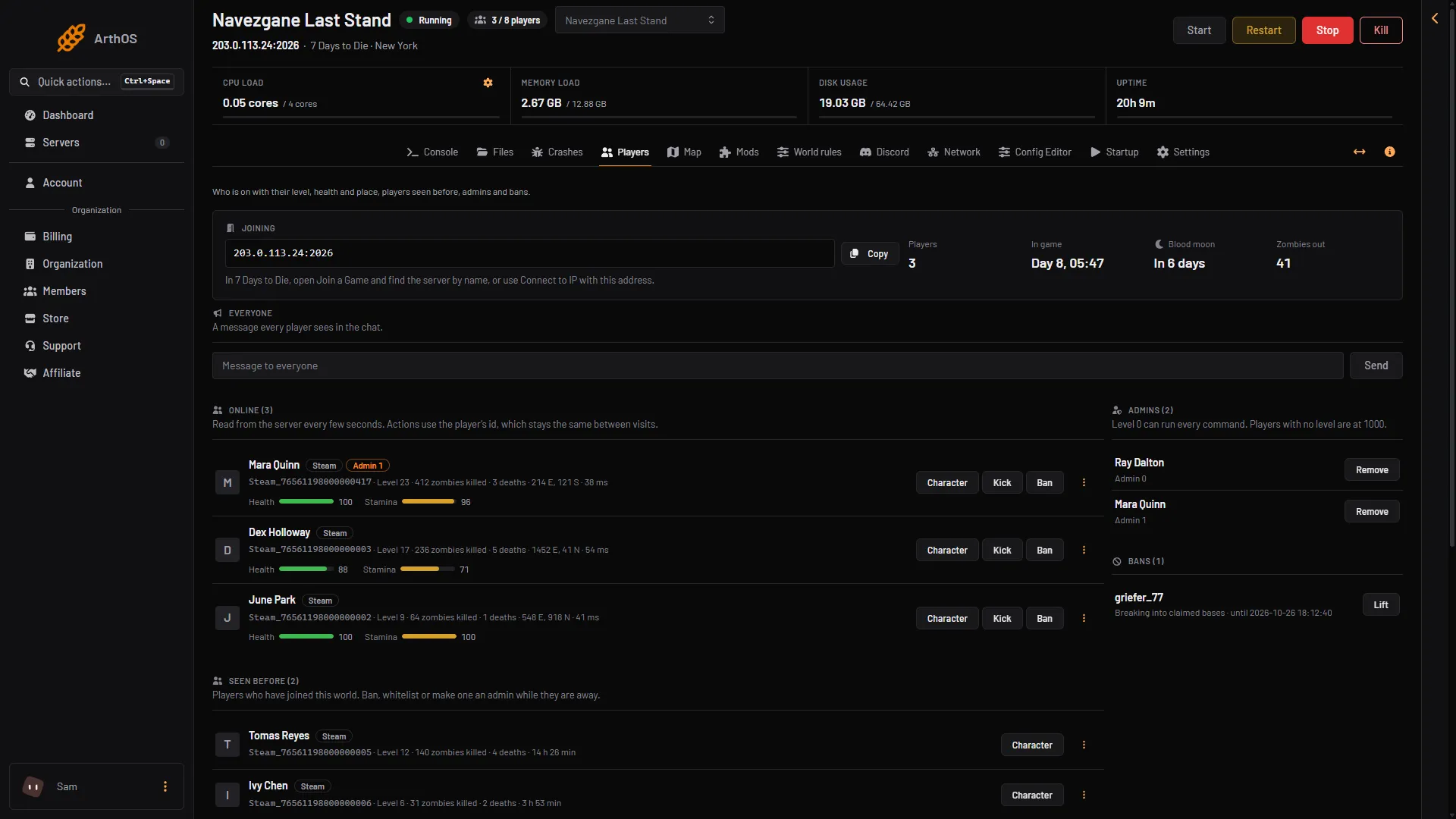
- Choose Character
Character works only while the server runs (the window opens only then). When it is stopped, the page says “The server is stopped. Players show here once it is running.”
The window has these parts:
- Level: the player’s level. If they have skill points to spend, it says how many.
- Kills: zombies and players they have killed.
- Deaths and Played: how often they died and how long they have played.
- Saved: when the game last wrote their save.
- Condition: Health, Stamina, Food and Water, each from 0 to 100. Chips below them name anything that ails the player.
- Toolbelt: the items on the belt. The slot in their hand has the tag In hand. Other slots show the slot number.
- Backpack: every item in the bag, with the total count in the title.
- Worn: what they wear. Each worn item has a tag for where it is worn (Head, Chest, Hands, Feet, and Badge, the outfit slots and Backpack when used).
- Attributes and perks: their attributes and the perks they bought, each with its level.
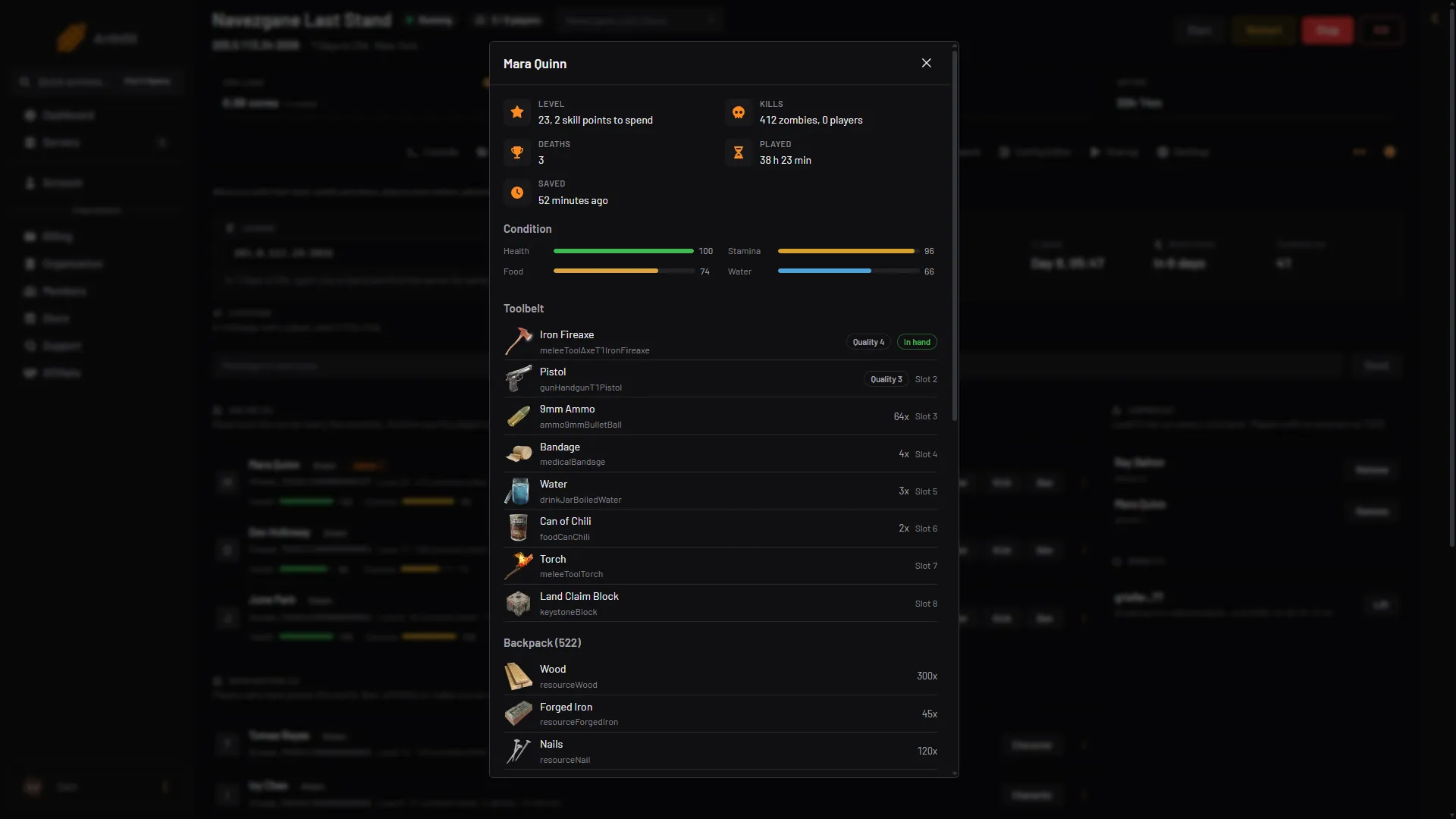
- Level
- Condition
- Toolbelt
- Item in hand
- Backpack
Scroll down in the window for the rest of the backpack, Worn and Attributes and perks.
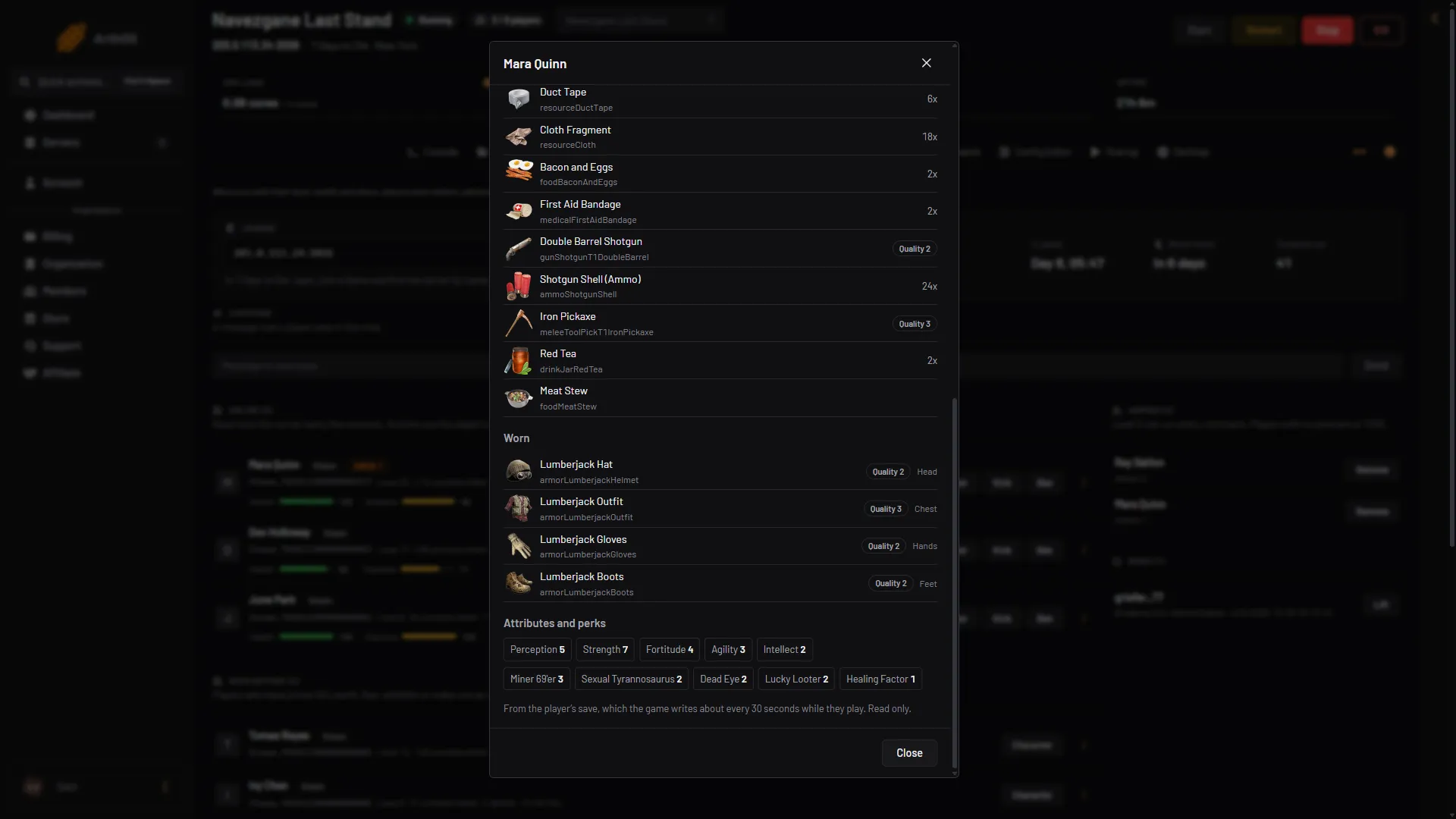
- Worn
- Attributes and perks
- Read only note
Each item has the game’s own picture and name. It also shows its quality (for example “Quality 4”), how many there are (for example “20x”) and the mods fitted to it.
How fresh it is
The window reads the player’s save file. The game writes that file about every 30 seconds while the player is in the game. So the window can be up to about half a minute behind. It reads again every 30 seconds while it is open. The Saved time tells you how old the reading is.
By hand
No console command of 7 Days to Die V3.3.0 prints a player’s inventory. listplayers (short form lp) lists who is online, and that is all. The inventory is in the player’s save file, which is not a text file. On a Loafhosts server it is in data/Saves/<world>/<save name>/Player/, one .ttp file for each player. You need the panel’s Character window, or the game itself, to read it.
If it does not work
- There is no Character button. Your role may not allow viewing players. Ask the server owner.
- “This player has no character in the current world yet”. The player joined but the game has not written their save in this world.
- “The panel could not read this player’s save file”. The save may come from a mod or a newer game version than the panel reads.
- The items look old. The save is written about every 30 seconds. Wait and look at Saved.
More about the game: 7 Days to Die servers.