









Join the server as an admin. Press F1 to open the game’s console, then type dm for the debug menu or cm for the creative menu. You type these in the game, not in the panel’s Console, because they change your own screen.
Before you start
You must be an admin. Admin level 0 can run every command. See how to make yourself admin.
Each command also has a permission level of its own in the server’s admin file. A command that is not listed there needs level 0. See permission levels.
The debug menu
- Join the server in the game.
- Press
F1to open the console. - Type
dmand press Enter. The long name isdebugmenu. - Close the console.
Debug mode is now on for you only. Two keys matter most:
Qtoggles god mode with no collision and flying.Htoggles flying.
Type dm again to turn it off.
Not checked on V3.3.0 as of 19 October 2026: other debug keys. Use only the keys above.
The server cannot do this for you. Flying and walking through walls are part of your own game. For effects the server can give another player, such as the god buff, see god mode and buffs.
The creative menu
- Press
F1to open the console. - Type
cmand press Enter. The long name iscreativemenu.
The command enables or disables the creative menu for you. Type it again to turn it off.
Creative mode for every player
The Config Editor has a switch that turns the creative menu on for everyone who joins.
- Open the Config Editor page.
- In the Rules group, find Creative mode.
- Turn it on and choose Save.
- Restart the server. The panel offers Restart now, and the change applies at the next start.
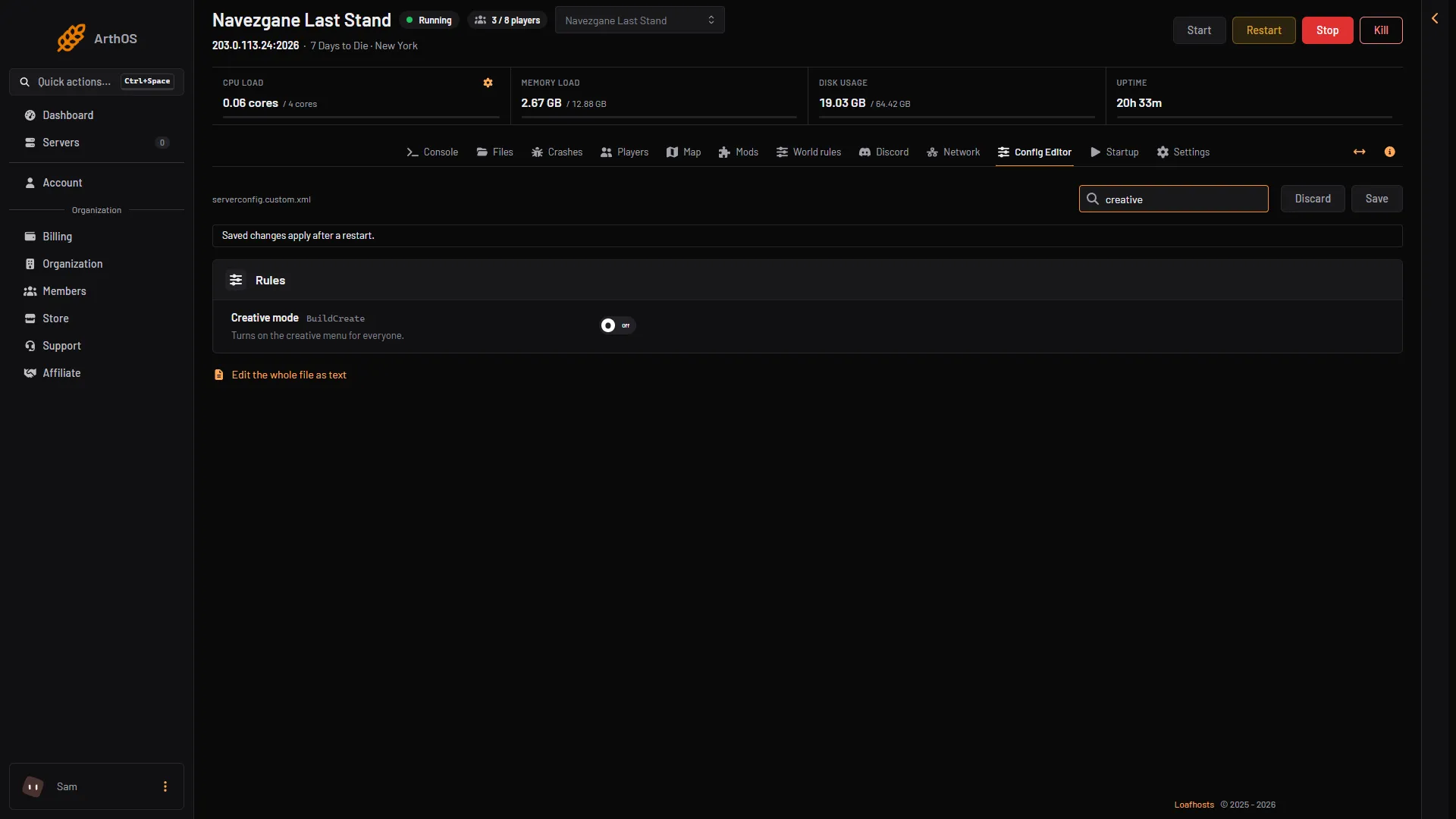
- Creative mode
Search for “creative” in Search… to jump to the row (box 1).
The setting in the file is BuildCreate. The game’s own comment calls it “cheat mode on/off”. Every player gets the menu, so use it on a private or building server.
Which one should you use?
- Only you need to fly or build freely:
dmorcmas admin. - A whole group builds together: Creative mode in the Config Editor.
- Another player needs a boost: use the Players page, see god mode and buffs.
If it does not work
- The console says the command is not allowed. Your admin level is not 0, or the command has been given a higher number in the admin file. Ask the owner to change your level on the Players page.
dmorcmdoes nothing. Check your admin level on the Players page. You must be in the game, on the server, when you type it.F1opens nothing. Click inside the game window first.- Creative mode does nothing after saving. The server reads the setting at start. Restart it.
More about the game: 7 Days to Die servers.
Sources: 7daystodie.wiki.gg: Command Console