









Open the Config Editor, find the row Anti-cheat in the Technical group, switch it, choose Save and restart the server. A new 7 Days to Die server starts with Easy Anti-Cheat (EAC) on. EAC is the game’s anti-cheat.
On or off
- On is the default. Keep it on if you want console players to join with Crossplay. The Crossplay row says it needs anti-cheat on, 8 players at most and no mods.
- Off is for mods that run their own code. The Anti-cheat row says most mods with code need it off. You can tell such a mod on the Mods page: it has the chip Runs code.
Mods that only change the game’s XML files do not run code.
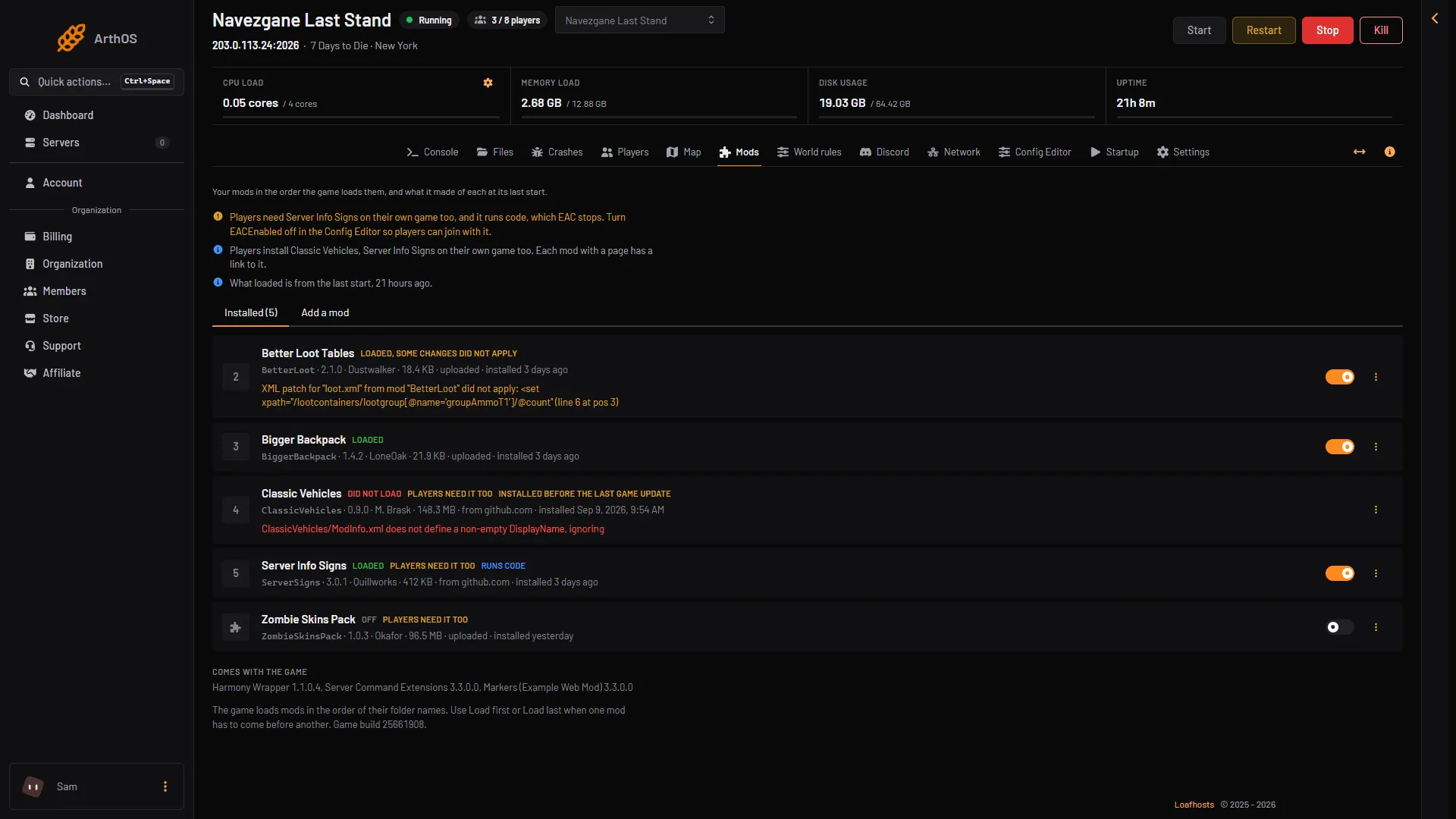
- EAC note
- Runs code
Box 1 is the note the page shows when an installed mod runs code. It says players need the mod on their own game too, and that EAC stops it. Turn Anti-cheat off to let players join with it.
In the panel
- Open the Config Editor page.
- In the Technical group, find Anti-cheat.
- Switch it on or off.
- Choose Save.
- Choose Restart at the top of the server page, or Restart now in the message after saving.
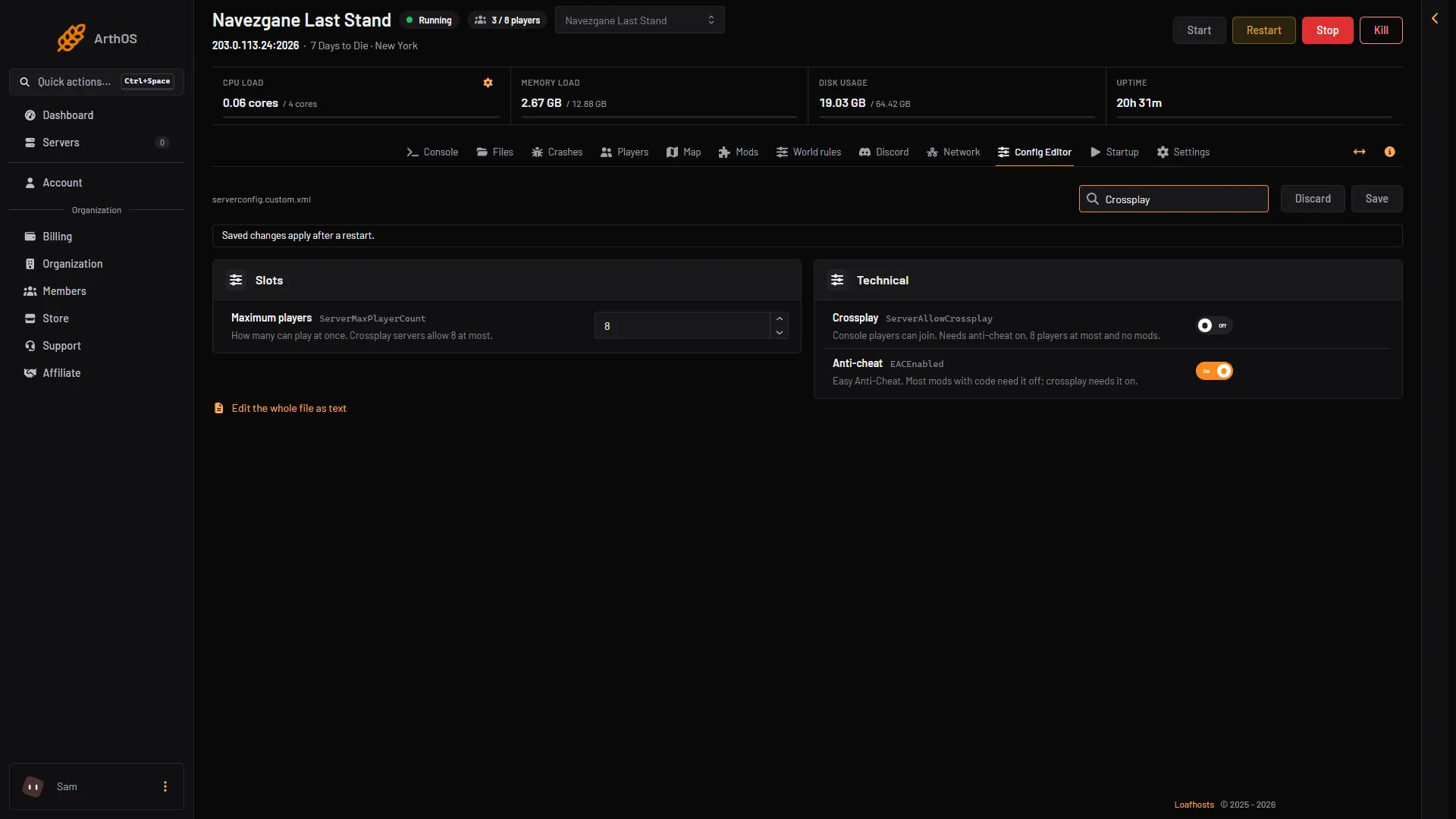
- Anti-cheat
- Crossplay
The page says that saved changes apply after a restart. The setting is read when the server starts.
By hand
The setting is the property EACEnabled in the server’s settings file. The game describes it as “Enables/Disables EasyAntiCheat”.
<property name="EACEnabled" value="true"/>The Loafhosts server starts from its own copy, serverconfig.custom.xml, so change it there, or use the Config Editor.
If it does not work
- Players on consoles cannot find the server. Crossplay needs Anti-cheat on, no mods and 8 players at most. See 7 Days to Die crossplay.
- Players cannot join a server with a code mod. Anti-cheat is on. Turn it off and restart.
- The change did nothing. The server has not restarted since you saved.
Not checked on V3.3.0 as of 19 October 2026: what players without EAC see when they try to join an EAC server.
More about the game: 7 Days to Die servers.