









It depends on what is inside the mod. A mod made only of XML files reaches players by itself when they join. A mod with its own assets or code must be installed on every player’s own game too. A mod with code also needs Easy Anti-Cheat (EAC) off.
The three kinds of mod
- XML only. The mod changes the game’s XML files: items, loot, stack sizes, XP. The server sends these changes to players when they join. Players install nothing.
- Assets. The mod adds interface files, models, pictures or asset bundles. The server does not send these. Every player must put the same mod folder in the
Modsfolder of their own game. - Code. The mod has a
.dllfile. It runs code. Every player needs it too, and Anti-cheat must be off. With it on, players cannot join.
The game’s own three mods (0_TFP_Harmony, TFP_CommandExtensions, Xample_MarkersMod) are not a case to worry about. They come with the game and loaded with Anti-cheat on (measured on a new server).
Players must also run exactly the same game version as the server.
What the Mods page tells you
On the Mods page the chips come from the files in each mod’s folder:
- Players need it too: the folder has interface, resource, texture, picture or asset bundle files.
- Runs code: the folder has a
.dllfile.
A mod with neither chip is XML only. The chips are a guide. The mod’s own page has the last word, so read it before you rely on them.
When a mod needs players to install it, a note at the top of the Mods page names it: players install it on their own game too. Each mod with a page has a small link to it on its row.
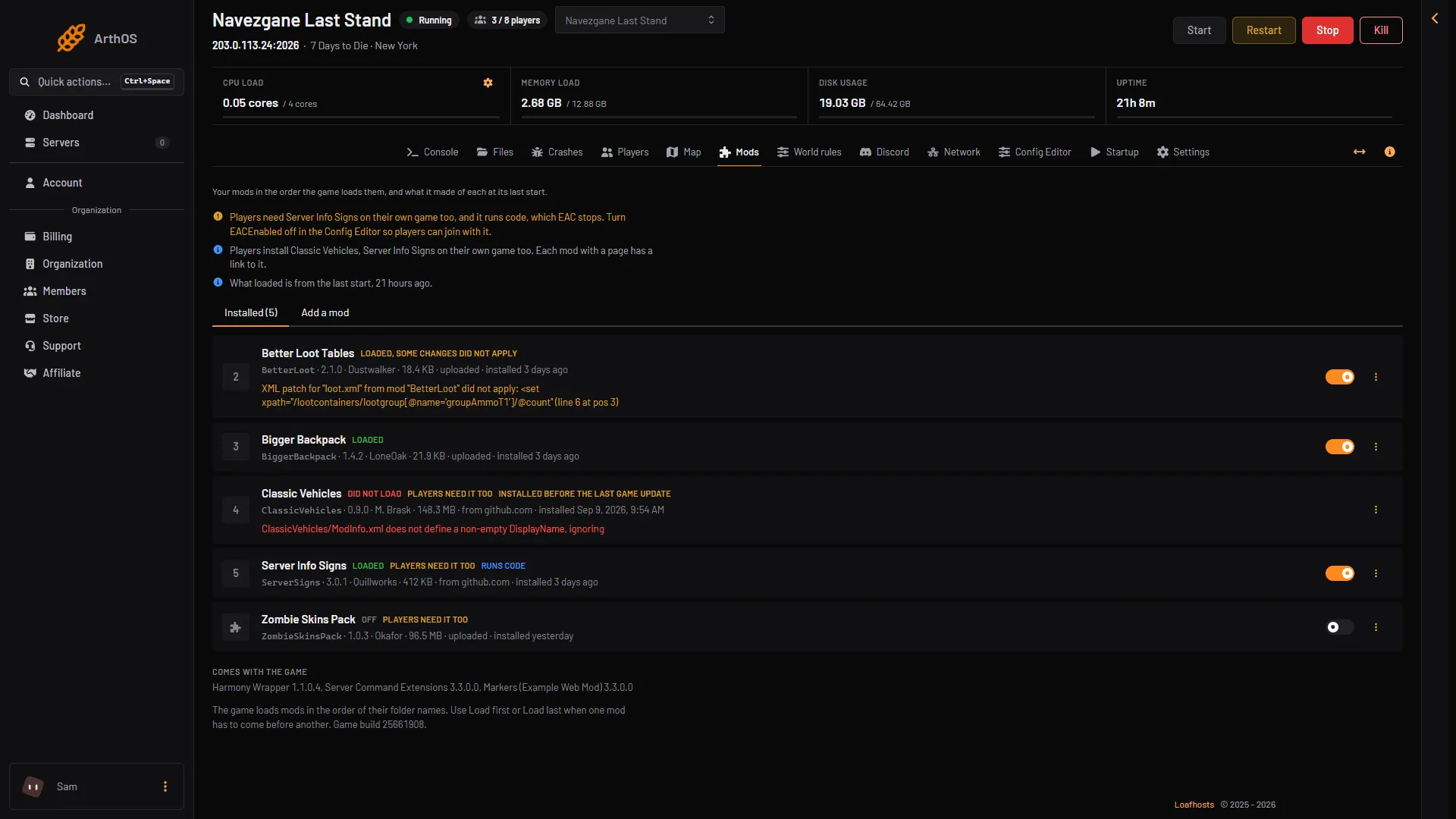
- EAC note
- Players install note
- Players need it too
- Runs code
Code mods and EAC
A mod that runs code, and that players install too, needs EAC off. While EAC is on, the Mods page shows a warning that names such a mod: it runs code, which EAC stops.
To turn EAC off:
- Open the Config Editor.
- In the group Technical, turn off Anti-cheat. In the file this is
EACEnabled, set tofalse. - Save, then restart the server.
Players then join without EAC.
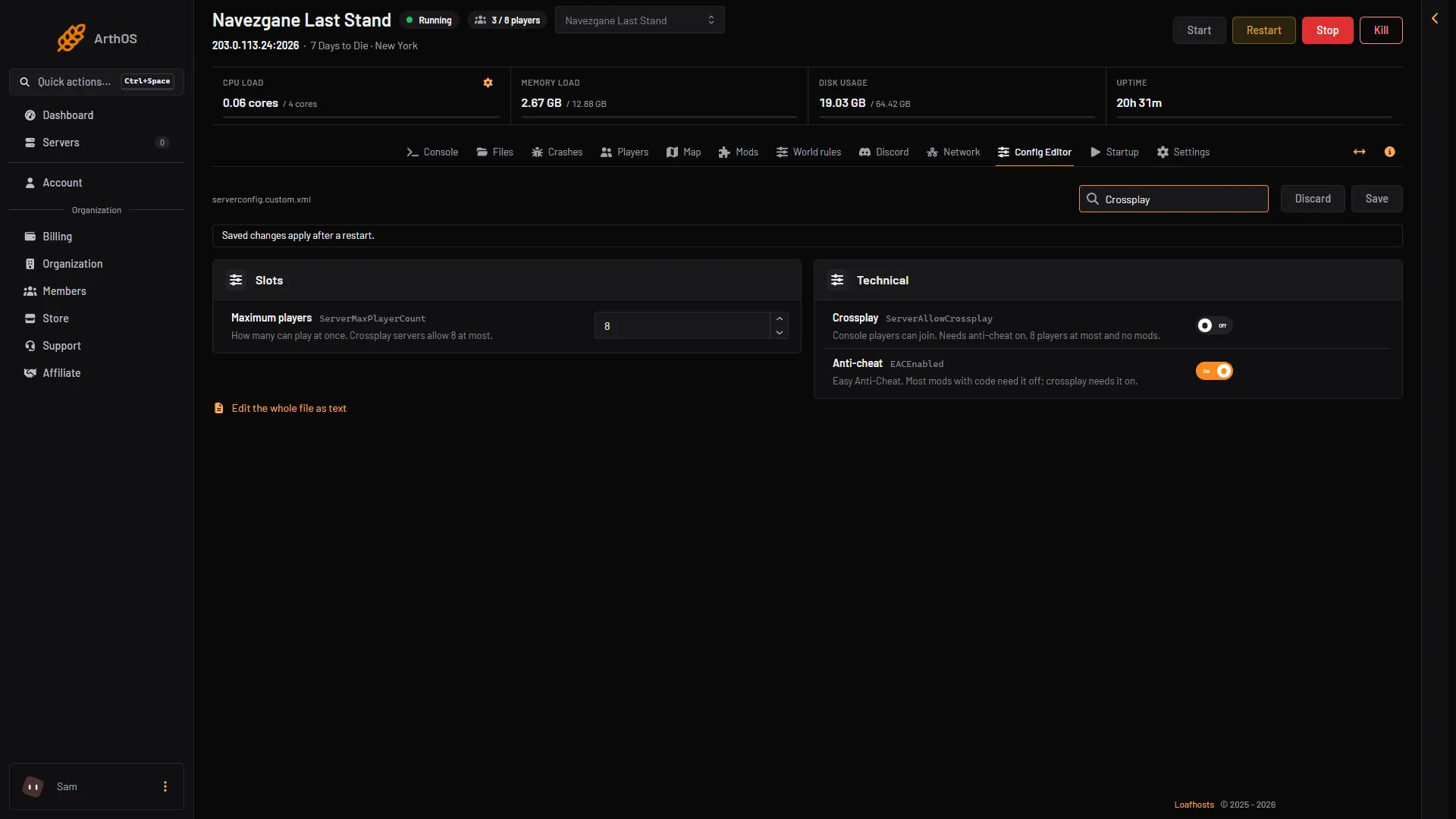
- Crossplay
- Anti-cheat
Crossplay and console players
With Crossplay on, console players can join the server. They cannot join a server that runs mods. The Mods page warns you when crossplay is on and a mod is installed. The install box asks you to tick that you accept this.
Crossplay also needs EAC on, 8 players at most, and no mods. So a modded server and a crossplay server are two different servers.
By hand
Open the folder of the mod on the Files page under Mods. Look for a .dll file, and for folders named Resources, UIAtlases or XUi. A mod with Config and ModInfo.xml only is XML only. Ask players to copy the same mod folder into Mods in their game folder.
Not checked on V3.3.0 as of 19 October 2026: how each mod behaves when only some players have it.
If it does not work
- A player is kicked or cannot join a modded server. They may be missing the mod, have another version of it, or run another game version. Check all three.
- Players cannot join after you installed a code mod. Anti-cheat is on. Turn it off and restart. This is not the cause of Did not load: that comes from the mod’s ModInfo.xml. See mod errors.
- A console player cannot join. Crossplay is on, or the server has mods. A server with mods is not open to consoles.
More about the game: 7 Days to Die servers.
Sources: 7daystodie.wiki.gg: Mod Structure, 7daystodie.wiki.gg: How to Install Modlets