









On the World rules page, open the World card, choose Change world, pick A new random world, type a Seed, choose a Size and a Save name. The server makes the world at its next start. A new server plays Navezgane, the game’s own map, until you change this.
What you choose
- World. Navezgane is the made map. A world generated on your server is listed by name. A new random world makes a new one from a seed. The game also ships worlds that are already made, such as
Pregen06k01andPregen08k02. To use one of those, type its name in the World row of the Config Editor. - Seed. Any words. The same seed and the same size always make the same world. Use letters, digits, spaces,
-and_. - Size. 6144, 8192 or 10240 blocks. This box calls them 6.1 km, 8.2 km and 10.2 km. The Config Editor calls them 6 km, 8 km and 10 km. A bigger world takes longer to make and needs more memory.
- Save name. The name of your save. A new name starts a new save. Use letters, digits, spaces, dots,
-and_.
In the panel
- Open the World rules page.
- In the World card, choose Change world.
- In World, choose A new random world.
- Type a Seed, and choose a Size.
- Type a Save name.
- Choose Use this world.
- Choose Restart at the top of the server page.
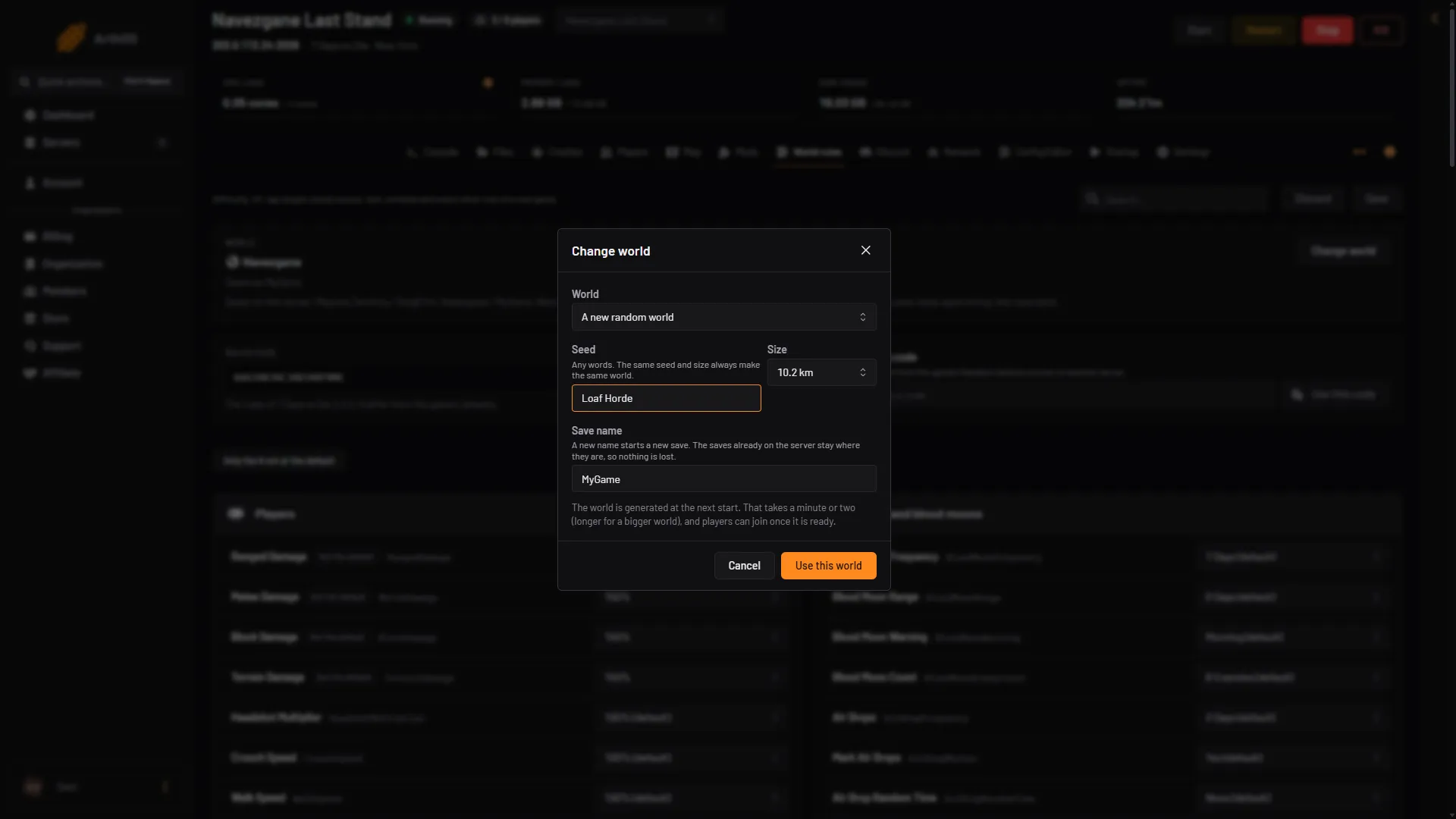
- Pick the world
- Type a seed
- Choose a size
- Name the save
- Use this world
At the next start the server makes the world. That takes a minute or two, and longer for a bigger world. Players can join when it is ready. The world is saved in data/GeneratedWorlds, and the game keeps your save in data/Saves.
The older saves stay on the server. Choose the same world and the same save name again and that save comes back.
In the Config Editor
The same settings are rows in the World group of the Config Editor. Set World to A new generated world (seed and size below). The Change world box does this for you.
- World
- Seed
- Generated world size
- Save name
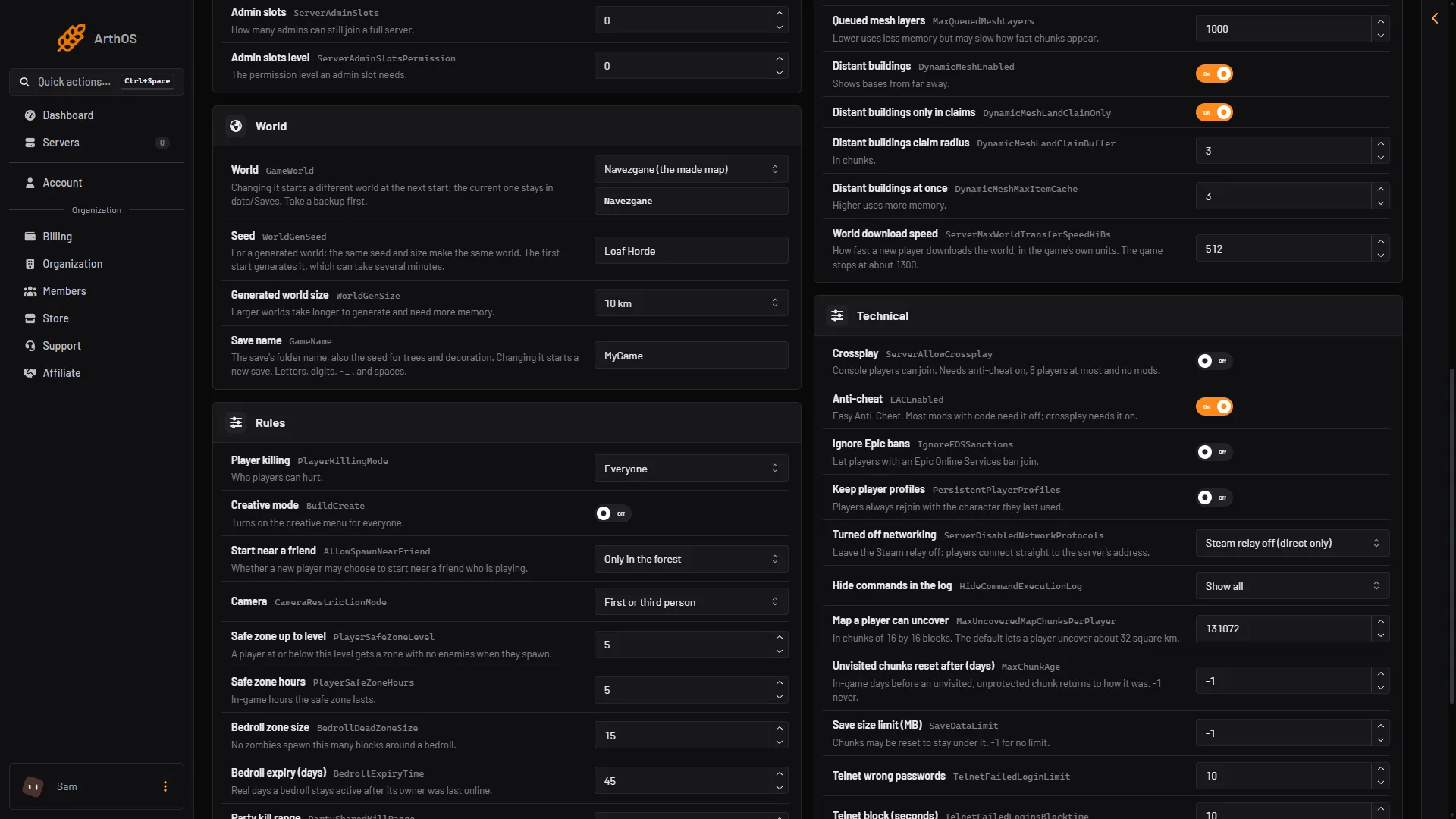
- World
- Seed
- Generated world size
- Save name
Choose Save. The page says that saved changes apply after a restart.
By hand
On a server of your own, these four properties in the settings file decide the world. The comments are the game’s:
GameWorld:RWGmakes a new world from the seed and size below. Or any world that already exists in the Worlds folder, for exampleNavezgane,Pregen06k01orPregen08k02.WorldGenSeed: forRWGthis is the seed. If a world with the resulting name already exists, the game loads it.WorldGenSize: 6144, 8192 or 10240. Officially supported sizes are between 6144 and 10240 and must be a multiple of 2048.GameName: the name of the save. Allowed characters are letters, digits,_,-,.and a space.
<property name="WorldGenSeed" value="MyGame"/>
<property name="WorldGenSize" value="6144"/>
<property name="GameName" value="MyGame"/>
If it does not work
- Nothing changed. The server has not restarted since you saved.
- The server is slow to start. It is making the world. A bigger size takes longer.
- A save name is refused. It has a character the game does not allow. Use letters, digits, spaces, dots,
-and_. - You wanted the old world back. Choose that world and its save name again, then restart.
- The server runs out of memory. Choose a smaller Size.
Not checked on V3.3.0 as of 19 October 2026: how long each size takes to make.
More about the game: 7 Days to Die servers.