









The SandboxCode is one line in a 7 Days to Die server’s settings file. It holds the game rules: difficulty, XP, day length, blood moons, loot and more. It exists from V3.0 on. On Loafhosts you paste a code on the World rules page and the rules apply from the next start.
What the code looks like
The game’s file has the property like this:
<property name="SandboxCode" value="AAAJABJACJADJARFBNC"/>Every code starts with A. After it come groups of three capital letters. Take away the first A and AAJ ABJ ACJ ADJ ARF BNC is left: six groups.
- The first two letters of a group say which rule it is.
AAis the first rule,ABthe second, and so on. - The third letter says which value.
Ais the first value in that rule’s list,Bthe second.
So AAJ means: the first rule, Ranged Damage, set to the tenth value, 150%. This code is the game’s Adventurer difficulty. It raises Ranged, Melee, Block and Terrain Damage to 150%, lowers Incoming Damage to 75% and sets Zombie AI Smell Mode to Jog.
A code only lists rules that are not at the game’s default. When every rule is at its default, the panel writes just A.
You never need to build a code by hand. The World rules page makes it for you. See World rules.
Get a code from the game
The settings file of a new server says: start the new game screen, click the sandbox options button, adjust the options, then use the copy code button. Copy the code from there.
Paste a code on your server
- Open the World rules page.
- Paste the code into Use a code.
- Choose Use this code.
- A box asks “Replace every rule?”. Rules the code does not name go back to the game’s default. Choose Replace the rules.
- Restart the server. After saving, the page says “Saved. The game reads its rules when it starts, so restart the server to use them.” with Restart now. You can also choose Restart at the top of the server page.
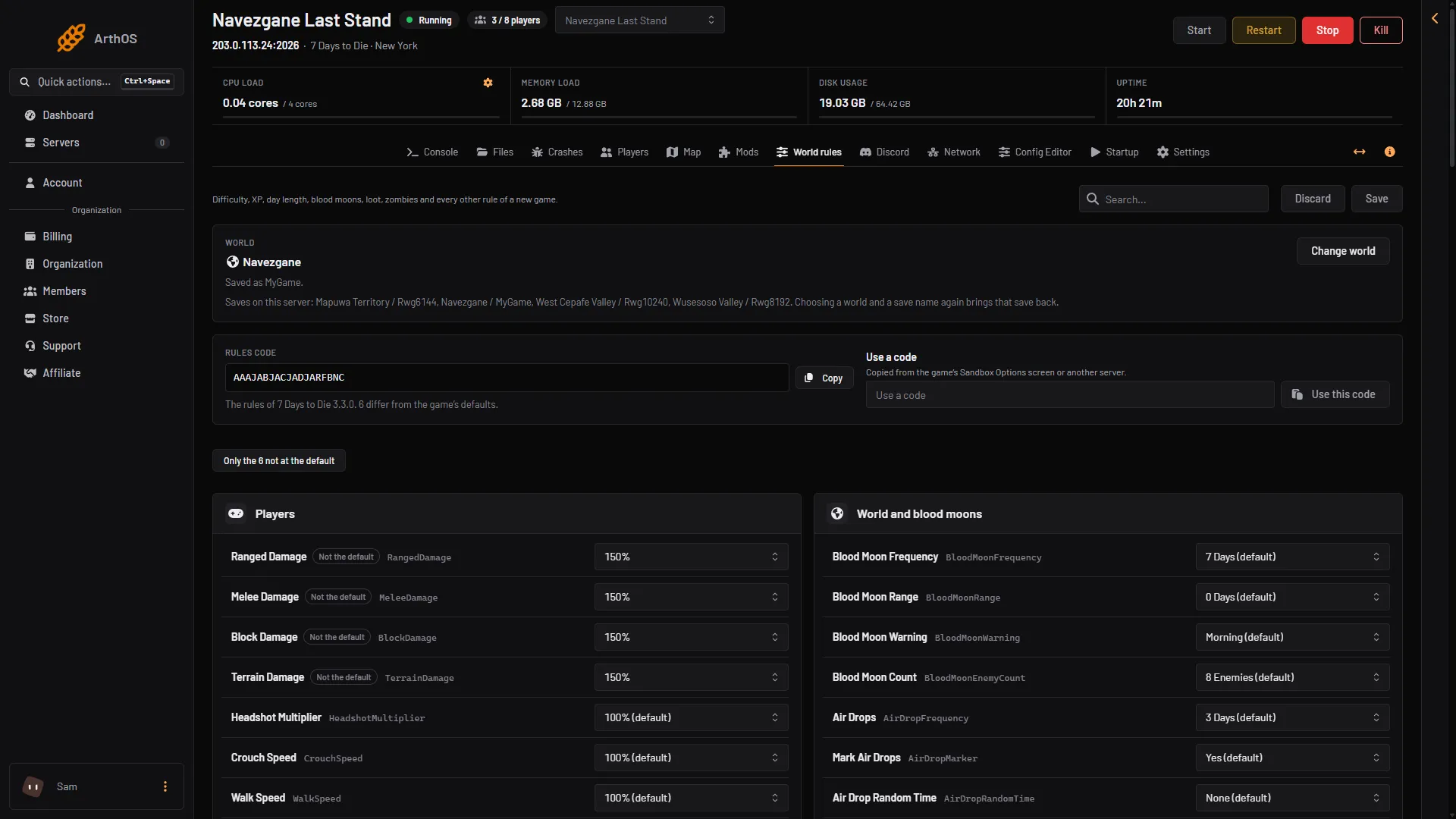
- Rules code
- Copy
- Use a code
- Use this code
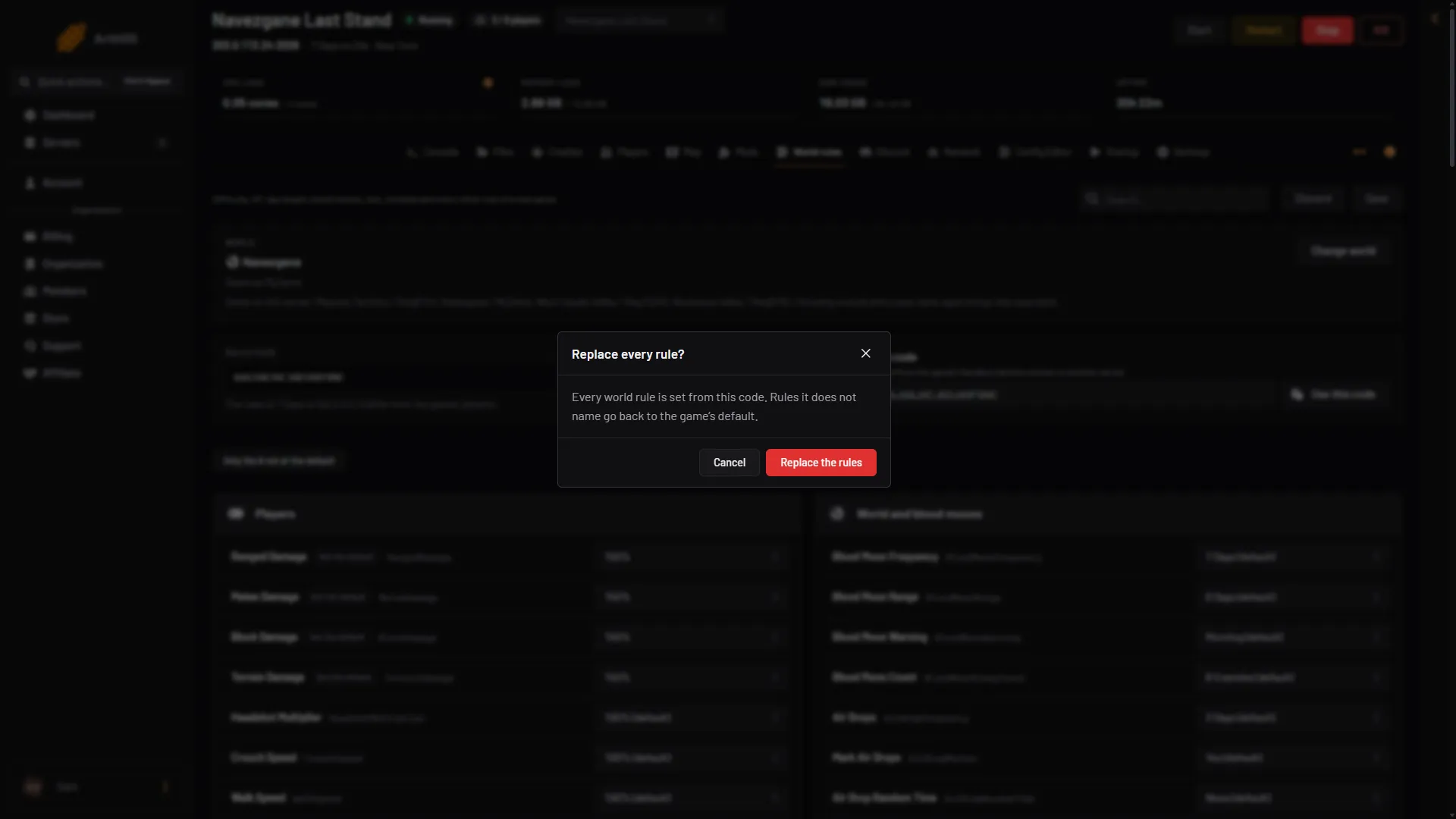
- The question
- Replace the rules
The field accepts capital letters only. Spaces and other characters are removed as you paste.
After the code is saved, choose Only the N not at the default and read the list. These are the rules you are about to play with.
Copy your server’s code to share
Rules code at the top of the page (box 1 in the first picture) shows the code of your server. Choose Copy (box 2). Paste it to a friend, or into another of your servers with Use a code. Keep a copy before you replace your rules.
A code from another version
Rule numbers can change when the game updates. For example, V3.3 added 15 rules in the middle of the list. A code made for another version may not read, or may set different rules than it did there. The panel checks every code against the V3.3.0 list and refuses one it cannot read. It says why, for example that the code names a rule V3.3.0 does not have. Make a new code in a game of the same version as your server.
Change rules in a running world
The code is read when the server starts. Change the code and restart.
To see which rules the running world uses, type getsandboxoptions on the Console page. The game’s help says: “Shows the currently loaded game’s Sandbox Options. By default only shows those that have non-default values, but can show all options by specifying the optional argument with “true”.” Its usage is getsandboxoptions [show all].
If it does not work
- “A world rules code starts with A.” The text you pasted is not a code. Copy it again from the game or from the Rules code box of another server.
- “A world rules code is A followed by groups of three letters.” The code is cut short. Paste the whole code.
- The panel says it names a rule that V3.3.0 does not have. The code is from another version. Make a new one.
- The rules did not change in game. The server was not restarted after the code was saved.
- Everything else changed too. Use this code replaces every rule. Rules the code does not name go back to the default.
More about the game: 7 Days to Die servers.
Sources: 7daystodie.wiki.gg: Game Settings