
















To join, open the Arma 3 Launcher, go to Servers, choose Direct Connect, and type the server’s address. You can also find the server by its name. If the server has a join password, type it when asked.
What you need first
- Arma 3 on Steam. Anyone who joins must own the game.
- The same version of the game as the server (the stable game or a test version). If the server runs the stable game, you run the stable game. Owners read the version as Game version on the Crashes tab.
- The same mods. The server owner can give you a preset file (a small file that lists mods) that loads exactly the server’s mods.
- Any expansion or Creator DLC the mission’s world needs.
- The address, and the join password if there is one.
Join step by step
- Ask the server owner for the address, or find it yourself: owners see it on the Players page, in the Joining band (1). See find your server address.
- If the owner sent a preset file, drag it onto the Arma 3 Launcher. It loads the server’s mods.
- In the Arma 3 Launcher, go to Servers, then Direct Connect, and type the address. The address is the IP and the game port, for example
203.0.113.24:2700. - Or search the server list for the server’s name and join from there.
- Type the join password when the game asks.
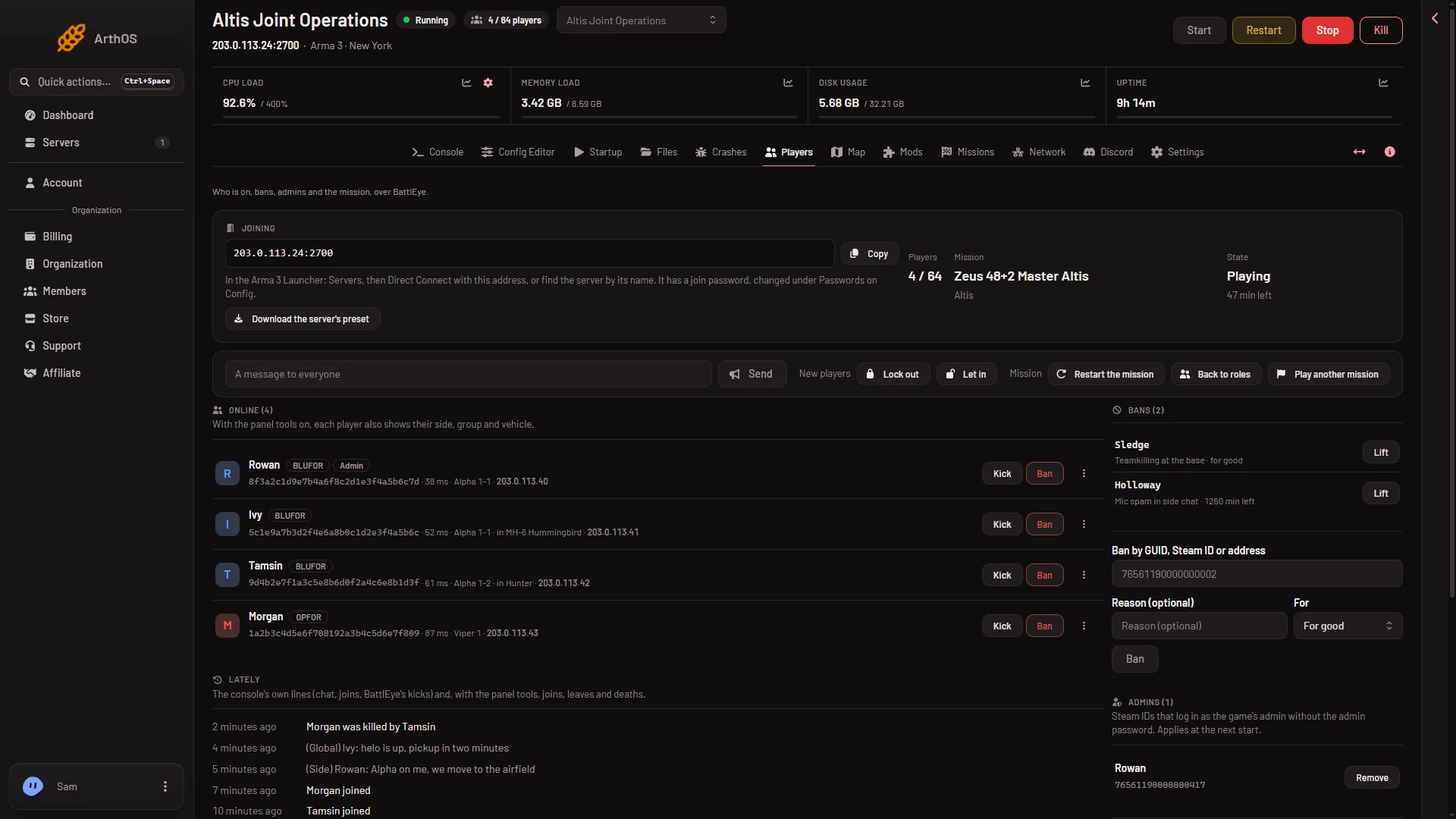
- Copy the address
- How to join and the join password
The panel’s own line on that band tells players what to do: “In the Arma 3 Launcher: Servers, then Direct Connect with this address, or find the server by its name.” If there is a join password it adds: “It has a join password, changed under Passwords on Config.” (the Config Editor tab).
Direct Connect works even when the server is not in the list. The server list needs the Steam query port. A server can be missing from the list and you can still join it with Direct Connect.
If it does not work
- The password is refused. Ask the owner for the current one. Owners change it under Passwords in the Config Editor, and it applies at the next start of the server.
- You are kicked for a wrong signature. Signatures are the checks that your mod files match the server’s. Your mods differ from the server’s. Update them in the Launcher, or load the owner’s preset.
- You are kicked with “Client not responding”. This is a connection problem between you and the server. Tell the owner: the packet size is set in
basic.cfg, and the panel advises 1300 or less. It was not measured with players. - The server is not in the list. Use Direct Connect.
- Nothing connects. The server may be stopped or still starting. Owners can read this on the Players page, which says “The server is stopped.” or “The server is starting.”. The server is ready at the line
Host identity created.in the Console tab. ManyBattlEye Server: RCon admin #0 (...) logged inlines there are normal.
More about the game on Loafhosts: Arma 3 servers.
Sources: Bohemia wiki: Dedicated Server