
















A kick removes a player from your Arma 3 server. It is not a ban: the player can join again at once. Use it to clear a slot or to give a warning. For a player who must stay out, use a ban.
Your server must be running with BattlEye on. The panel sends the kick through BattlEye, the game’s anti-cheat. See the Arma 3 servers page for how the server is set up.
Kick a player
- Open the Players tab.
- In Online, find the player. See who is online if you need help reading the row.
- Choose Kick on their row.
- A box titled with Kick and the player’s name opens. It says: “They can join again at once.”
- Type a reason in Reason (optional) (1) if you want one. It can hold at most 120 characters.
- Choose Kick (2) in the box to confirm.
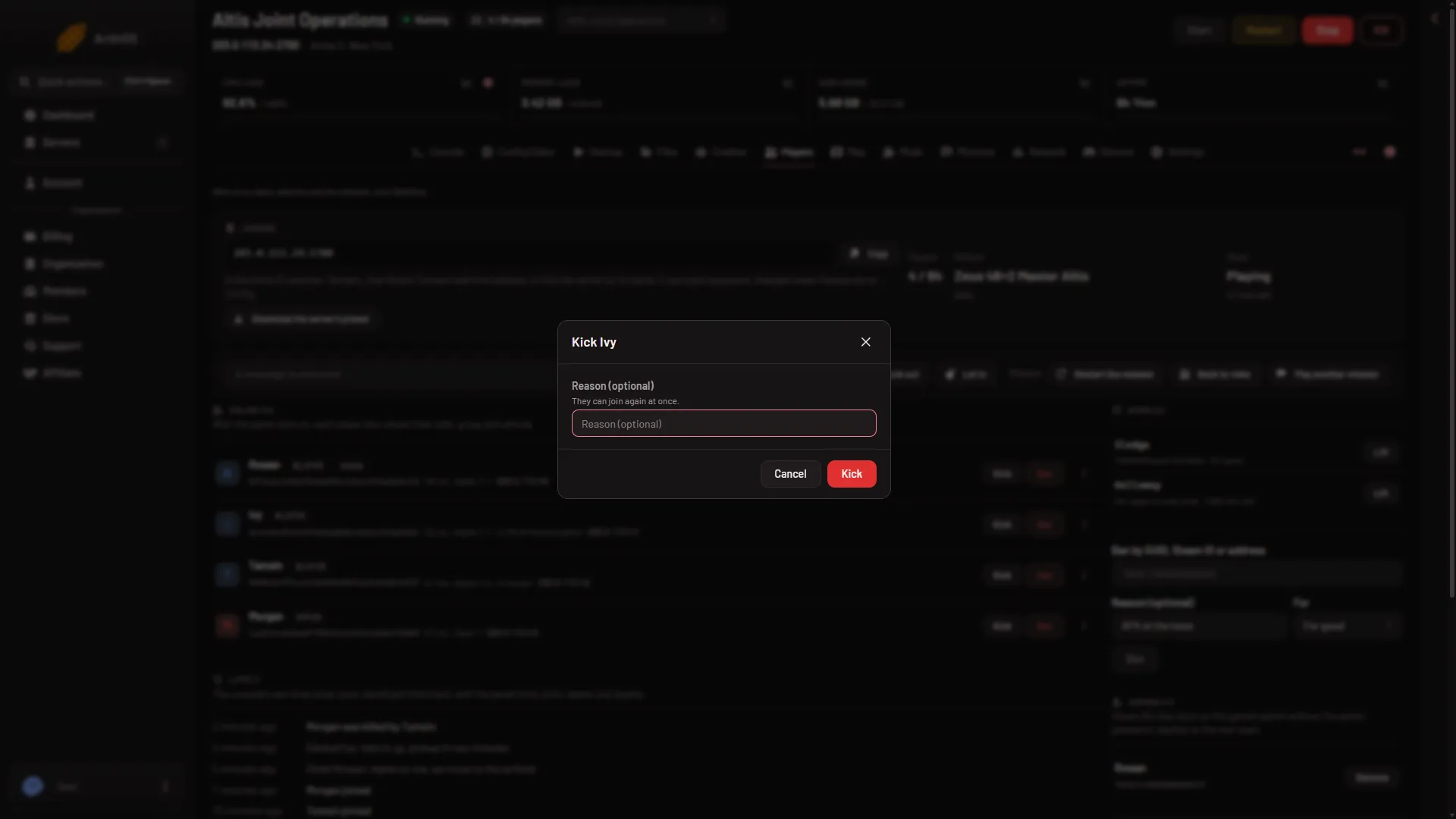
- Reason (optional)
- Confirm the kick
If you leave the reason empty, the panel sends “Kicked by an admin”.
The panel then shows a line such as “Kicked (name)”. Sometimes it shows “Kick sent to (name); they still show as connected”. That means the command went out but the list has not changed yet. The list refreshes every 10 seconds while the server runs.
Good to know
- The kick uses the player’s number and GUID. If the player has already left and another player took their number, the panel answers that the player is no longer on the server. Nobody wrong is kicked.
- You cannot kick someone who is still joining. The buttons stay off until BattlEye has their GUID.
- There is a speed limit. The panel allows 30 actions a minute on one server. For a large clean-up, wait a few seconds between batches.
- Your role must allow it. If Kick is missing, your role may not allow moderating players.
If it does not work
- The page says the server is not running, still starting, or BattlEye is off. Try again when the server is up and BattlEye is on.
- BattlEye refused the panel’s RCon password. The password was changed while the server ran. Restart the server so the game uses the new one. A restart disconnects everyone who is on, so choose a quiet moment and send A message to everyone from the Players page first.
- The player comes straight back. That is how a kick works. Use a ban to keep them out.
Sources: Bohemia wiki: BattlEye