
















The message of the day is a list of lines that the server shows to players after they join, one after another. Set it in the Config Editor, on the Server card of server.cfg. Write the lines inside braces, each in quotes and separated by commas, then set the seconds between messages.
The change applies at the next start. More about the game: Arma 3 servers.
In the panel
-
Open the Config Editor and choose
server.cfgunder Settings files. -
On the Server card, find Messages of the day (1).
-
Write the list on one line, in the form the game reads:
{"Welcome to the server", "Rules: be kind", "Discord: example.com/join"} -
In Seconds between messages, enter a whole number from 1 to 600. The help says it is “How long each message of the day shows before the next.”
-
Choose Save. If the server is running, the page says “Saved. Restart the server to apply the changes.” Choose Restart now, or restart later. If it is stopped, the page says “Saved. The changes apply when the server starts.”
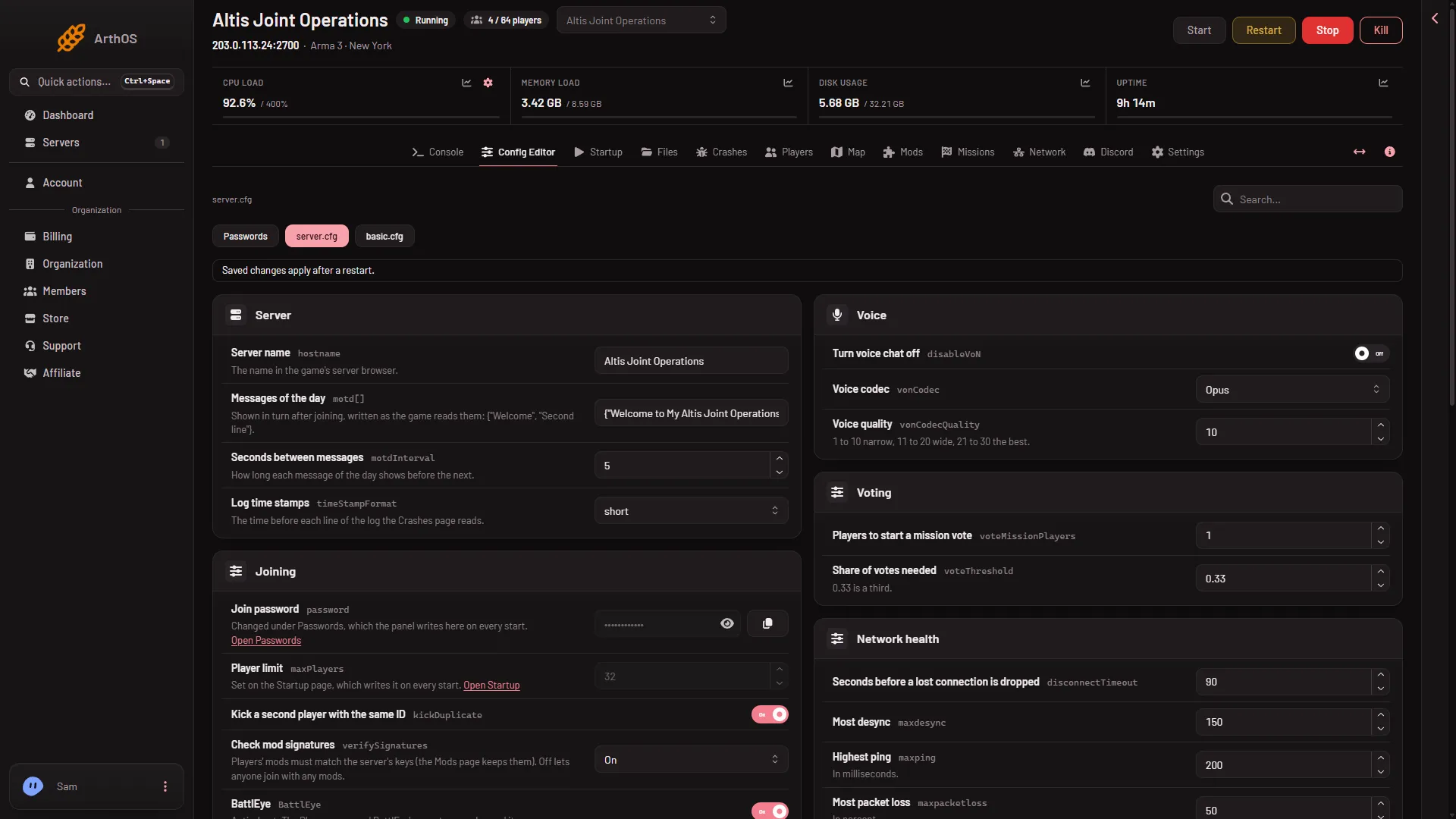
- Messages of the day
The format
- The whole list is inside
{and}. - Each message is inside double quotes.
- Messages are separated by commas.
- Write the list on one line. A line break between the items is turned into a space when you save. You do not need one: each message in the list is its own line.
The panel refuses a value that has no braces, or whose braces do not close. A value such as "no braces" is not saved.
The editor stores the list on one line, such as {"One", "Two"}, even if you type spaces between the items. When you save a change, only the settings you changed are written. The rest of server.cfg stays as it was.
What a new server starts with
The server.cfg a new server starts with holds three sample lines, a welcome and two lines of example contact details, with an interval of 5 seconds. Replace them with your own, or the sample text will be shown to your players.
By hand
- Open Files and then
server.cfg. - Find the
motd[]line. In the file a new server starts with, it spans several lines:
motd[] = {
    "Welcome to my server",
    "Rules: be kind"
};
motdInterval = 5;- Edit the texts, and keep the braces, quotes, commas and the semicolon.
- Save and restart the server. The game reads the file once at the start.
Check the quotes and the closing }; before you save.
If it does not work
- Save is refused. The list has no braces, or one is not closed. Check the quotes and braces. A line break inside a message is also refused.
- The old message still shows. The server was not restarted since you saved.
- Seconds between messages is refused. It must be a whole number from 1 to 600.
Sources: Bohemia wiki: Server Config File