






To let Xbox and PlayStation players join, check that Crossplay with consoles is on in the Config Editor, save, and restart the server. Console players then find the server by searching for its name in the server browser. PC players are not affected.
Bohemia’s default is off. A new Loafhosts server starts with crossplay on, so check it is still on. If you turned it off, or your server has an older config.json, switch it on.
In the ArthOS panel
- Open your server and choose the Config Editor tab.
- In the Server group, find Crossplay with consoles and make sure it is on (1). Its help text reads “Let Xbox and PlayStation players join.”
- In the same group, make sure Show in the server browser is on. Console players find a server by name, so a hidden server cannot be found by them.
- Press Save (2). The banner at the top of the page says “Saved changes apply after a restart.”
- Restart the server. The game reads its settings only when it starts. A restart drops every player, so pick a quiet moment. See restart the server.
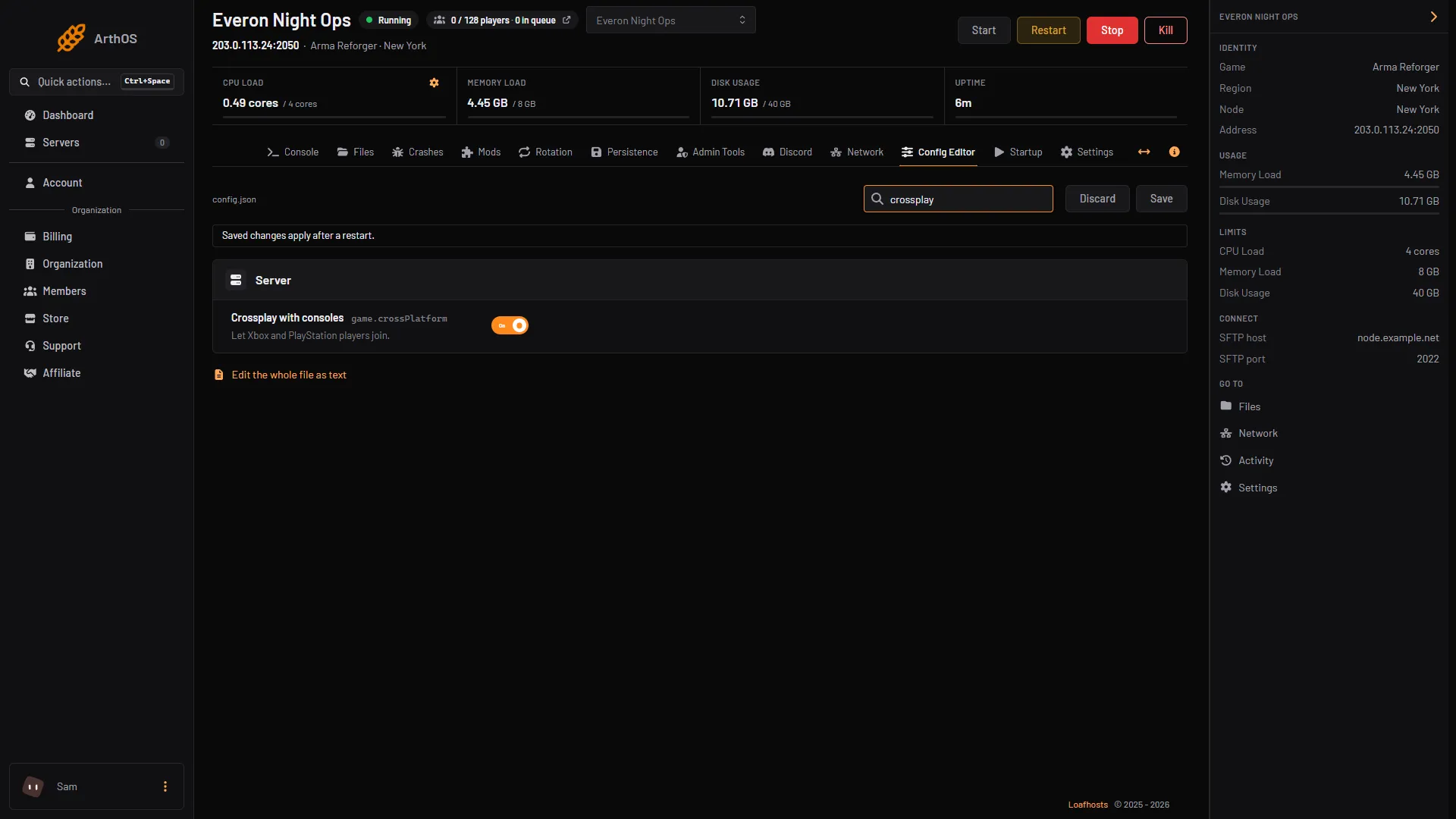
- Crossplay with consoles
- Save
What Bohemia says it does
In config.json the setting is game.crossPlatform. Bohemia describes it as a yes or no value that is false by default, and says that when it is true the server accepts all platforms. That means PC, Xbox and PlayStation. With false, the server accepts PC only.
Use only crossPlatform; leave supportedPlatforms out.
BattlEye is a separate setting. See BattlEye on your Reforger server.
How console players find your server
Players on console search for the server name in the server browser, like everyone else. Give the server a name that is easy to type. See change the server name. The full join steps are in connect to an Arma Reforger server.
Mods and console storage
A console player downloads the server’s mods before joining. Bohemia limits console mod storage to 25 GB on PlayStation 5 and 50 GB on Xbox, and downloads run at about 3 MB/s (25 Mbps). A long mod list can be too big for a console.
The server itself runs any mod. A mod’s Workshop page does not say whether it works on console. Keep the list short on a crossplay server, and ask a console player to try after each change. More in mods on console.
By hand
Edit config.json and set crossPlatform inside game. Leave supportedPlatforms out.
"game": {
    "crossPlatform": true
}
Keep the other game settings as they are. Restart afterwards.
If it does not work
- A console player cannot see the server. Check Crossplay with consoles is on and that you restarted after saving. Check Show in the server browser is on. Then follow server not showing in the browser.
- The join stops while downloading mods. The console may be out of mod storage. Remove mods you do not need.
- A console player is missing a mod effect. The mod may not work on console. Not checked per mod on 1.8 as of 12 October 2026.
Running on Loafhosts? See Arma Reforger servers.
Sources: Bohemia wiki: Server Config, Bohemia wiki: Server Hosting, reforger.armaplatform.com: Workshop