






Console players on a modded server download every mod on its list, the same as PC players. The difference is limits: a console has little storage for mods and a slow download. Keep the mod list small and tell console players what to expect. There is no list of console-safe mods. A mod page does not say whether it works on console, so test each change with a console player.
The limits Bohemia sets
From Bohemia’s Workshop page:
- Storage: 25 GB for mods on PlayStation 5 and 50 GB on Xbox. Xbox was 25 GB until game version 1.7.0.
- Download speed: limited to about 25 Mbps, which is about 3.125 MB/s.
- Location: a console player cannot change where mods are stored.
At 3.125 MB/s, a 10 GB mod list takes about 53 minutes to download. A player joins a modded server by downloading the mods the server requires, so a big list is a long wait before the first match. The mods count against the player’s total, along with any other mods they keep.
Bohemia also says removed mods are deleted on a player’s system when it synchronises. A player can free space by deleting a mod in the game’s Workshop, using the Delete button in the mod’s details.
What your server does
The server runs any mod on its list. A mod’s Workshop page does not say whether it works on console, so the panel cannot tell you either. Test with a console player after every change to the list.
In the ArthOS panel
- Open Mods, then On this server. The header above the list shows how many mods you have and how much there is to download. Not checked on 1.8 as of 12 October 2026: whether that size includes dependencies.
- Use that size as your budget. Keep it well under 25 GB if PlayStation 5 players use your server. Remember that mods also have dependencies that count toward the total, see dependency errors.
- Remove mods you do not need. See remove a mod.
- Restart the server to apply the change.
The Mods are required setting
In Config Editor, under Gameplay, the Mods are required switch decides what happens when a mod cannot be downloaded. The panel’s help text reads: “A mod that cannot be downloaded stops the server starting. Off, it is skipped with a warning instead.”
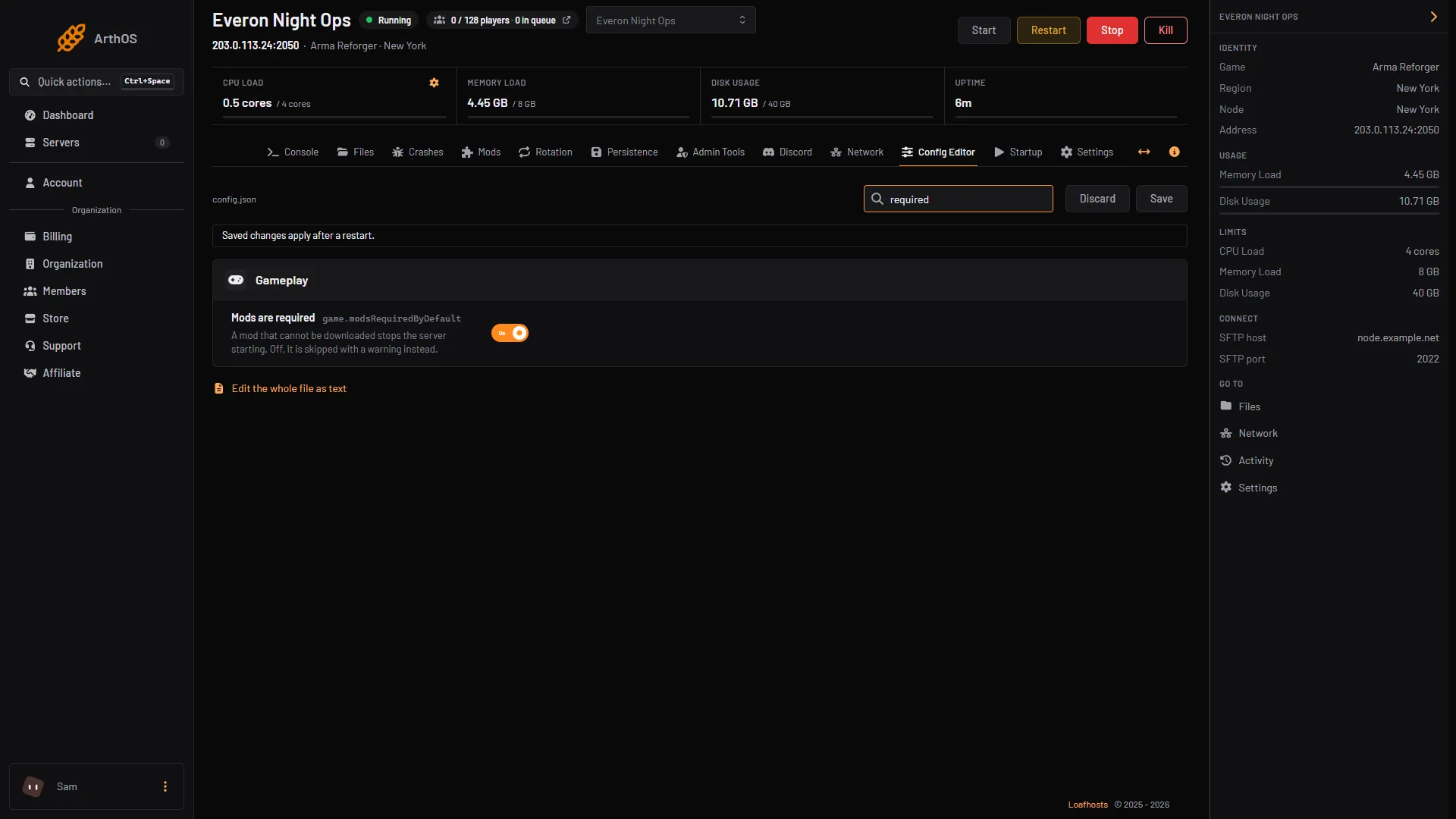
- Mods are required
This is the modsRequiredByDefault key under game in config.json. Bohemia says it sets the default of each mod’s required key. The Server Config page describes the mods list as the mods required by the client, downloaded and activated when a player joins.
Leave Mods are required on for a normal server. If you turn it off, a mod that fails to download is dropped, the server starts without it, and players may see a different game from the one you meant. Turning it off does not make a mod easier to run on console.
By hand
Set it in config.json:
{
  "game": {
    "modsRequiredByDefault": true
  }
}
A single mod can differ by setting "required": false on its entry in game.mods. Save and restart.
Keep the list small
- Remove mods nobody uses.
- Prefer one big mod to many small ones that do the same thing.
- Write the download size in your Discord, so console players know before they join.
- Check the total again after every update. Mods grow.
- Lock versions you have tested, see lock mod versions.
Crossplay has more to know. See crossplay for Xbox and PlayStation.
If it does not work
- A console player cannot join, or the download never ends. Their storage may be full, or the list is too big. They can delete other mods, or you can shorten the list.
- PC works but console does not. One mod may not run on console. Try the server with fewer mods and add them back one by one. The Troubleshoot tab on Mods helps with the server side, see find the mod that stops your server.
Sources: Bohemia wiki: Workshop, Bohemia wiki: Server Config