




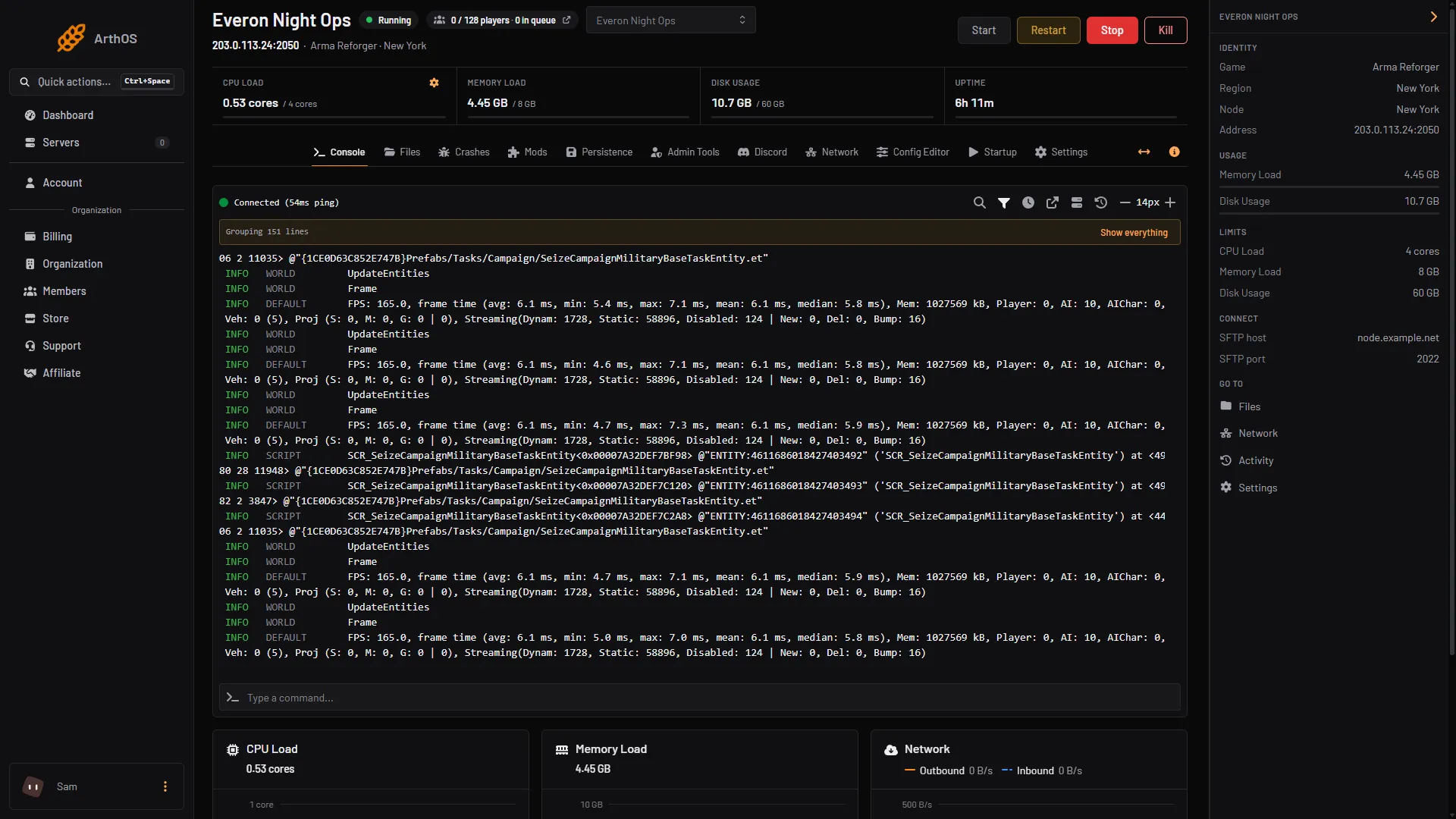
To restart an Arma Reforger server, press Restart on the Console tab and confirm. The server shuts down and starts again, and everyone connected is disconnected and can rejoin once it is back. To restart at the same time every day, use a schedule.
Restart now
- Open your server and stay on the Console tab.
- Press Restart (1). The panel asks “Restart this server?”
- Confirm. Hold shift while you click to skip the question next time.
- Watch the log. The server is back when it prints
Entered online game state.
- Restart
- Stop
- Kill
The four buttons do different things:
- Start starts a stopped server.
- Restart shuts it down and starts it again.
- Stop shuts it down and leaves it off until someone starts it.
- Kill ends the process at once, without letting the server save first. Anything written since the last save is lost. Use it only on a server that no longer responds.
A restart is also how you apply a change in the Config Editor. While the server runs, the editor shows “Saved changes apply after a restart.”
Restart on a schedule
A schedule is a timer plus the steps to run. This one restarts the server every day.
- Open the Settings tab, then the Schedules tab inside it (1). The page shows how many schedules you have used out of your maximum.
- Press Create Schedule (2). Set Schedule Name to something like
Daily restartand leave Enabled on.
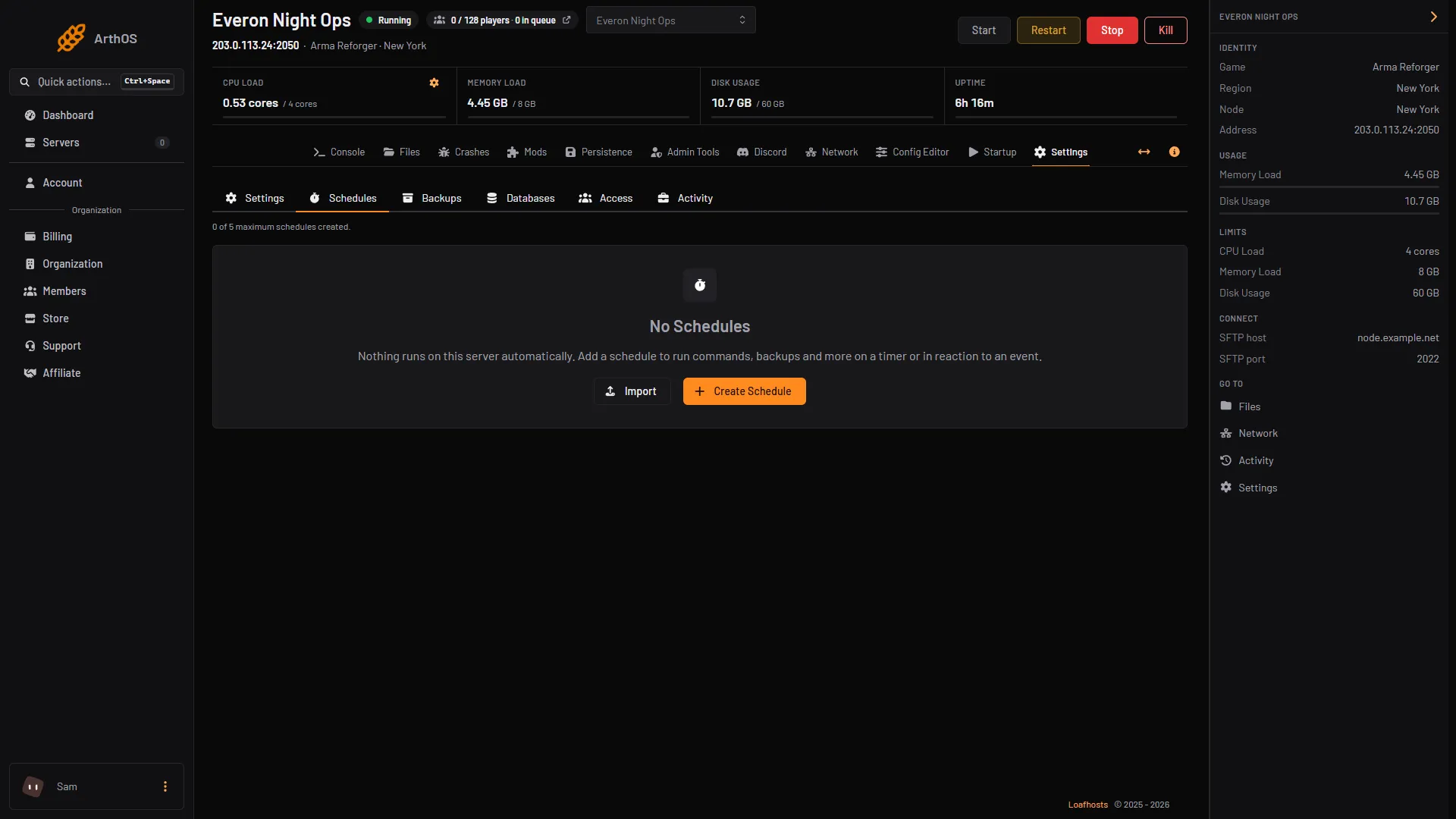
- Schedules tab
- Create Schedule
- In Triggers, choose Time Interval (Cron) (1). Set Runs (2) to Daily and At (3) to the time you want. The dialog shows the server timezone under the time, for example America/New_York. Check it before you save, and change it on the Timezone card of the Settings tab if it is not yours.
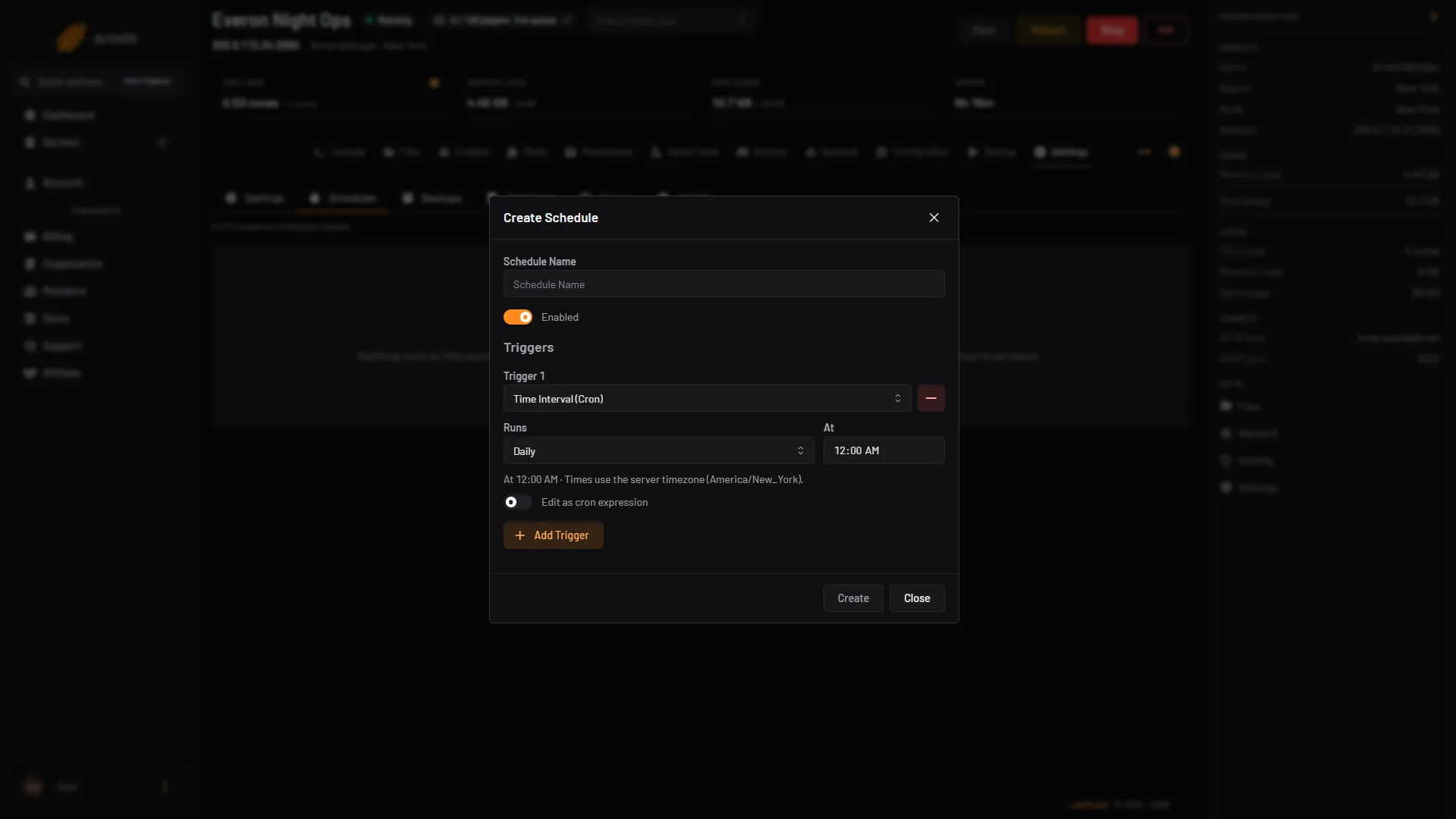
- Time Interval (Cron) trigger
- Runs
- At
- Create
- Press Create (4), then open the schedule.
- On the Actions tab, press Create First Step. Set Action Type to Send Power Signal and Power Action to Restart, then save. Without a step the schedule does nothing.
Press Run Now on the schedule once to test it. Choose a quiet hour, because everyone is disconnected when it runs.
Warn players first
A scheduled restart does not warn players by itself. With the Server Admin Tools mod on the server, the Admin Tools tab has a System messages card that posts a chat message at set times: for a 04:00 restart, add “Restart in 5 minutes” at 03:55. That card’s times are UTC unless you turn off Times are UTC, while the schedule uses the server timezone, so convert one to the other. Messages apply at the next restart.
Advanced: other ways to restart
- Hang recovery. On the Settings tab, the Hang recovery card restarts the server when it is still running but stuck, such as after a match ends without the server closing. It is for stuck servers, not for routine restarts.
- In game. An admin who has typed
#logincan use#restart, which restarts the running scenario and keeps the players connected.#shutdownshuts the server down and disconnects everyone. Neither one restarts the whole server process the way the panel button does.
What a restart does
If you use persistence, check your save settings before a restart. See persistence and save games.
When the server starts, the game downloads any mod version on its list that it does not have yet, so a restart can pull new mod versions. Lock a version on the Mods page to stop that.
If it does not work
- The Restart button is greyed out. The server is suspended or transferring, or the page is not connected to the console yet. If the button is missing, your role does not allow restarts.
- It does not come back. Read the log. A
config.jsonerror or a mod that failed to download stops it. See find the mod that stops your server. - The schedule did not run. Check it is Enabled, and that the time is in the server timezone, not yours.
- It will not restart at all. Press Kill, then Start. Kill skips the save, so use it only when Stop does nothing.
Sources: Bohemia wiki: Server Management, Bohemia wiki: Server Hosting