






To change the scenario, pick a new one in the Scenario row of the Config Editor, save, and restart the server. The scenario is the mission and map the server runs, such as Conflict on Everon. The game reads it only at start.
In the ArthOS panel
- Open your server and choose the Config Editor tab.
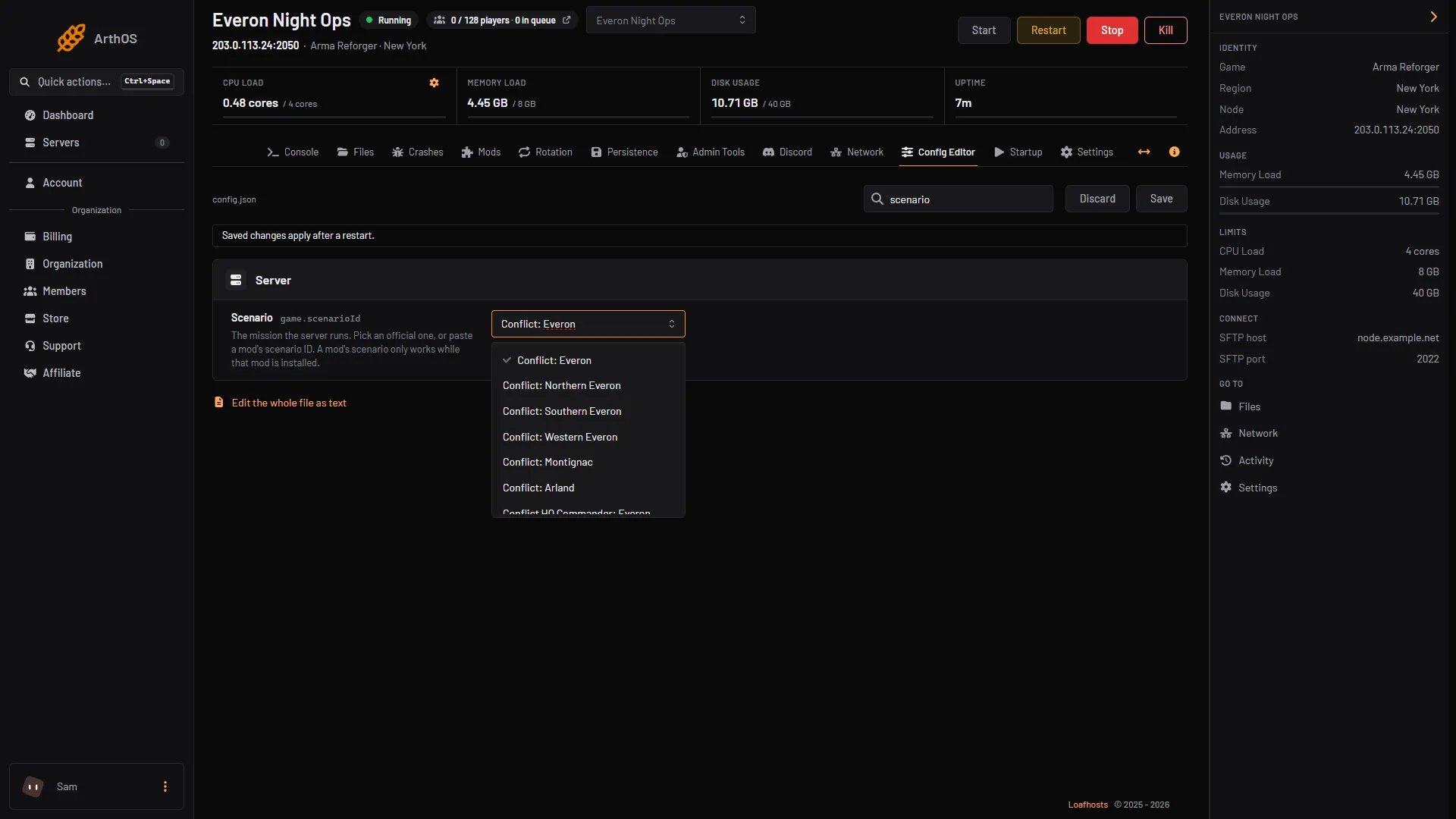
- In the Server group, click the Scenario row (1). The help text reads “The mission the server runs. Pick an official one, or paste a mod’s scenario ID.”
- Pick a name from the list (2), such as Conflict: Everon, Game Master: Arland or Combat Ops: Everon. The list holds 23 official scenarios: Conflict, Conflict HQ Commander, Game Master, Combat Ops and the Capture and Hold maps. It scrolls, so keep going past the first few.
- Press Save. The banner says “Saved changes apply after a restart.”
- Restart the server. A restart drops every player, so warn them first. See restart the server.
- Scenario row
- Pick a scenario
Behind the row is the game.scenarioId setting. Its value looks like {ECC61978EDCC2B5A}Missions/23_Campaign.conf. The full table of IDs is in Arma Reforger scenario IDs.
A save belongs to its scenario
Arma Reforger keeps saves for each scenario separately. Change the scenario and the new one starts fresh, because it has no save yet. Switch back and the old save is found again, while it is still kept. Bohemia says a session begins at the first launch of a mission and ends when the game mode concludes.
A modded scenario needs its mod
The Scenario row’s help text says it plainly: a mod’s scenario only works while that mod is installed. Add the mod in the Mods tab first, then paste the scenario ID into the row. See modded scenarios.
Several scenarios in turn
Bohemia’s server config page says the game itself does not rotate missions, so the server has one scenario at a time. The panel has a Rotation tab that plays a list of scenarios one after another by changing the setting and restarting for you. See scenario rotation.
By hand
- Stop the server first.
- Open
config.jsonand setscenarioIdinsidegame:
"game": {
    "scenarioId": "{ECC61978EDCC2B5A}Missions/23_Campaign.conf"
}- Save the file and start the server. Copy the ID exactly, with the braces and the
.conf.
For Game Master, see run a Game Master server.
If it does not work
- The server still runs the old scenario. The change applies at the next start. Restart it.
- The server will not start after the change. The ID has a typo, or it belongs to a mod that is not installed. Put the old ID back, or install the mod. Look in the Crashes tab for the error.
- The world is empty. The new scenario has no save. That is normal, see above.
Sources: Bohemia wiki: Server Config, Bohemia wiki: Persistence System