
















The description and tags are in the Server list group of the Config Editor. Change Description or Tags, save, and a running server takes them at once. You do not need to restart.
Change them
- Open the Config Editor tab.
- Choose the source Server settings.
- Open the group Server list. It holds Description, Tags, Listed publicly and Shown on the local network.
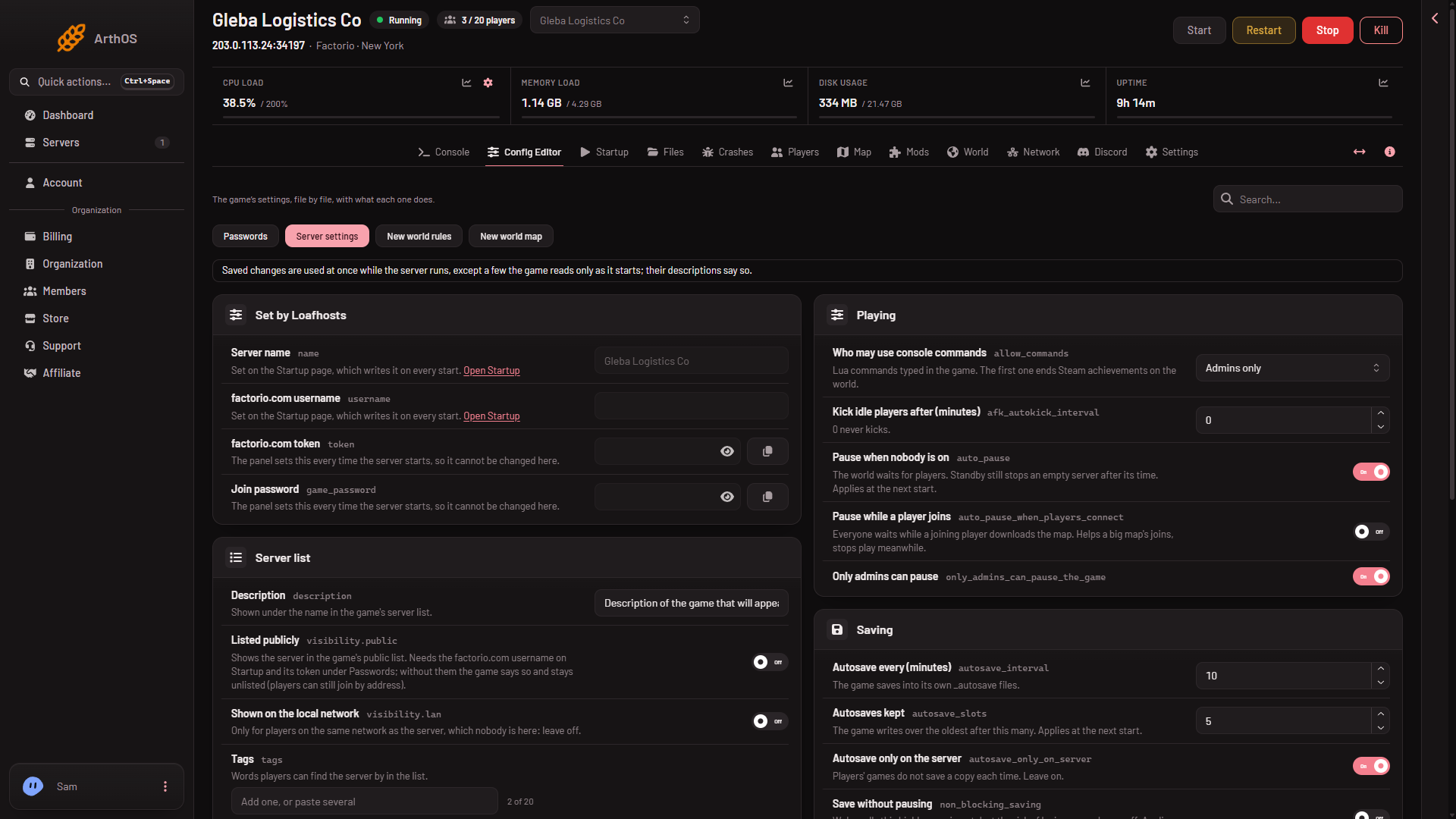
- Type your text in Description. It can hold up to 5000 characters. Add up to 20 entries in Tags.
- Save the file.
If the server is running, the panel sends the new values to the game and tells you what took effect at once. If the server is stopped, the game reads them at its next start.
One exception
A tag that contains a space waits for the next start, even on a running server. Use tags without spaces if you want them to apply at once.
Who sees them
These two settings describe the server in the game’s public list. A server is only in that list when Listed publicly is on, and that needs a factorio.com username and token. Until then the description is saved but nobody browses to it. See public server listing.
Shown on the local network is for players on the same network as the server. Nobody is, so leave it off.
By hand
In server-settings.json these are description and tags. A hand edit is read at the next start. Loafhosts rewrites name, username, token and game_password at every start.
If it does not work
- The new description does not show in the list. The server is not listed. Check Listed publicly.
- A tag did not apply. It has a space in it. Restart the server, or use a tag without spaces.
- You cannot save. Your role may not allow changing server settings.
The panel’s Rename Server card changes only the panel’s own name for the server. To change the name players see, use Server name on Startup: see change the server name. More about the game: Factorio servers.
Sources: wiki.factorio.com: Multiplayer