
















The game’s server name comes from Server name on the Startup page. A new server is called Loafhosts Factorio. Change the field, save, and restart. The name is written into the game’s settings at each start, so it shows after the restart.
Change it
- Open the Startup page.
- Find Server name (1). It can be up to 100 characters. Do not use quotes or backslashes.
- Type the new name and save.
- Restart the server with Restart at the top of the server page.
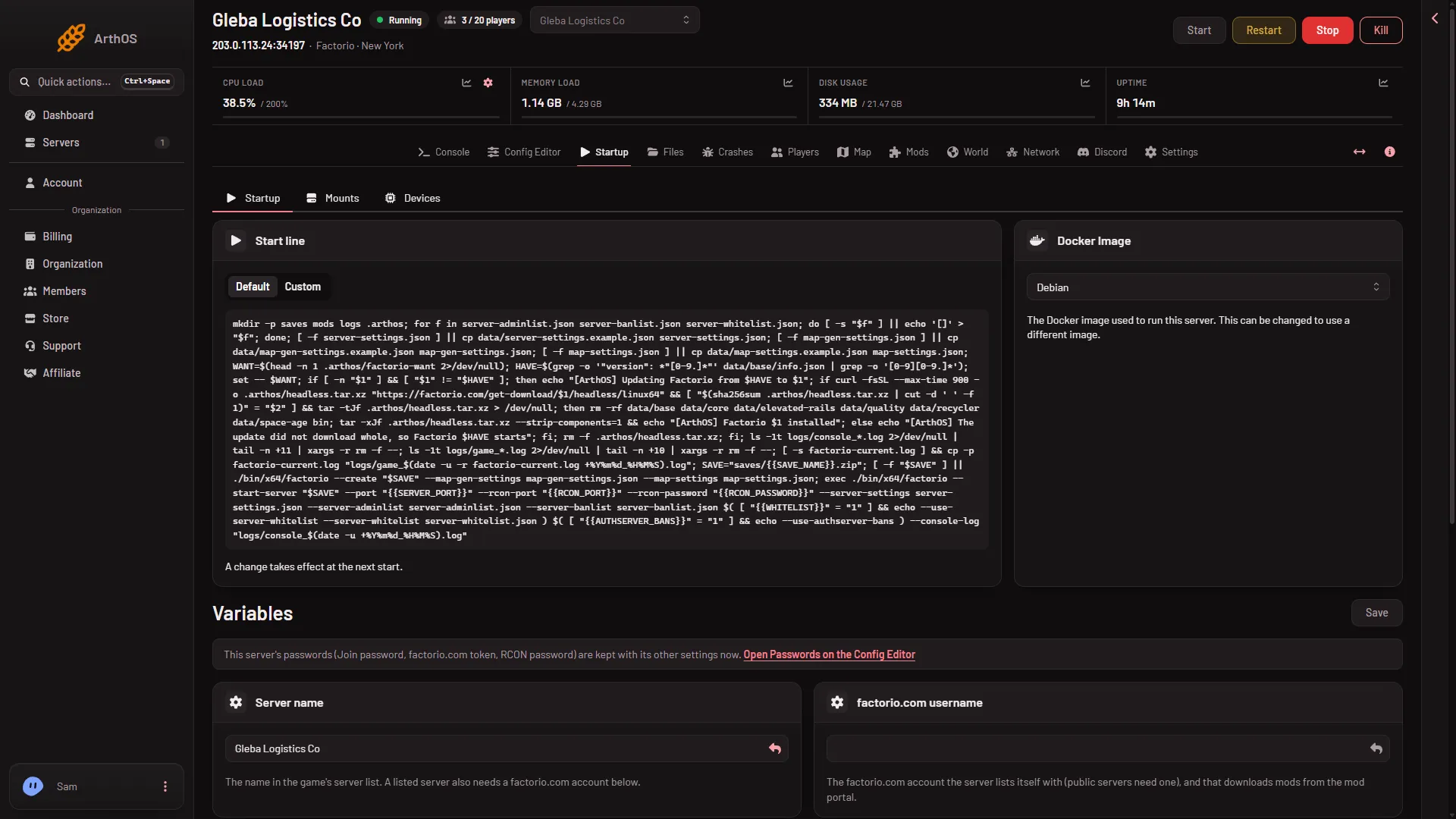
- Server name
Where players see it
The name is what the game shows for your server. It matters most in the public server list. A server only appears there after you list it. See public server listing.
Why the Config Editor will not change it
In the Config Editor, Server name is locked. Its row says “Set on the Startup page, which writes it on every start.” and has Open Startup. It is locked on purpose. The join password and the factorio.com token are locked there too, and are changed under Passwords.
A hand edit does not stay
At every start, Loafhosts writes the name from Server name into server-settings.json. If you edit name in that file by hand, the next start puts the Startup value back.
Not the same as Rename Server
The Settings page has a Rename Server card. It changes only the panel’s own name for the server. For the name players see in the game, use Server name on Startup.
If it does not work
- The old name still shows. The server has not restarted since you saved. Use Restart at the top of the server page.
- The name will not save. It has quotes or a backslash, or it is longer than 100 characters.
- The server is not in the public list. A new server is unlisted. See public server listing.
More about the game: Factorio servers.
Sources: wiki.factorio.com: Multiplayer