
















Choose Restart at the top of the server page. The server stops, saves the world, and starts again. On a small world the stop takes a few seconds and the start about 4 seconds. A restart drops everyone who is on. They can join again when the Console shows the server is ready.
Choose Restart or Stop. Do not choose Kill for a normal restart. Kill stops the game at once and does not save.
Restart the server
- Warn your players, because they are disconnected. On the Players page, use Message everyone.
- On the Players page, you can choose Save now first. It saves the world right away. A stop saves too, so this is only an extra step.
- Choose Restart at the top of the server page. The panel asks “Restart this server?” and says anyone connected is dropped and can rejoin once it is back. Confirm.
- Open the Console and watch it. The start is ready when “Starting RCON interface” appears.
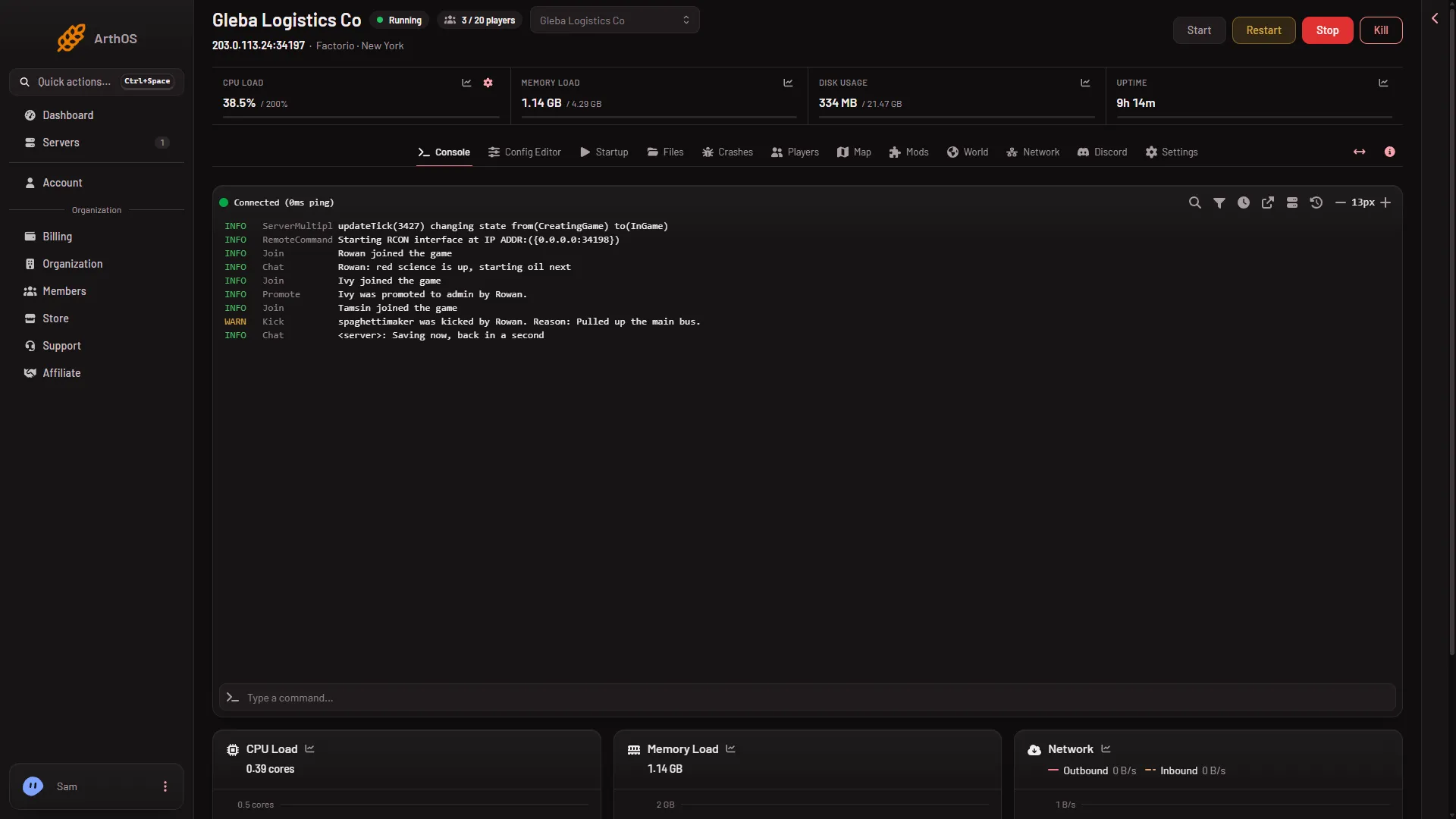
Players can join again after that line. The world loads from the save the server runs. A big factory or many mods take longer.
What each button does
- Start starts a stopped server.
- Stop asks the game to save and shut down. Factorio’s server saves the world when it exits.
- Restart is a stop followed by a start.
- Kill stops the game at once without saving. You lose what happened since the world was last saved. Factorio autosaves every 10 minutes by default, into separate
_autosavefiles.
If a stop gets stuck, the panel kills the server after a number of seconds. The number is Seconds until auto-kill on the Auto-Kill card under Settings. A kill does not save, so a stuck server can lose recent play.
What a restart applies
A restart is how some changes take effect:
- A new game version. See update a server.
- Mods you installed, turned on or turned off. Installing a mod from the Mods page restarts the server for you if it was running.
- Some settings in the Config Editor. Most are applied at once. A few wait for the next start, for example Pause when nobody is on and Autosaves kept. The panel tells you what took effect and what waits when you save.
- A different world chosen with Run this from the next start on the World page.
Restart every day
A schedule can restart the server for you.
- Open Settings, then the Schedules tab.
- Choose Create Schedule and give it a Schedule Name.
- Under Triggers, choose Add Trigger, keep Time Interval (Cron), set Runs to Daily and pick the time in At. Times use the server timezone (UTC) unless Timezone in Settings says otherwise.
- Choose Create.
- Open the new schedule, choose Add Step, pick Send Power Signal and set it to Restart.
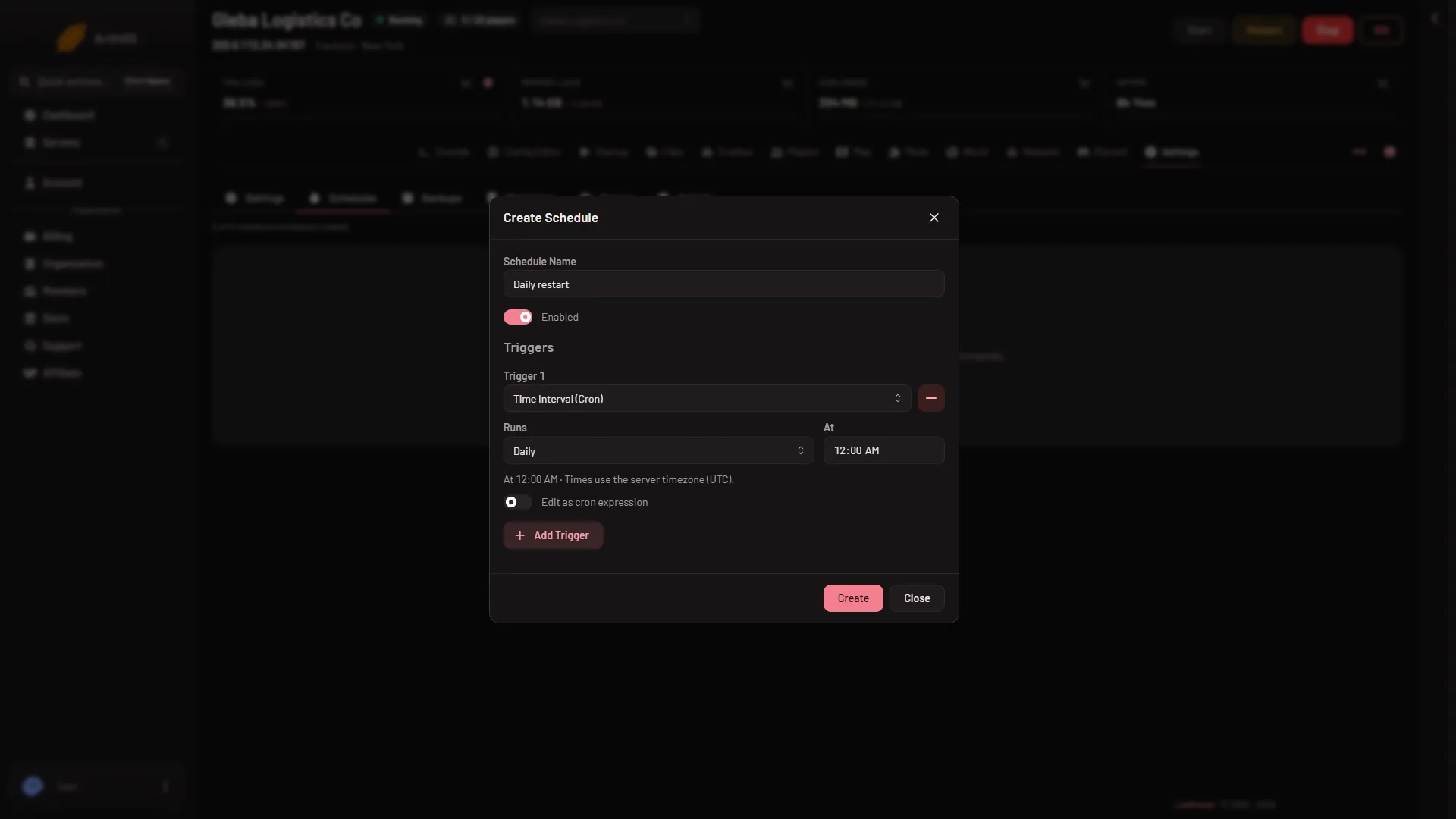
To warn players first, add a Send Command step, then a Sleep step (for example 5 minutes), then the Send Power Signal step. Without the Sleep step the restart follows the warning at once and nobody can read it. Text typed into the game’s console is chat from the server. Not checked from a schedule as of 13 November 2026, so tell your players the restart time yourself too.
If it does not work
- The server did not come back. Look at the Console. A mod that does not fit the game version stops the start. Open Crashes and turn that mod off on the Mods page.
- It stays on Stopping. Wait for the auto-kill time. Then choose Start.
- The world is older than expected. The server was killed, or the save it runs was last written at an earlier stop. It loaded the save named in World. A newer autosave may be in Saves on the World page: choose Run this from the next start on it. See saves and autosaves.
More about the game: Factorio servers.