









A Project Zomboid server has two names. The name players see in the server list is Server name in the Config Editor. The Server Name on the Startup page is the name of the save. To rename the server for players, change only the first one, then restart.
The two names
| Where | What it is | If you change it |
|---|---|---|
Config Editor, Server name (PublicName) | The name in the server list | Players see the new name after a restart |
Config Editor, Description (PublicDescription) | The text under the name in the in-game list | Players see it after a restart |
| Startup, Server Name | The name of the save | The game starts a new world with new accounts |
| Settings, Rename Server | The name in the panel only (the server list and the page header) | Players do not see it |
Rename Server does not change what players see. The panel writes the order’s name into Server name only at the very first start.
The Server list name on the Startup page is only used on the first start. After that the Config Editor counts. Changing it later does nothing.
Change the name players see
- Open the Config Editor.
- Find Server name in the Server group and type the new name.
- Optionally change Description in the same group.
- Save.
- Restart the server. The panel shows “Saved changes apply after a restart.” and a Restart now button.
The in-game list shows the name only if List in the in-game browser is on. The Steam server browser shows the server either way.
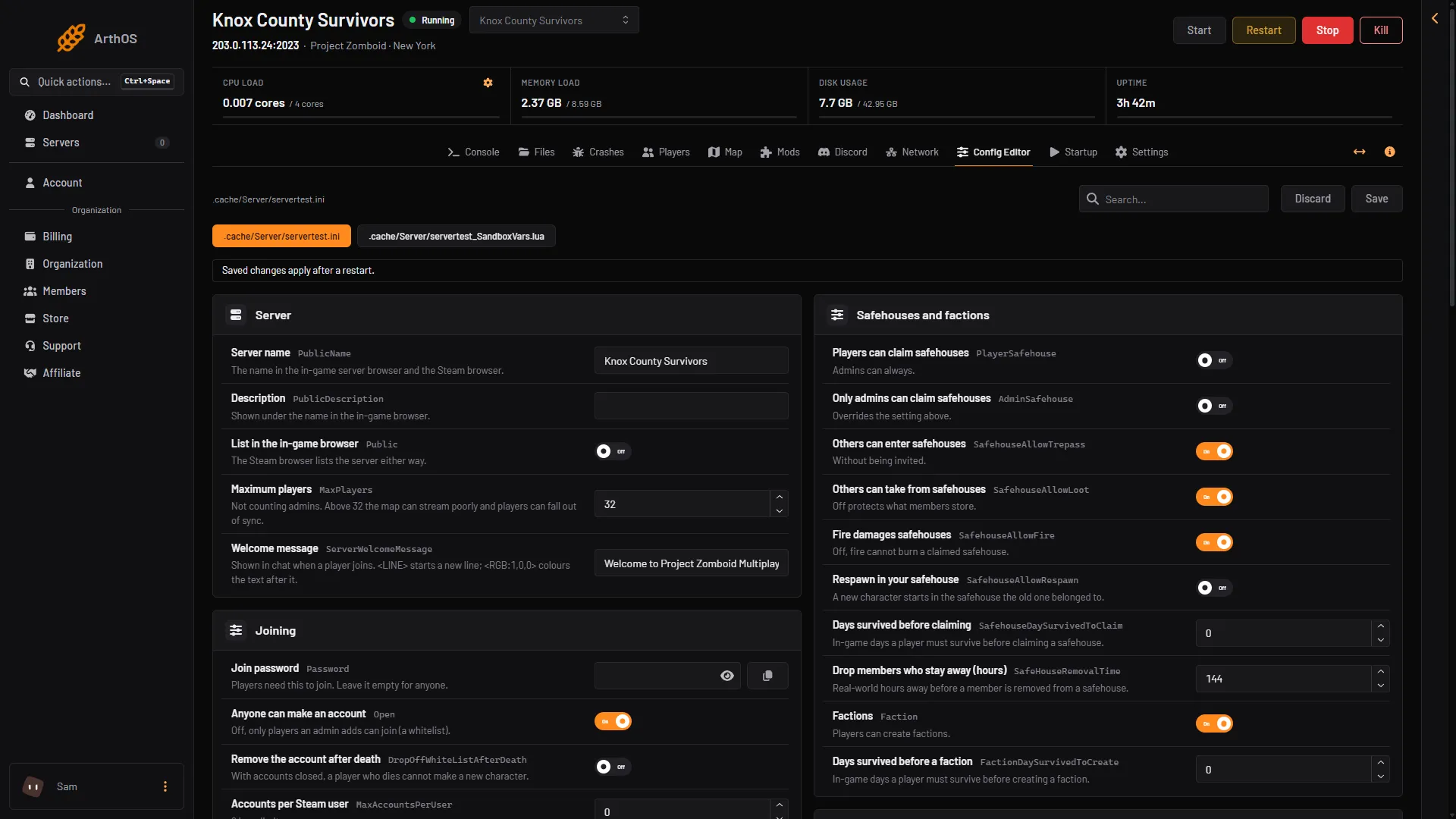
- Server name
- Description
Do not change the save name for a rename
The Server Name on the Startup page names four things: the settings file, the sandbox file, the world and the accounts. The game takes this name from its start options. PZwiki says it sets the name of the files that are loaded and saved.
If you change it, the server starts a new world with new accounts. Your old world is not deleted. The old files stay in the .cache folder, which you can see in Files:
.cache/Server/<name>.ini.cache/Saves/Multiplayer/<name>/.cache/db/<name>.db
Use letters and digits only. To go back to the old world, set the old name again.
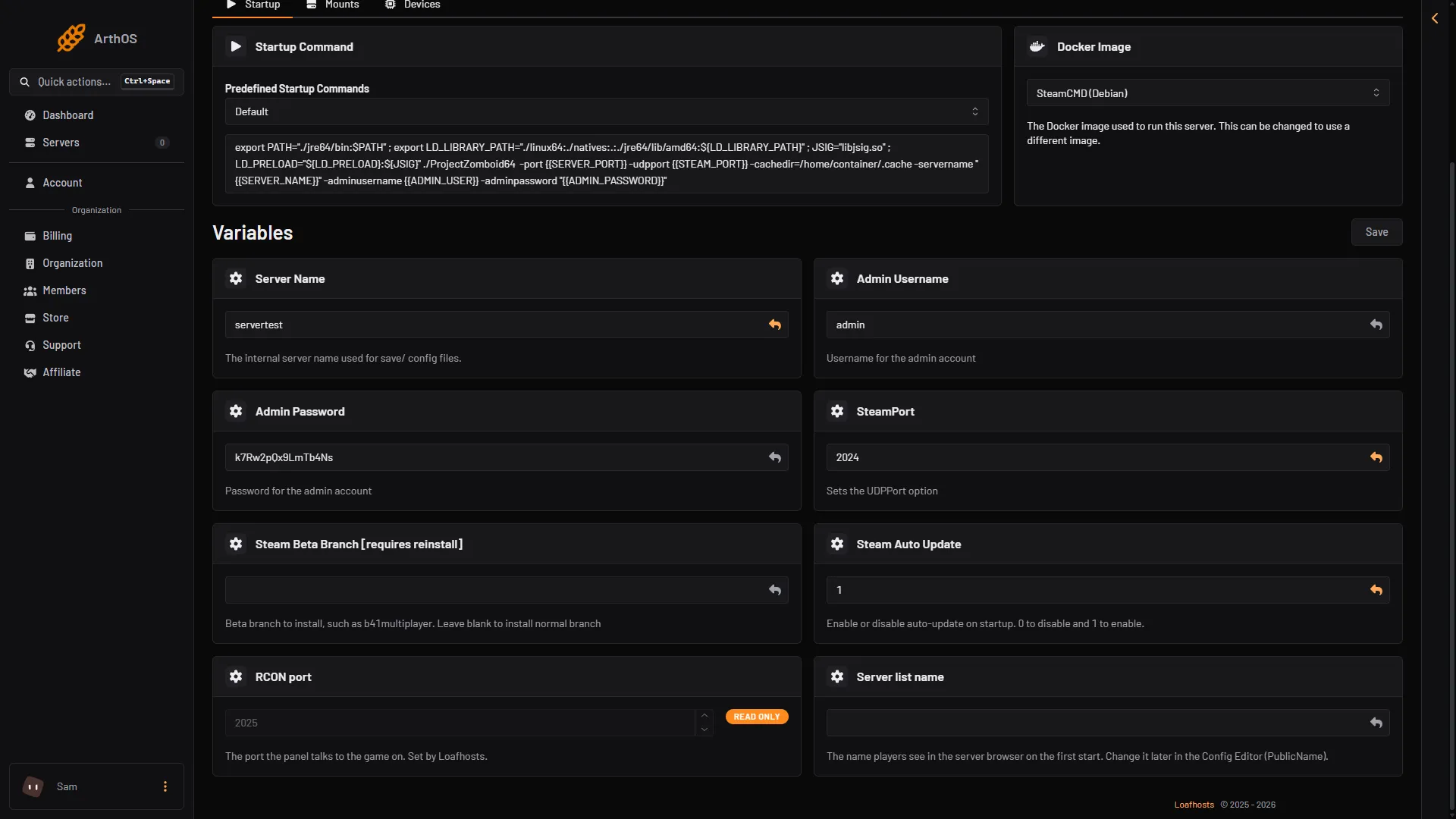
- Server Name (save name, leave alone)
- Server list name
If you want a new world on purpose, make a backup first. See backups and saves.
If it does not work
- The old name still shows. Restart the server. The new name loads at the start.
- Everything is empty after a change. You changed the Server Name on the Startup page. Set the old name again and restart.
More about the game: Project Zomboid servers.
Sources: pzwiki.net: Startup parameters, pzwiki.net: Dedicated server, pzwiki.net: Server settings