









Open the Config Editor, open Server settings, change Server name and save. The new name shows in the game’s server list after the next start. The server name is not the world name.
Change it in the Config Editor
- Open the Config Editor page.
- Open the source Server settings (1).
- In the group Server, change Server name (2).
- Choose Save (3).
- Choose Restart at the top of the server page. The name applies at the next start.
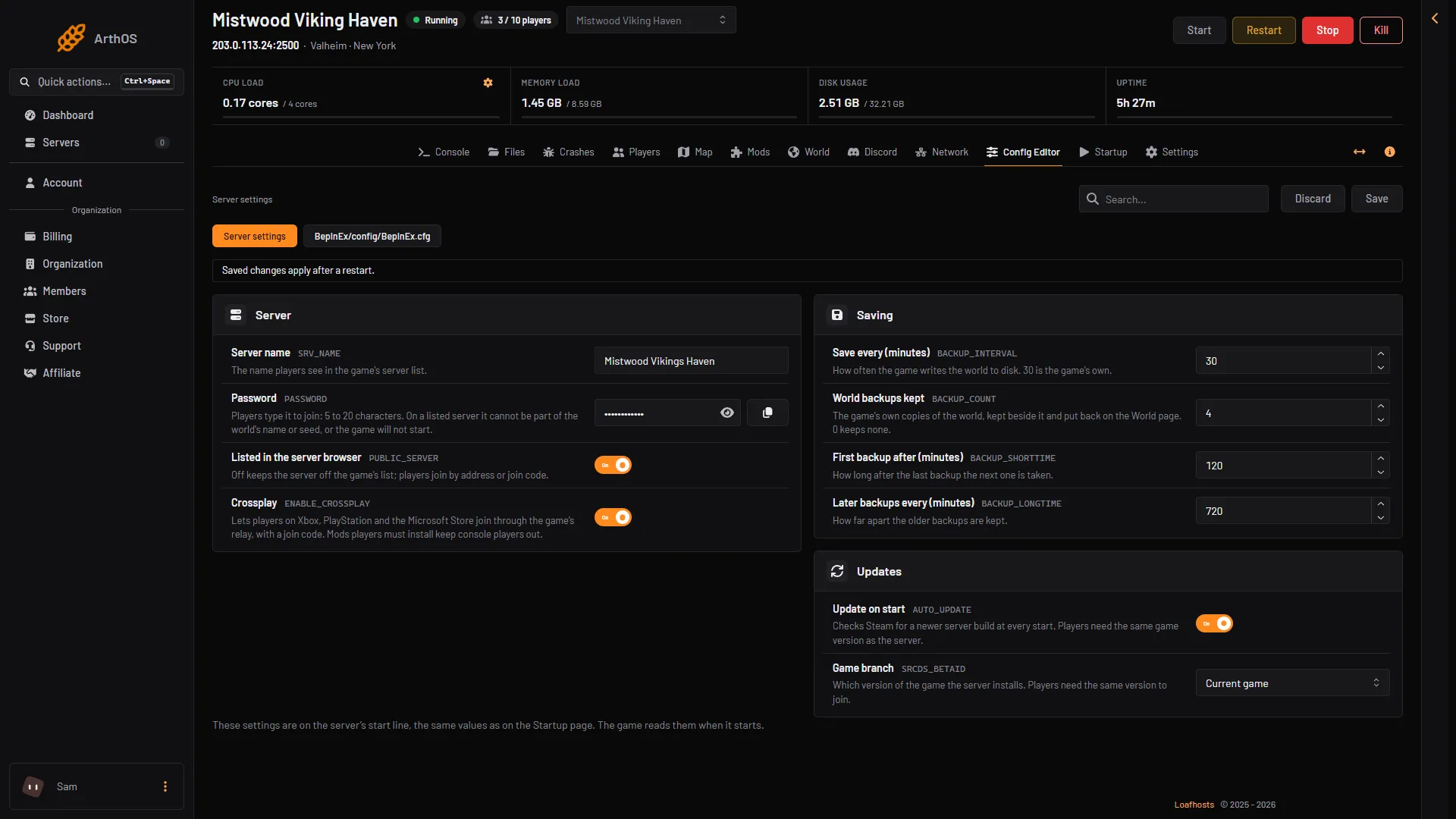
- Server settings
- Server name
- Save
A name is 1 to 60 characters. It cannot hold quotes or line breaks.
Or on the Startup page
The same value is on the Startup page as Server name. Both pages change the same setting. Use the Config Editor: the hints on the Startup page still say to change the name “on the World page”, which is older text.
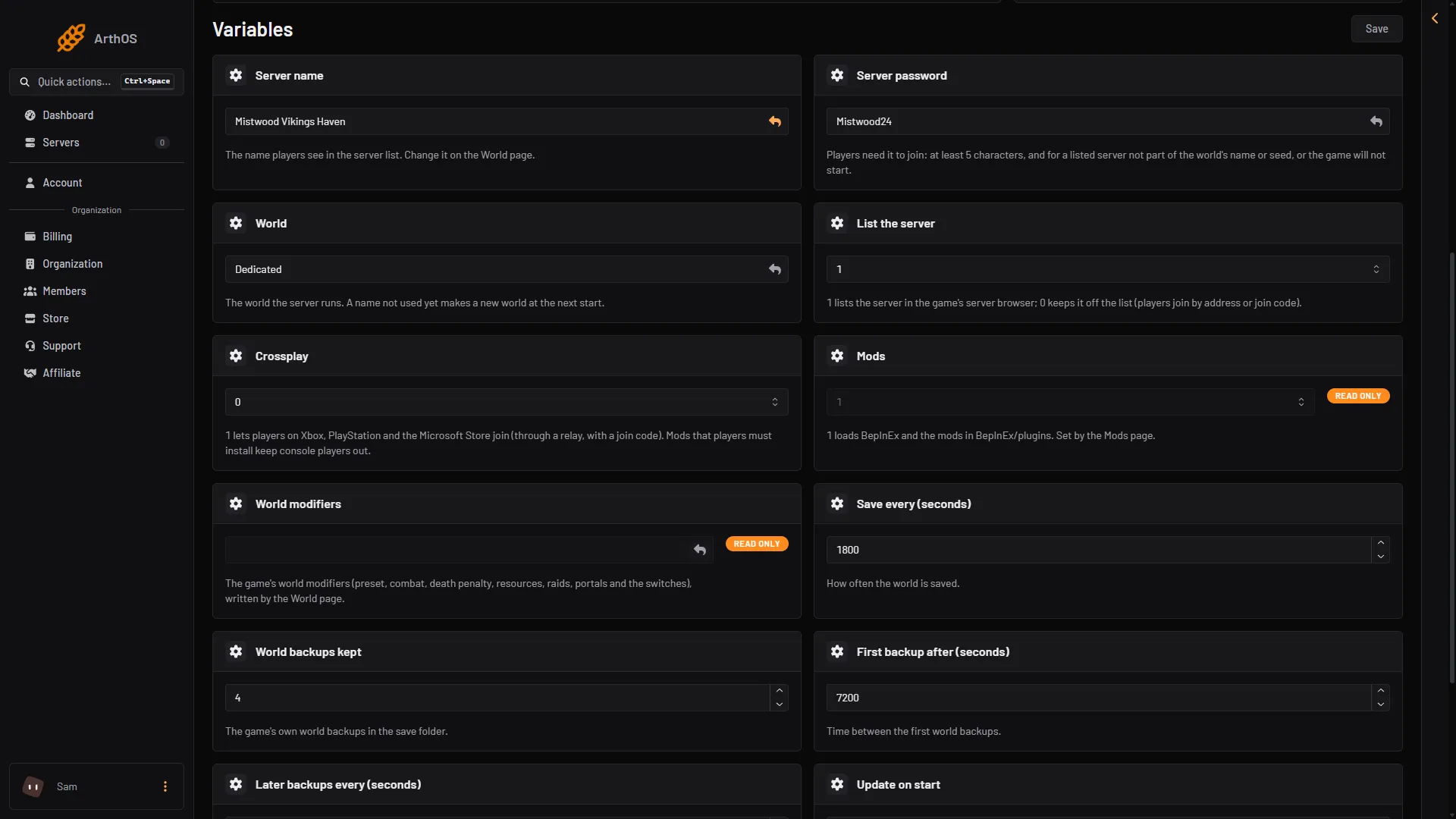
- Server name
- World
What the name is for
Players see the server name in the game’s server list. It is how they find your server there. It also shows in your Discord status message if you use the Discord page.
The name given at the order is the first name. You can change it as often as you like.
If you turned off Listed in the server browser, the name is not in the list, because the server is not listed. Players then join with the address or the join code.
The world name is not the server name
The World setting is the name of the world the server plays. It is a different thing. If you type a new name in World, the server makes a new world with that name at the next start. Your old world stays on the server, but players will not see it unless you switch back.
To change only the name players see, change Server name, not World. See Valheim multiple worlds for how worlds work.
If it does not work
- The old name still shows. Restart the server. The name is read when the game starts. The game’s server list can also take a short while to show it.
- The panel refuses the name. It is empty, longer than 60 characters, or holds a quote or a control character.
- The server is not in the list. Check Listed in the server browser in the same group. See Valheim public server listing.
- A new world appeared. You changed World by mistake. Set it back to the old world name and restart. The old world was not deleted.