









Open the Config Editor, open Server settings, change Password and save. A password has 5 to 20 characters. The new password applies at the next start.
Change it
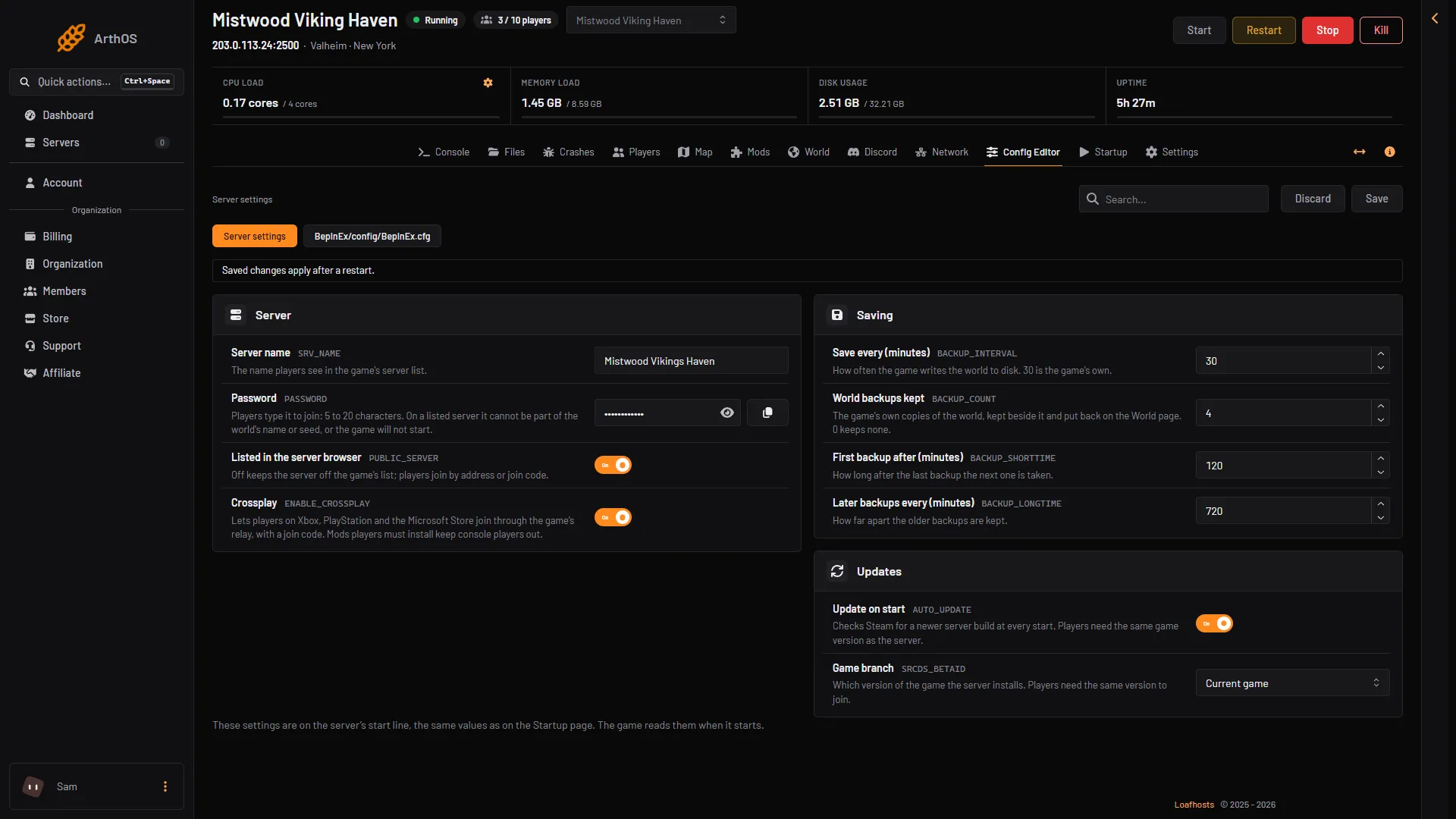
- Open the Config Editor page.
- Open the source Server settings.
- In the group Server, change Password (1).
- Choose Save (2).
- Choose Restart at the top of the server page.
- Password
- Save
Players type the password when they join. Tell them the new one. The restart that applies it removes everyone who is on the server, so choose a time when few players are on.
Find the current password
A new server gets a random password at the order. Find it in the Config Editor under Server settings, as Password. The password is hidden. Choose the show button next to it to see it, or the copy button to copy it. It is also on the Startup page, as Server password, but change it in the Config Editor.
The rules for a password
- 5 to 20 characters.
- No quotes and no control characters.
- On a listed server, it cannot be part of the world’s name or seed. This is the game’s own check, and the panel follows it. Otherwise the game refuses the password and quits. The panel checks this when you save and refuses a password the game would refuse.
To be safe, do not use any part of the world’s name or the seed in the password. A listed server is one with Listed in the server browser on, which it is by default.
Keep a server for chosen players only
A password lets in everyone who knows it. For a members only server, use the permitted list too. Once anyone is on it, only the players on it can join. See Valheim permitted list.
If it does not work
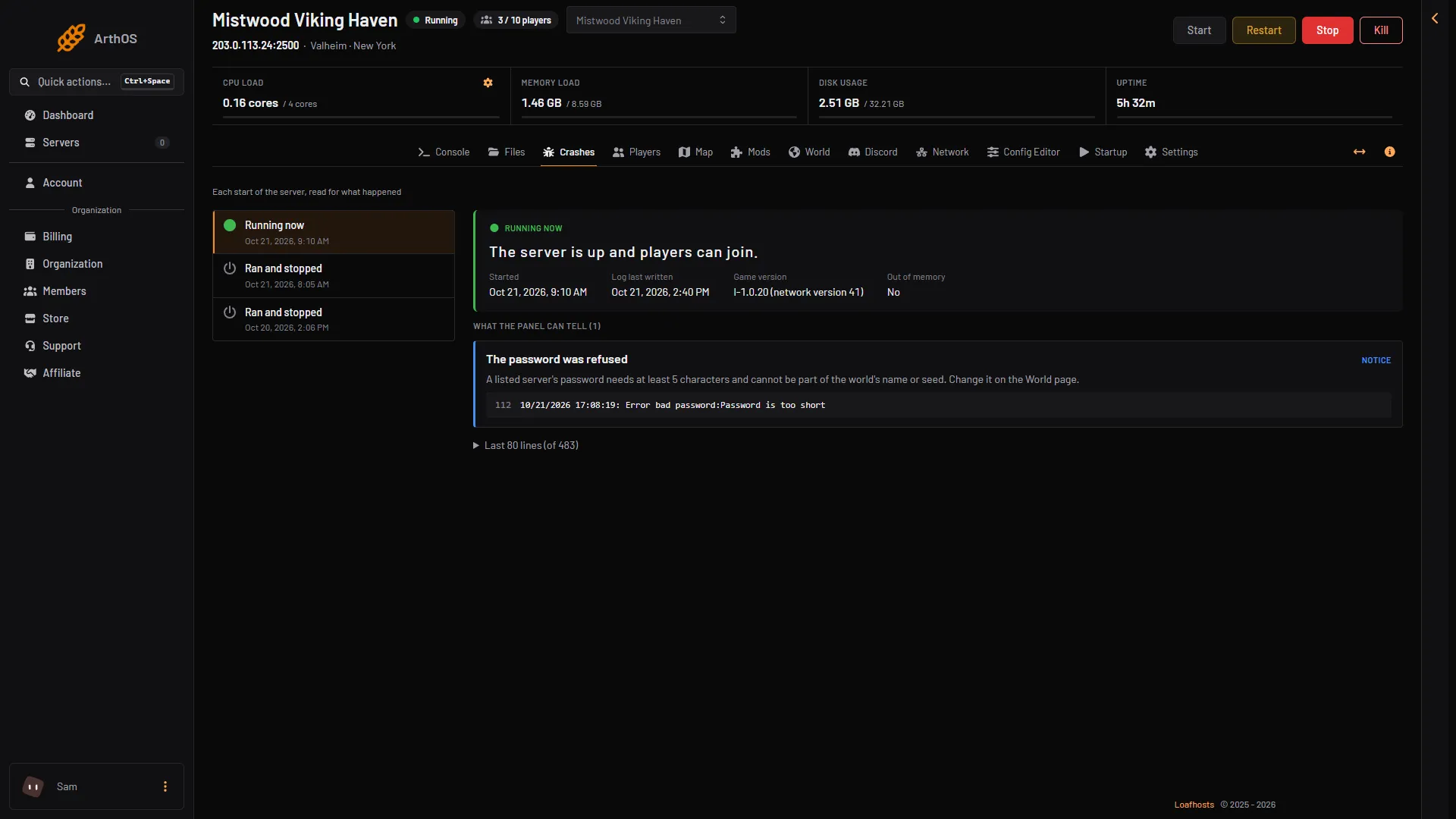
- The server quits at the start. Open Crashes. The finding The password was refused means the game did not accept the password. Choose a longer one that is not part of the world’s name or seed.
- The password was refused
- The log line
- The panel refuses the save. Read its message. It names the rule: too short, too long, a quote, or part of the world name or seed.
- Players still use the old password. The change applies at the next start. Restart the server.
- Players say the password is wrong. Check the exact text in the Config Editor, then send it to them again as it is shown. See Valheim password not working.