









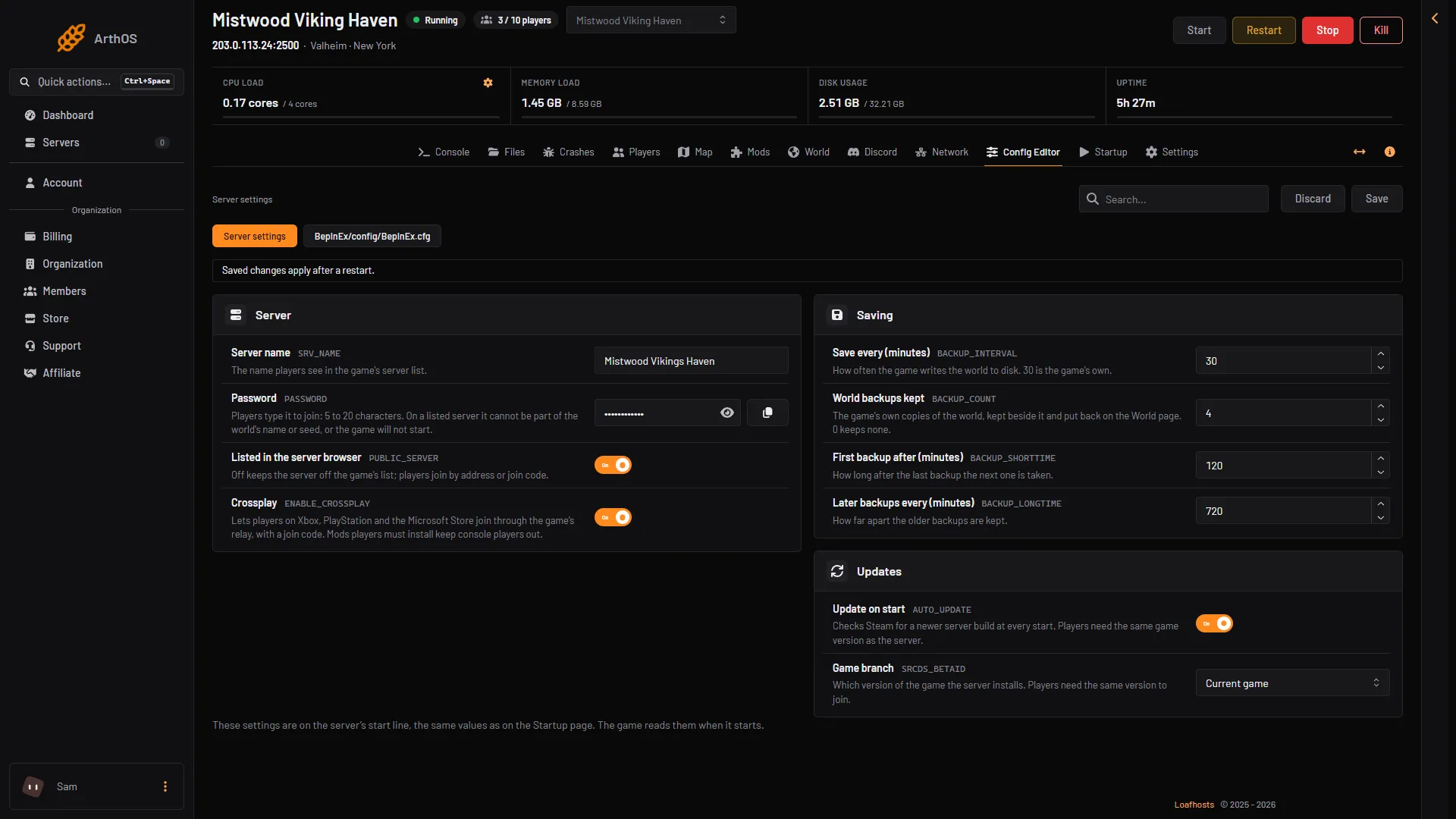
A listed Valheim server shows in the game’s server list, so anyone can find it by name. An unlisted server is hidden. Players join it with its address or its join code. The setting is called Listed in the server browser in the Config Editor and List the server on the Startup page. A new Loafhosts server is listed. More about the game: Valheim servers.
Turn the listing on or off
- Open the Config Editor page.
- In the Server settings source, find the Server group.
- Switch Listed in the server browser on or off.
- Press Save, then choose Restart at the top of the server page.
- Server settings source
- Switch this on or off
- Save
The change applies at the next start. The game reads this setting only when it starts. Use the three boxes in the picture in order: the source (1), the switch (2) and Save (3).
The same setting is on the Startup page as List the server. There 1 lists the server and 0 keeps it off the list. Use whichever page you like. They change the same value.
What a listed server needs
A listed server has a password rule. The password must be at least 5 characters, and it must not be part of the world’s name or seed. If it is, the game refuses it and stops. The game’s log then says Error bad password:, and the Crashes page shows “The password was refused”. Choose a different password and start the server again.
An unlisted server does not have the rule about the world name or seed. The password still needs 5 characters or more. See set a server password.
Where players find it
The game’s own manual says that a listed server is visible in the browser. An unlisted server can only be joined with the Join IP button. The manual calls the button Join IP. In the 1.0 menu you reach it as Add server: they are the same thing.
Crossplay changes how players reach the server. The manual says a crossplay server can be joined with its public address and port, with a join code, or from the server list. Without crossplay, the game uses the Steam backend. Then only Steam players can see and join.
Not checked on 1.0.20 as of 21 October 2026: which tab of the in-game list shows a crossplay server, and which shows a Steam one.
Keep a server unlisted
Switch Listed in the server browser off when the server is only for friends. Nobody can find it by searching, so it cannot be flooded by strangers. Your friends still join:
- Open the Players page.
- In the Joining card, copy the address. With crossplay on, the card also shows the join code.
- In Valheim, open Join game, choose Add server and enter the address, or the join code. Then enter the password.
For extra control, use the permitted list. Only players on it can join.
By hand
The game’s start option is -public. -public 1 lists the server and is the default. -public 0 makes it invisible in the browser, so players can join only by address (the manual says only through the Join IP button).
If it does not work
- The server is not in the list. See Valheim server not showing. Often it is still starting, or the setting was saved but the server was not restarted.
- The server stops right after the start. Read the Crashes page. A refused password is a common cause on a listed server.
- The setting went back. The Config Editor and the Startup page change one value. Check that you saved, then reload the page.