
















The address of your Conan Exiles server is on the Players page, in the Joining card. Choose Copy and send it to your players. The Network page shows the same hostname and port in a table.
The Joining card
- Open the Players page.
- Look at the Joining card at the top.
- Choose Copy to copy the address.
The card also says how to use it: “In the game’s server list, use Direct Connect with this address, or search for (your server name).” If the card says “This server has no address yet.”, the server has not been given its address. Open the Network page. If its table is empty, ask support.
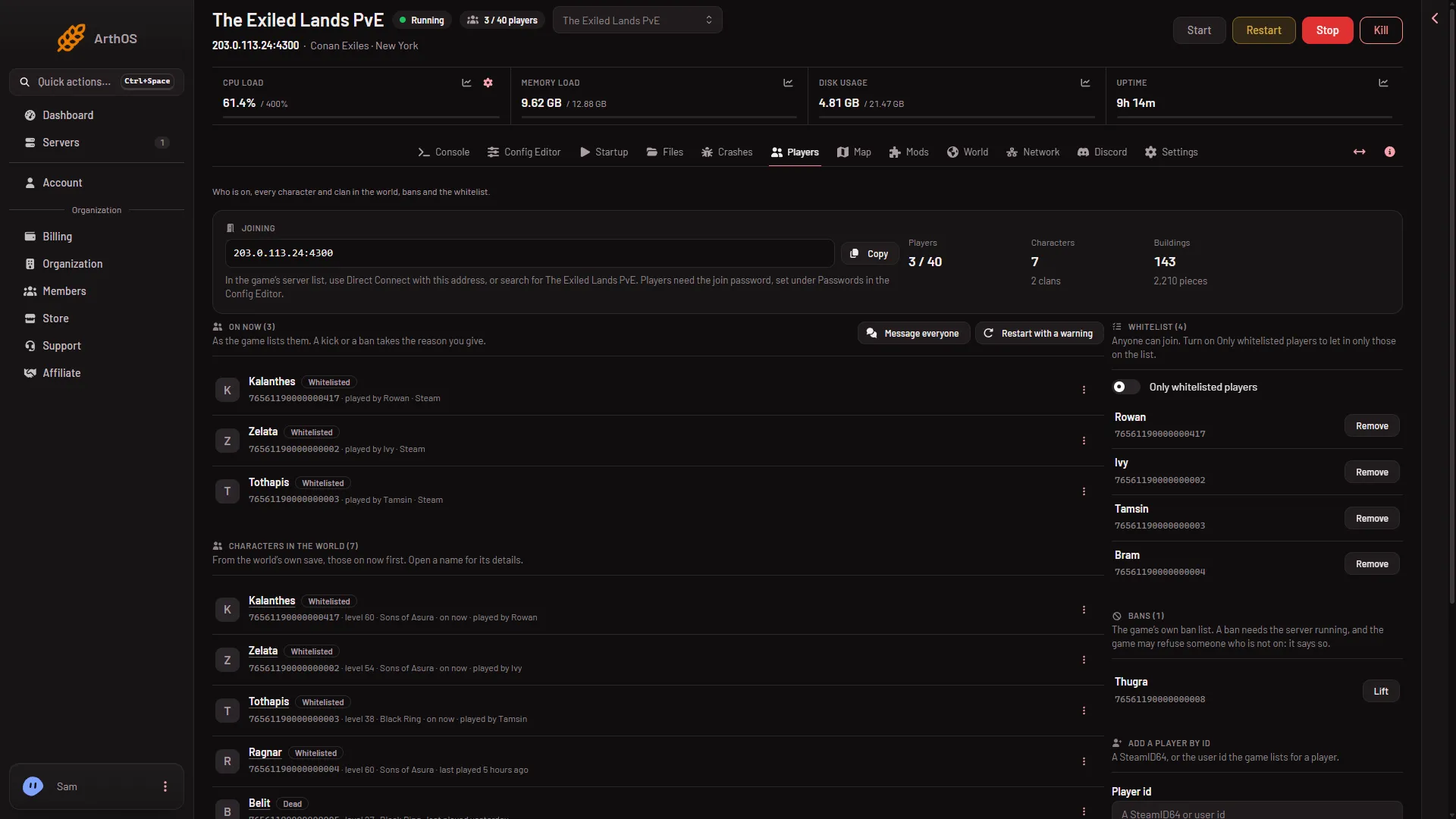
- Copy the address
The Network page
The Network page lists the server’s Allocations. The columns are Hostname, Port, Notes (an empty box anyone can type in) and Created. The game port has a star. No row says what a port is for. The page also says how many of the allowed allocations are used, for example “(current) of (max) maximum allocations assigned.”
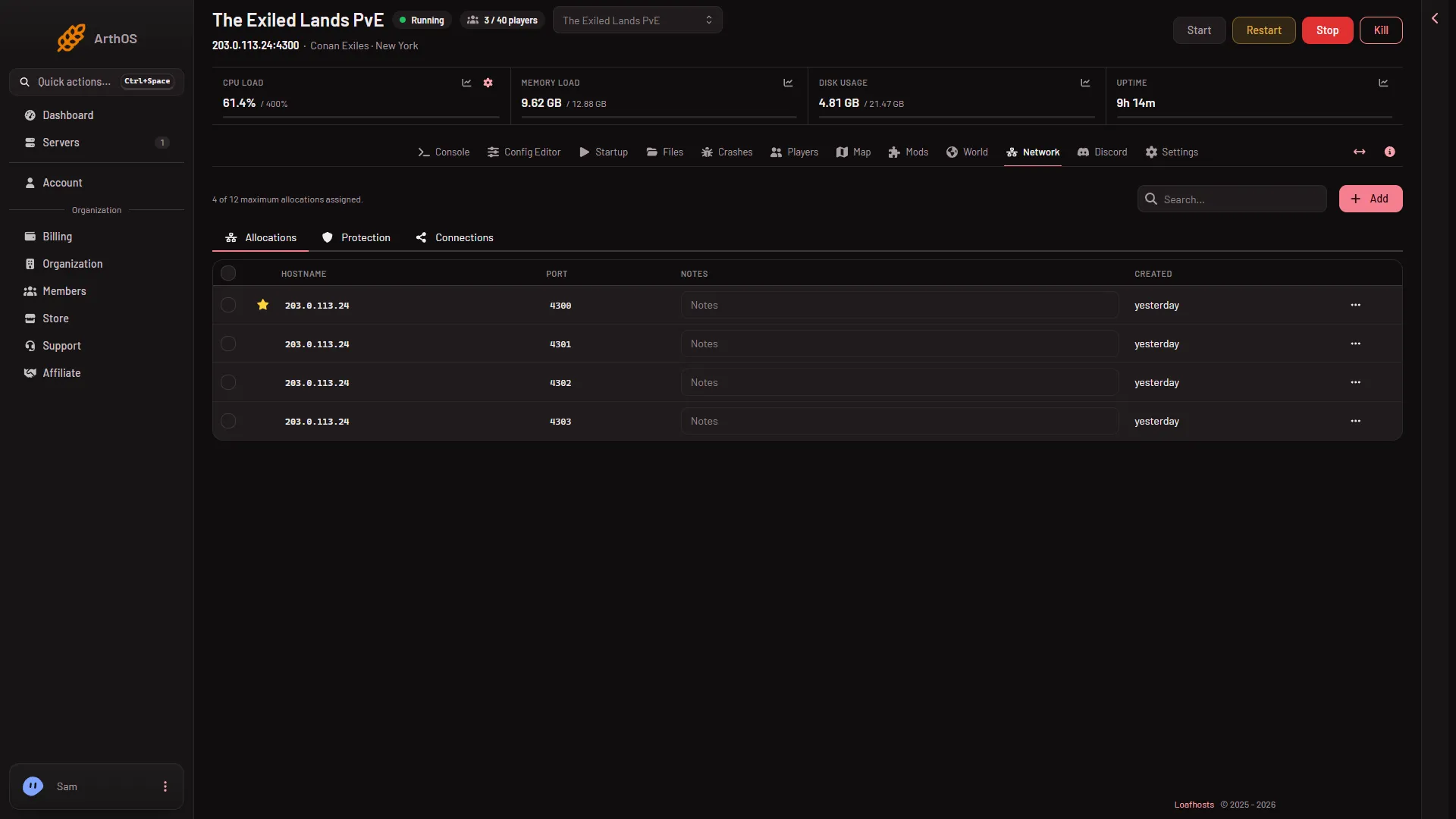
A Conan Exiles server uses four ports:
- The game port, over UDP: the starred row. This is the one players join with.
- A second game port, over UDP, always the game port plus one.
- A Steam query port, over UDP. The server list asks it for the server’s name and player count. The Startup page shows it as Steam query port.
- A remote console port (RCON), over TCP. Only the panel uses it. The Startup page shows it as Remote console port.
Players type only the game port. Do not give out the others.
Your port is the one the panel shows. Loafhosts picks the numbers when the server is made, so they are not the game’s default numbers. You do not need to open or forward anything.
Use the address
Paste it into Direct Connect in the game. See how to join a Conan Exiles server. More about the ports: Conan Exiles server ports.
If it does not work
- Players cannot connect with the address. Check the server is running and the Players page can read it. A server that is still starting is not ready.
- You gave out the wrong port. Use the game port, not the Steam query port or the remote console port.
Sources: conanexiles.com: Dedicated servers