
















A Conan Exiles server on Loafhosts uses four ports: a game port, a second game port, a Steam query port and a remote console (RCON) port. The panel gives each server its own set, and you do not need to open or forward anything. Players type only the game port, as part of the address on the Players page.
The four ports
| Port | Protocol | What it is for |
|---|---|---|
| Game | UDP | Players connect here. |
| Game, second port | UDP | Used by the game next to the main game port. |
| Steam query | UDP | Lets the in-game server list ask the server for its name and player count. |
| Remote console (RCON) | TCP | The panel’s own way into the game for the Players, Map and World pages. |
The second game port is always the game port plus one. The game decides that, and nobody can change it. On Funcom’s own list of defaults the game port is 7777, the query port is 27015 and the remote console port is 25575. Those are the game’s defaults. Your server uses its own numbers.
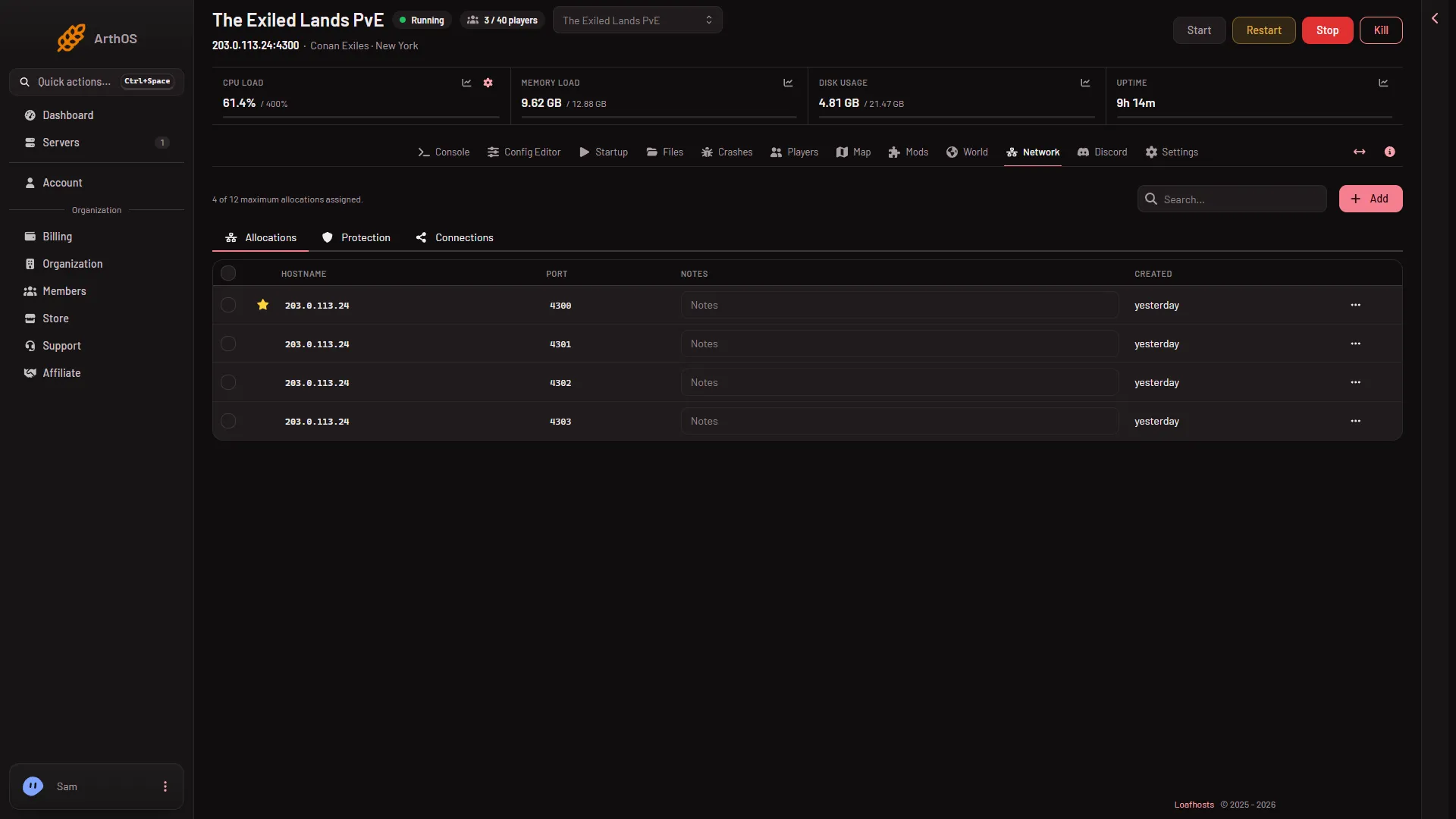
For a new server, Loafhosts hands out ports in blocks of four from the range 4300 to 4699, one block for each Conan server. The block holds the four ports above, counted from the game port in this order: game, game plus one, Steam query, remote console. A server moved in from elsewhere may use other numbers.
Where to read your ports
- Open Network. The Allocations table has the columns Hostname, Port, Notes and Created, and a line says how many of your maximum allocations are assigned. A Conan server has four rows. The starred one is the game port, the same number as in the address under the server’s name. No row says what its port is for, so count from the game port in the order above.
- Open Players. The Joining card shows the address players type. Choose Copy to copy it.
- Open Startup. Steam query port and Remote console port are shown there, with their labels, but cannot be edited. The panel sets them. Use them to check which row is which.
Which port do players use
Players use the game address from the Joining card. In the game’s server list they can also search for the server by name. Players never use the remote console port. Only the panel uses it.
Changing a port
You cannot choose the ports. The player limit and the ports are put on the start line, so they are read only at a start. The panel keeps the remote console port the same as the one in the game’s files each time the server starts.
If it does not work
- The Players page says the game is not answering. The remote console answers once the world has loaded, about half a minute after the start. See Conan Exiles server first start and stop times.
- A friend cannot find the server in the list. Ask them to use Direct Connect with the address from the Joining card.
More about the game: Conan Exiles servers.
Sources: conanexiles.com: Dedicated servers