
















The maelstrom is the storm on the Isle of Siptah. Its settings are in the Isle of Siptah group of the Config Editor. Enable Maelstrom is the master switch. Funcom says that turning it off “will completely disable maelstrom events”. In ConanSandbox/Saved/Config/LinuxServer/ServerSettings.ini, under [ServerSettings], the keys are StormEnabled, StormDuration and StormCooldown for the first three rows of the table below. Edit the file by hand only while the server is stopped: the game writes it again when it stops.
While the server runs, the panel saves a change to the running game. Not checked on Enhanced, server build 25792439 as of 13 November 2026: whether the game re-reads each row live.
If the Isle of Siptah is left out of the world, nobody can go there and none of these rows matter. See the Isle of Siptah on or off.
When it comes and how long it lasts
Times are in minutes. The values are Funcom’s defaults.
| Row | Default | What it does |
|---|---|---|
| Enable Maelstrom | On | Master switch. |
| Maelstrom Duration | 15 | How long a maelstrom lasts. |
| Maelstrom Cooldown | 105 | Time between maelstroms. |
| Maelstrom Accumulation Time | 1 | Time from the storm starting to build until full strength. |
| Maelstrom Dissipation Time | 1 | Time from it losing strength until it fades away. |
| Maelstrom Minimum Online Players | 0 | Players needed online for a maelstrom to start. |
Rows after Enable Maelstrom only matter while it is On.
Elder Things
- Elder Things Enabled (On by default): Elder Things spawn and attack players in the maelstrom.
- Elder Thing Spawn Rate and Max Ambush Elder Things (default 200): how fast and how many.
- Elder Thing Idle Lifespan (30 minutes): how long they last outside combat before they vanish.
Siege Elder Things
These attack buildings. Siege Elder Things Enabled is Off by default. Turn it On to use the rows below.
- Max Siege Elder Things (5): the most that spawn on buildings.
- Minimum Building Size To Be Sieged (41): a building needs more blocks than this to be a target.
- Elder Thing Siege Building Size Multiplier. Funcom’s help: “Increasing this number decreases the size that buildings must be to attract larger Elder Things.” A higher number means smaller buildings attract the larger ones.
- Elder Thing Siege Damage Multiplier: their damage to buildings.
- Siege Elder Thing Respawn Rate: how fast they return.
- Siege Elder Thing Map Markers (Off): show markers on them.
Building damage from the storm
Maelstrom Building Damage Enabled is Off by default. When On, the maelstrom damages buildings inside its radius. Maelstrom Building Damage Rate Multiplier changes how often. Minimum Building Pieces For Maelstrom Damage sets how many pieces a building needs first. Allow Building In Maelstrom controls whether players may build inside it.
Maelstrom Building Damage Multiplier sets how much damage. It sits in the PvP and raiding group, not in Isle of Siptah. Use the search box to find it.
In the panel
- Open the Config Editor and choose the source Server settings.
- Find the Isle of Siptah group.
- Change the rows. Switches read On and Off. Use a decimal for a fraction.
- A bar reads “Unsaved changes: (n)” with Discard and Save. Choose Save. On a running server the page says “Saved and in use now.” or “Saved and in use now, except (names): those apply at the next start.”
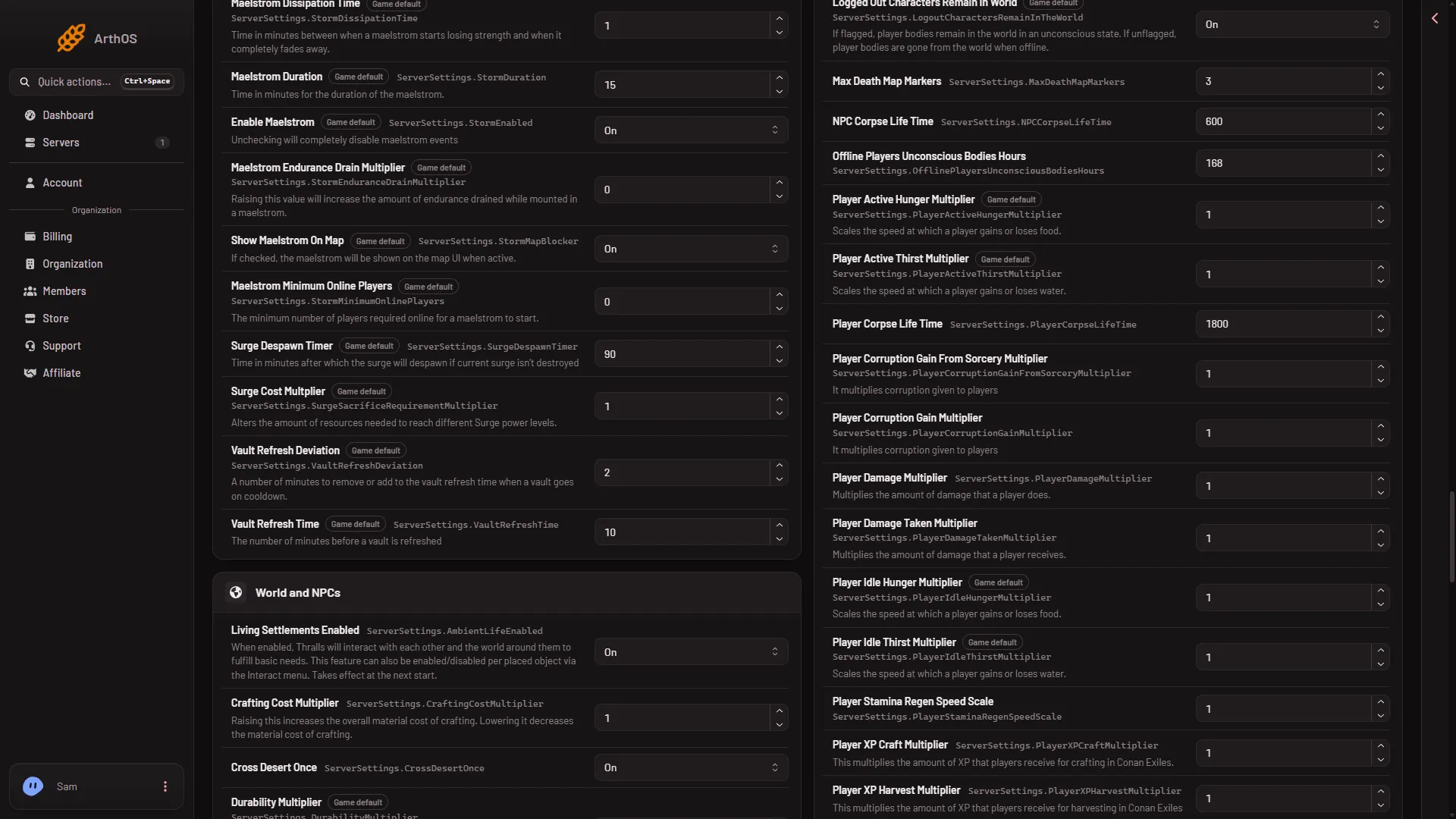
- Enable Maelstrom
- Maelstrom Duration
If it does not work
- The panel says the server is starting or stopping. Wait, then save.
- A row is missing. Search by name. A few Siptah rows sit in other groups.
- Nothing happens. Check Enable Maelstrom is On, and that the Isle of Siptah is loaded.
More about the game on Loafhosts: Conan Exiles servers.