
















Open the Players page. The list called On now shows who is on your server right now. The panel gets the list from the game itself, so it shows the players as the game lists them. If nobody is on, it says Nobody is on.
Read the list
- Open the server, then Players. See the Players page for the whole page.
- Find the card On now (1) with a number in brackets. The number is how many are on.
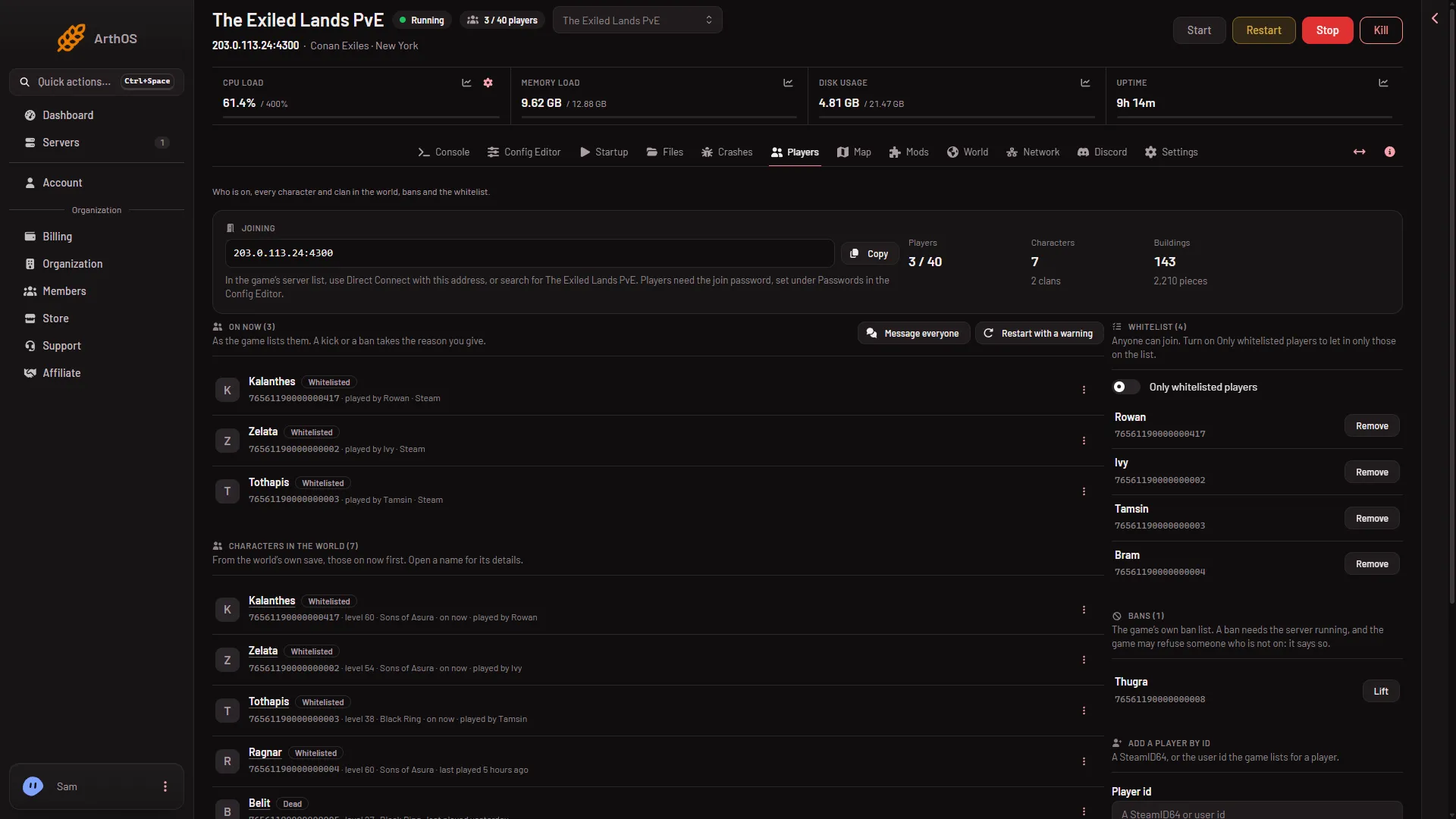
- On now and its count
- Read each row. It shows the character’s name, then the player’s id. Choose the id to copy it. After the id, a row can show played by and a name when the player’s own name differs from the character’s, and the platform.
A row has the tag Whitelisted when the player is on the server’s whitelist. The Banned and Dead tags do not show on this list. They show in Characters in the world further down the page, on the same person’s row.
The page refreshes by itself every 10 seconds while the server runs. You do not need to reload it.
When the list is not there
The On now card shows only while the game answers the panel. If it is missing, the page tells you why, at the top:
- The server is running, but the game is not answering yet. This lasts about half a minute after a start. The text says so.
- The server is starting.
- The server is offline.
In all three, start the server or wait. Nothing is wrong with the list itself.
Find someone who is not on now
Characters in the world lists everyone who has played, those on now first. Each shows last played when they are not on. See the characters list.
What else uses this list
Standby stops an empty server and uses the same player list to decide.
Act on someone
Open the menu on a row (the three dots) to kick, ban or whitelist that player. See kick a player. These need a role that allows moderating players.
If it does not work
- Nobody is on, but a player says they are. Wait for the next refresh and look again. Also check the top of the page for a note that the game is not answering.
- The card is missing. The game is not answering yet, or the server is off. Read the note at the top of the page.
- A player is not marked Banned. The tags on this list are only Whitelisted. Look for the player under Characters in the world, or in Bans.