
















The Players page is where you see who is on your Conan Exiles server, who has ever played on it, and who is banned or whitelisted. It is also where you kick, ban and message people. Some cards work only while the server runs. This tour says which.
For the game itself, see Conan Exiles servers.
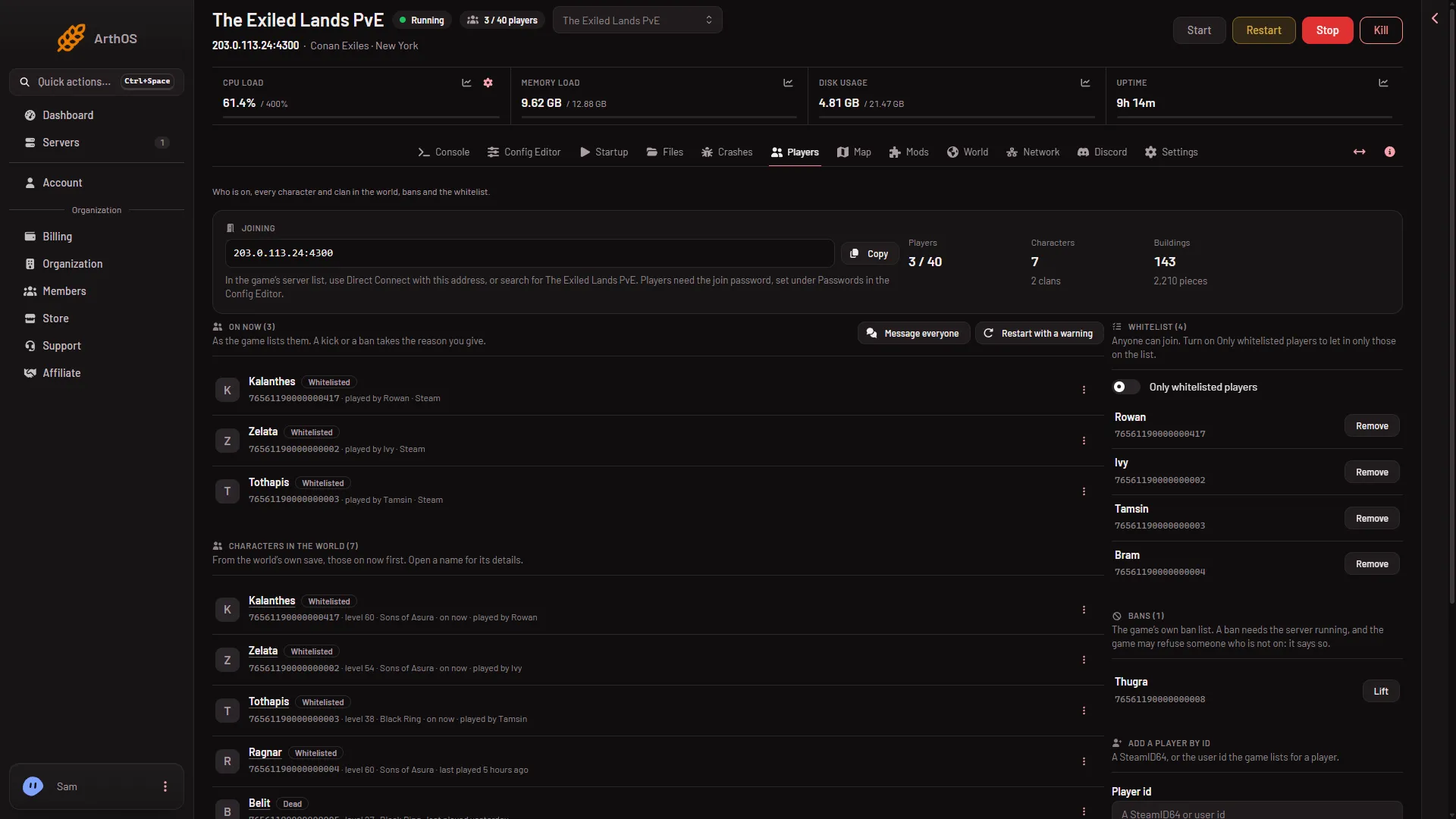
- Copy the address
- Who is on
- Message everyone
- Whitelist
- Bans
The numbers in the picture: the address with its Copy button (1), On now (2), Message everyone (3), Whitelist (4) and Bans (5). The names and numbers in it are demo data.
How the page reads the game
The page asks the game who is on through the remote console (RCON). That is the panel’s own way into the game. Players never use it. The panel turns it on by itself every time the server starts.
When the page cannot read the game yet, it shows one of three notes:
- The server is running, but the game is not answering the panel yet. The text says it answers once the world has loaded, about half a minute after the start. Wait and the cards fill in.
- The server is starting. The text says who is on and the characters show once it is up.
- The server is offline. The whitelist, its switch and the message of the day can be changed now. The game reads them at its next start. Who is on and the characters show while it runs. Bans still lists the names the game kept in its ban file, but Lift is greyed out until the server runs.
The page refreshes by itself: every 10 seconds while the server runs, every 30 seconds otherwise.
The top of the page
Three tiles count Players, Characters and Buildings.
Next to them is the Joining card. It shows the server’s address with a Copy button. Players use Direct Connect in the game with that address, or search the server list for the server’s name. If the server has a join password, the card says players need it, set under Passwords in the Config Editor. If it has none, the card says anyone who finds the server can join. If the server has no address yet, the card says so.
On now
On now (count) lists the characters on the server, as the game lists them. It shows only while the game answers. When nobody is on it says Nobody is on. See who is online.
Two buttons sit beside the heading, if your role allows them:
- Message everyone sends a line of text that every player on the server sees in the game. It can be up to 200 characters. See message all players.
- Restart with a warning warns everyone in the game at 10, 5 and 1 minutes and at 10 seconds, then restarts the server, which drops everyone who is still on. It works only while the game answers the panel. See restart with a warning.
Each row has a menu with three dots. Its items are Kick, Ban and Add to the whitelist (or Take off the whitelist for someone who is already on it). See kick a player and ban a player.
Characters in the world
Characters in the world (count) lists every character the world has saved, those on now first. The panel reads it from the world’s own save. The page shows the 200 who played most recently and says how many that is of the total.
Rows show the level, the clan, on now or last played and a tag when it applies: Whitelisted, Banned or Dead. Choose a name to open its details: level, clan, items, thralls and pets, building pieces, whether the character is alive or dead, who killed it, and the last known place. The details also show the Platform id. The row menu here offers Ban or Lift the ban, and the whitelist item. It has no Kick, because a kick is for someone who is on.
If nobody has made a character yet, it says Nobody has made a character on this world yet.
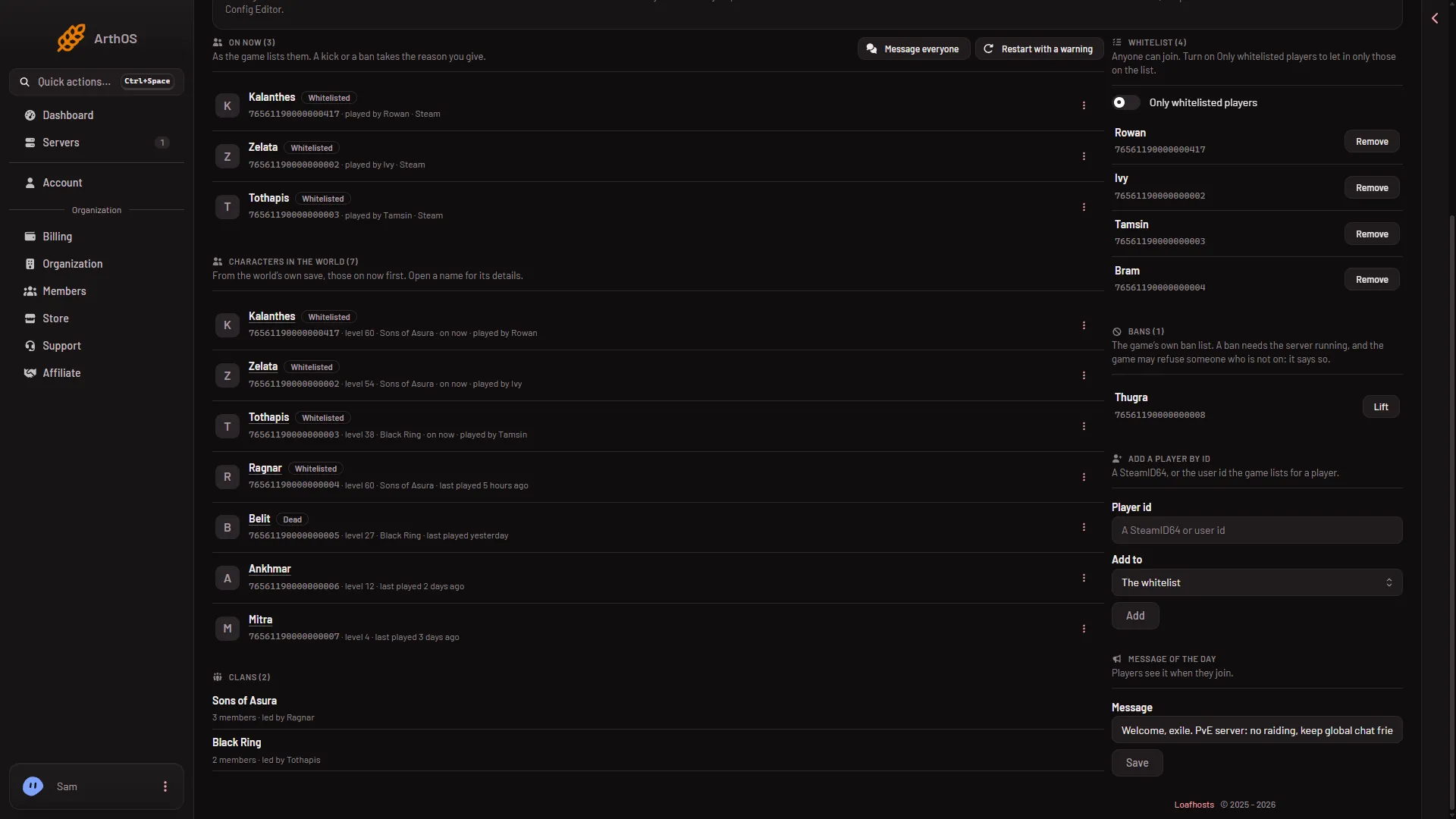
- Characters in the world
- Whitelisted tag
- Dead tag
- Open a character
- Clans
Clans (count) sits under the characters (5). Each clan shows its name, its member count and its leader.
The right column
These four cards stay in the right column.
Whitelist (count) lists the players allowed to join when the whitelist is on. The switch Only whitelisted players turns it on. Before it turns on, the page asks “Only let whitelisted players join?” and tells you how many are on the list. Add yourself and your players first. A change made while the server runs is used at once. On an offline server it is written to the files and the game reads it at its next start. See the whitelist.
Bans (count) is the game’s own ban list. Each name has a Lift button. Lifting a ban needs the server running. A Conan ban has no length: it lasts until you lift it.
Add a player by id puts a player on the whitelist or the ban list without finding them in a list. Type a SteamID64, or the user id the game lists for a player, into Player id (1). In Add to (2) choose The whitelist or The ban list, then choose Add (3). A ban needs the server running, and the ban choice is not offered while the server is off.
Message of the day (4) is the text players see when they join. Type it in Message, then choose Save (5). It cannot contain a double quote. It works on an offline server too. To clear it, save it empty.
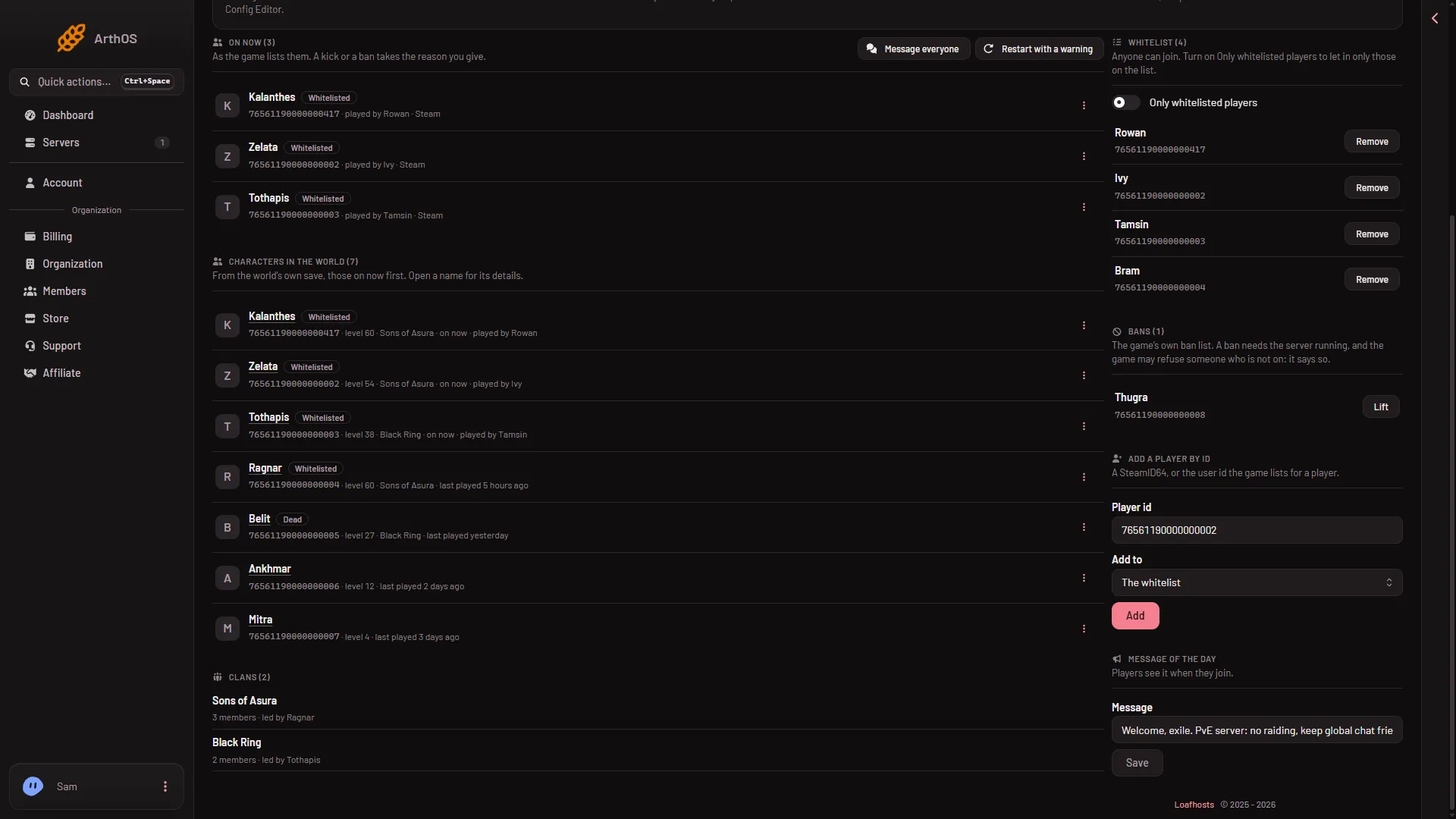
- Player id
- Add to
- Add
- Message of the day
- Save the message
What needs the server running
Kick, ban, lifting a ban and messages need the server running and answering. The whitelist, its switch and the message of the day can be changed with the server off.
What your role allows
You see the page with a role that may read players. Moderating (kick, ban, lift, whitelist, add by id) needs a role that allows moderating players. Message everyone needs console control. Restart with a warning needs the right to restart the server. The message of the day needs the right to change the startup. Without it you see the text but cannot change it. Ask the owner, or see give a friend access.
If it does not work
- The cards that show who is on are missing. The server is off, starting, or not answering yet. Read the note at the top. Give a freshly started server half a minute.
- The page says the game refused the panel’s RCON password. The password is written into the server’s settings when the server starts. Restart the server to use the current one.
- The page keeps saying the game is not answering. Give a fresh start half a minute. If the server has been up much longer, restart it.
- A name is missing from Characters. Only the 200 most recent are shown. The page says how many there are in all.
- The menu or switch is missing. Your role does not allow it.
- The page says the game did not accept the panel’s RCON connection. Wait a little and try again. If it stays, see locked out by the command limit.
- Ban or Kick says the game said something. The panel shows the game’s own answer. A ban of someone who is not on can be refused. See ban a player.