






To run Chernarus, set the server’s mission to dayzOffline.chernarusplus. In the panel that is the Chernarus choice on the Map (mission) row of the Config Editor. It is also the mission in Bohemia’s own example configuration.
What the map is
Steam’s DayZ page calls Chernarus the “quintessential DayZ experience”. It is a 230 km² post-Soviet landscape, a hand-crafted terrain inspired by real-world locations in North Bohemia of the Czech Republic. The base game includes it, so players need nothing extra.
In the ArthOS panel
- Open your server and choose Config Editor.
- Under Server, set Map (mission) to Chernarus.
- Choose Save, then Restart now.
A new server already runs Chernarus. Checked on DayZ 1.29. Update 1.30 is due on 15 October 2026.
If the server already runs Chernarus, there is nothing to change. To move from another map, see change the map. Each map keeps its own world, so the world on the other map stays on disk.
Where the loot files are
The files that shape Chernarus live in its mission folder, mpmissions/dayzOffline.chernarusplus. Bohemia’s Central Economy repository lists these in that folder:
db/types.xml,db/events.xml,db/globals.xmlanddb/messages.xmlcfggameplay.json,cfgspawnabletypes.xml,cfgplayerspawnpoints.xml,cfgweather.xmlinit.c
Open them in Files. The Config Editor does not edit them. For loot, see types.xml and loot.
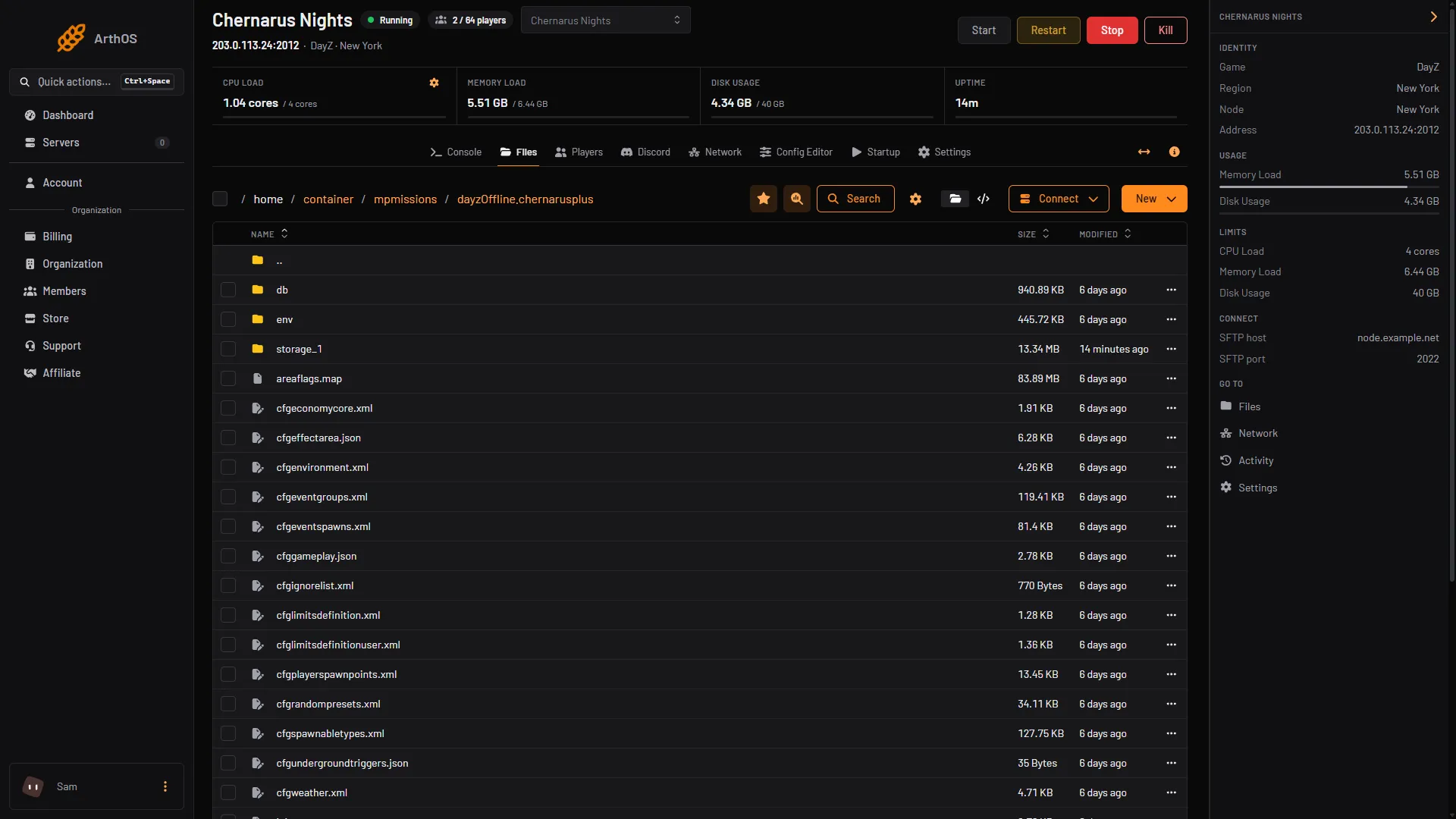
- Loot files in db
- The saved world
The db folder (1) holds the loot files. The storage_1 folder (2) holds the saved state of the world.
By hand
In serverDZ.cfg:
class Missions
{
    class DayZ
    {
        template = "dayzOffline.chernarusplus";
    };
};
Restart the server afterwards.
If it does not work
- The map did not change. Save, then restart. The map is read when the server starts.
- Your loot edits have no effect on another map. Each mission has its own files. Edit the ones inside the mission folder the server is running.
More about the game: DayZ servers.
Sources: Bohemia wiki: Server Configuration, github.com: DayZ Central Economy, store.steampowered.com: DayZ